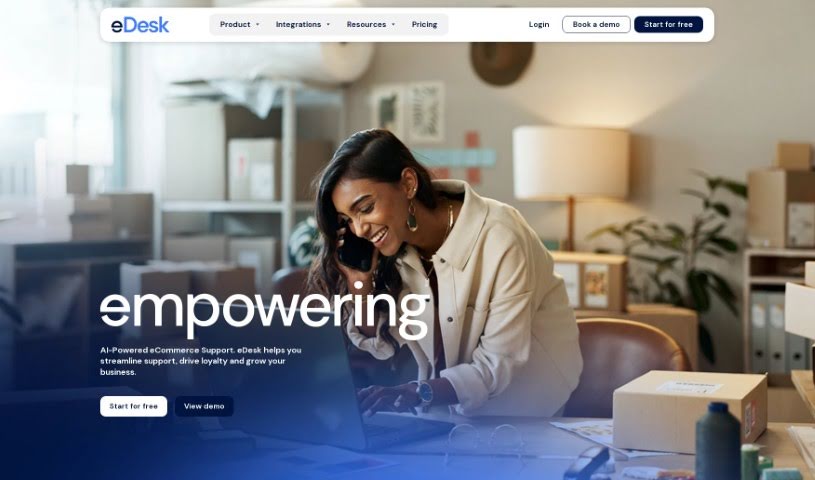
What is Edesk?
EDesk is a customer support platform designed to really transform how you manage customer service. You can use eDesk to read customer success stories, check out the latest product updates, find helpful articles in their help section, and even use their API documentation if you need to connect it with other systems. It’s packed with features to make customer support better, like ways to log in if you’re a registered user, a chance to book a demo to see it in action, and a free trial so you can explore everything it offers. Plus, eDesk provides helpful resources like customer success stories, blog posts, and webinars to ensure you get the most out of the platform.
Who created Edesk?
Edesk first launched on January 6, 2020. It was created by a group of entrepreneurs who were really passionate about making big changes in how workspaces function. While the specific founder hasn’t been named in the information we have, the company’s main focus is on offering smart solutions for managing workspaces. Their goal is to simplify operations and boost productivity through their platform.
What is Edesk used for?
EDesk helps businesses in many ways, including:
- Automating responses to frequently asked customer questions.
- Generating reviews from happy customers to build trust.
- Centralizing all your support channels into one place.
- Providing unified analytics so you can see how you’re performing and where to improve.
- Integrating easily with various eCommerce platforms.
- Strengthening your company’s brand reputation.
- Managing customer interactions and order data efficiently.
- Enhancing team collaboration for better support results.
- Using AI-powered automations to boost productivity.
- Handling customer conversations across different messaging apps.
- Improving productivity by suggesting automations for routine tasks.
- Responding quickly to customer questions with AI assistance.
- Analyzing customer message sentiment and routing them appropriately.
- Fostering team collaboration through a shared system.
- Accessing all sales and messaging channels from a single inbox.
- Routing complex questions to the right team members for quick resolution.
- Offering insights into team productivity and highlighting areas for improvement.
- Sending out review requests to satisfied customers to boost your brand.
- Supporting no-code integrations with many different eCommerce platforms.
Who is Edesk for?
eDesk is a great tool for a variety of roles, such as:
- Customer Support Representatives
- Customer Service Managers
- Technical Support Specialists
- Sales Representatives
- E-commerce Managers
- Marketing Professionals
- Product Managers
- Business Analysts
- IT Support Technicians
- Digital Marketing Specialists
How to use Edesk?
Getting started with eDesk is straightforward. Just follow these steps:
- Sign Up: Head over to the eDesk website and create your account. You’ll just need to provide some basic information.
- Log In: Once your account is set up, use your username and password to log in.
- Explore the Dashboard: When you log in, you’ll land on the dashboard. This gives you a quick overview of your tasks, new messages, and any important notifications.
- Navigate the Platform: Use the menu bar to easily move between different sections like tasks, messages, your calendar, and settings.
- Create Tasks: Go to the “Tasks” tab and click “Create Task.” Here, you can add a new task, fill in details like its name and description, set a deadline, and even assign it to team members.
- Manage Messages: The “Messages” tab is where you’ll communicate with your team. You can start new conversations, reply to existing ones, and keep track of all your discussions.
- Use the Calendar: The calendar helps you see upcoming deadlines, meetings, and events. You can also add new events or tasks directly to it.
- Customize Settings: In the “Settings” area, you can personalize your eDesk account. This includes adjusting notification preferences, updating your profile, and choosing a theme you like.
- Collaborate with Your Team: Work together effectively by sharing tasks, messages, and files right within the platform.
- Stay Updated with Notifications: You’ll receive real-time notifications for task updates, new messages, and upcoming events, so you’re always in the loop.
By following these steps, you’ll be able to use eDesk to make your team’s communication, collaboration, and task management much smoother.