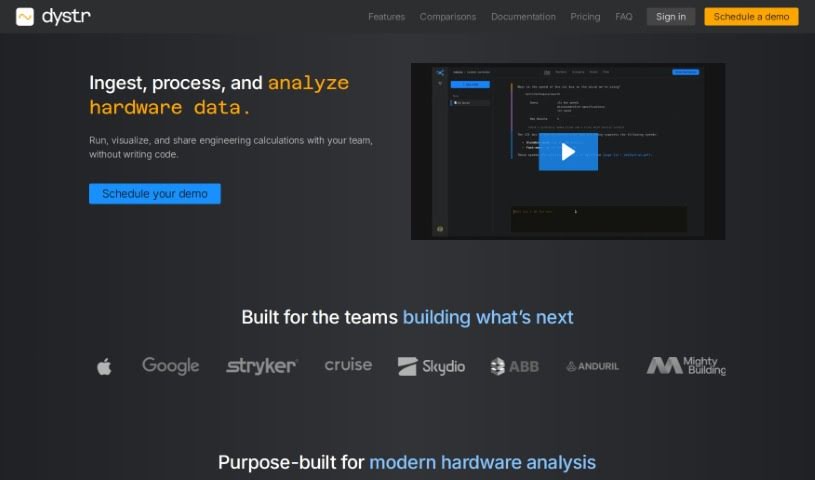
Screenshot of Dystr

Dystr

Discover what Dystr is and how to use it effectively in 2025. We'll explore its features and see how it stacks up against other tools for Software Engineers.

Screenshot

What Exactly is Dystr?

Dystr is an engineering environment powered by AI, designed to automate tasks, run analyses with helpful visualizations, and handle complex calculations. It is a cloud-based hub built for teams to work together smoothly and boost their productivity. It does this by automating workflows, cutting down on repetitive manual work, and making it easier to make decisions based on data. Plus, Dystr really focuses on being user-friendly, offering customization options, and supporting everyone, no matter their skill level. The AI at its core makes the whole experience better by automating tasks, helping with data analysis, and providing straightforward functions that save you time and effort.

Who’s Behind Dystr?

Dystr was brought to life by a team of engineers and AI specialists. Their goal? To create an AI-powered engineering environment that could handle automation, analysis, and complex calculations. They officially launched the platform on June 17, 2024. Their main focus has been on cloud-based solutions, automating tasks, making team collaboration easier, and generally optimizing how businesses operate. Dystr also places a high priority on user privacy, keeping data secure, and enabling decisions based on solid data. They’ve made sure the interface is easy to use, catering to people with all sorts of different expertise levels. You’ll find that technical and engineering teams are among Dystr’s biggest users, as they look for ways to improve their productivity and make their workflows more efficient.

What Can You Do with Dystr?

Here’s a look at what Dystr is used for:

  • Automate tasks without needing to be there: Set up processes to run automatically in the background.
  • Crunch numbers and analyze data with plain language: Easily perform math and analysis using everyday words.
  • Keep your work organized and separate: Use isolated collaborative sandboxes for calculations, datasets, and project materials.
  • Track your work easily: Maintain a clear history of calculations tied to specific projects.
  • Find what you need quickly: Search, view, and reference content within your isolated workspaces using semantic search.
  • Speed up your productivity: Get more done with powerful Workspaces.
  • Keep your data safe: Your data is encrypted both when it’s stored and when it’s being sent.
  • Manage access easily: Create user accounts to organize your team and control access to workspaces.
  • Make smarter decisions with data: Dystr helps you make data-driven choices and guide your strategic plans.
  • Improve how your business runs: Streamline business processes and boost overall efficiency.

Who Should Use Dystr?

  • Technical teams
  • Engineering Teams

How Do I Get Started with Dystr?

Ready to dive in? Here’s a simple guide to using Dystr:

  1. Build Smart Workers: You can create workers designed to handle single or multi-step processes automatically. You can even trigger these workers from other tools, emails, schedules, or even other workers you’ve built.
  2. Run Math and Analysis Instantly: Need to do some math or analysis? You can perform iterative calculations in seconds using natural language, all within isolated collaborative sandboxes.
  3. Keep a Clear Project History: It’s easy to keep track of all your calculations related to specific projects. You can also search, view, and reference everything in your workspace content semantically.
  4. Make the Most of Powerful Workspaces: Build out your Workspaces to really boost productivity. Dystr offers cloud-based engineering, task automation, and advanced calculation capabilities.
  5. Rest Easy with Data Security: Dystr encrypts your data both when it’s stored and when it’s in transit. This ensures your privacy and ownership rights are protected, and access is limited only to members you invite.
  6. Boost Your Productivity: Drive productivity by automating your workflows, cutting down on manual effort, and freeing yourself up to focus on more strategic tasks with greater efficiency.
  7. Create Your Personal Account: If you want to use Dystr, you’ll need to create your own account first. This gives you access to all the features and functionalities.
  8. Customize Your Interface: You can tailor the interface to match your specific business needs, making it work well for users with different levels of expertise.
  9. Enable Data-Driven Decisions: Use Dystr for complex data analysis. It helps you uncover insights that can guide your strategic initiatives and improve your decision-making processes.
  10. Tap into AI Code Assistants: Make tasks easier and get support by leveraging AI code assistants. They can help with effective task completion and provide guidance as you work on your engineering tasks.

Related AI Tools

Discover more tools in similar categories that might interest you

Stay Updated with AI Tools

Get weekly updates on the latest AI tools, trends, and insights delivered to your inbox

Join 25,000+ AI enthusiasts. No spam, unsubscribe anytime.