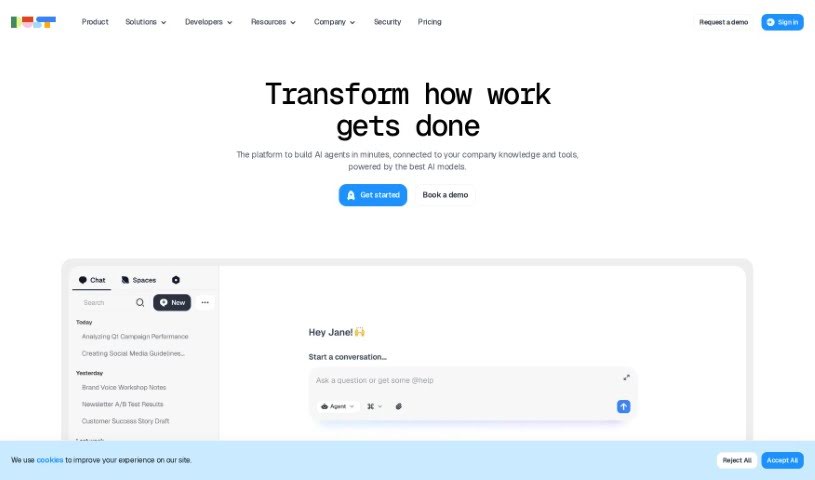
Screenshot of Dust

Dust

Discover what Dust is and how to use it effectively in 2025. We'll explore its features and see how it stacks up against other automation tools.

Screenshot

What is Dust?

Dust is your team’s own AI assistant, built to be flexible and secure. It lets you bring the power of advanced AI, like GPT-4 and Claude, right into your daily work. What’s really neat is how it connects these powerful models to your own company’s information – whether that’s in Notion, Slack, GitHub, or Google Drive. Dust puts you in charge of your data, offering detailed control over who sees what, which is great for privacy and security. Plus, it’s designed to be super adaptable, so you can create custom AI assistants that fit exactly what your team needs. It also plays nicely with all sorts of platforms, making sure your knowledge stays connected and secure, with robust security measures to manage who can access what.

Who created Dust?

Dust was actually started by a team of developers and forward-thinkers who wanted to give teams a really customizable and secure way to use AI. Their goal was to help teams tap into AI’s full potential and break down those annoying knowledge silos with AI assistants that actually understand your context. Dust makes sure your data stays private and secure by letting you control access very precisely. It also keeps itself updated by syncing with platforms like Notion, Slack, GitHub, and Google Drive. The company offers different pricing plans, whether you’re a small team or a large enterprise, with options for using regular or more advanced AI models, creating as many custom assistants as you need, and connecting to all sorts of data sources.

What is Dust used for?

  • Customizable AI Assistants: You can really tailor these AI assistants to fit your team’s specific tasks and how you work. It’s all about helping everyone do their best work.
  • Data Access Control: Dust lets you get really specific about who can access what data. This is super important for keeping your company’s sensitive information private and secure.
  • Integration with Multiple Platforms: Dust connects smoothly with popular tools like Notion, Slack, GitHub, and Google Drive. This helps break down those walls between different information sources and keeps your knowledge all in one place.
  • Modular and Adaptable: It’s built to be really flexible and adaptable. You can tweak it to match your unique needs, and it’ll grow and change with your team, always performing at its best.
  • Enterprise-Grade Security: Dust comes with top-notch security features designed to manage how data access policies work. This gives you peace of mind and control over protecting your company’s valuable data.

Who is Dust for?

  • Marketing pros
  • Sales teams
  • Data folks

How to use Dust?

Dust is an AI assistant platform designed to really boost your team’s productivity by using AI smartly. Here’s a straightforward guide to getting the most out of it:

  1. Make it Yours: Start by customizing your AI assistants. Think about what your team specifically needs and how you work, then tailor the AI to match for the best results.
  2. Control Your Data: Take precise control over who can access your data. This is key to keeping sensitive company information private and secure.
  3. Connect Your Tools: Easily link Dust with the platforms you already use, like Notion, Slack, GitHub, and Google Drive. This helps connect all your information and break down those knowledge silos.
  4. Adapt as You Go: Dust is really modular, meaning you can customize it to fit your exact requirements. It’s built to evolve with your team, ensuring it always performs optimally.
  5. Stay Secure: Rely on Dust’s enterprise-grade security features to manage your data access policies. This gives you the control and confidence you need to keep your company’s data safe.

By following these steps, your team can really make the most of Dust. It’s a great way to simplify how you work, make collaboration smoother, and boost productivity in a way that’s both secure and efficient.

Related AI Tools

Discover more tools in similar categories that might interest you

Stay Updated with AI Tools

Get weekly updates on the latest AI tools, trends, and insights delivered to your inbox

Join 25,000+ AI enthusiasts. No spam, unsubscribe anytime.