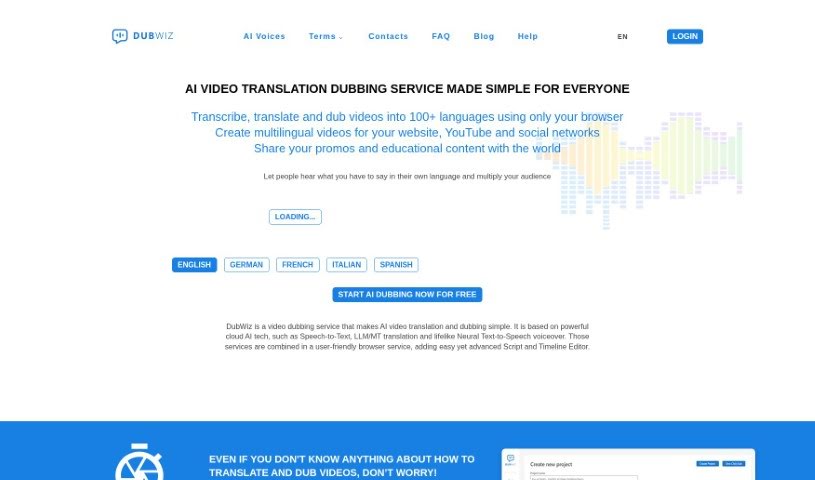
What is DubWiz?
DubWiz is a platform that lets you create professional voiceovers in your own language, all thanks to its Neural Text-to-Speech technology. What’s really neat about this tech is that it can actually remove the original foreign-language voice from a video. It does this while keeping all the background sounds and music intact, which means you can end up with really natural-sounding voiceovers.
Here’s how the transcription process works in DubWiz: First, it converts the audio from your video into text using Speech-to-Text technology. Once you have that AI-generated transcript, you can then tweak it in the Transcript Editor. After that, you move on to translation, which uses its Neural Machine Translation engine. The very last step is generating the actual voiceover with the Text-to-Speech feature.
DubWiz really leans into advanced AI for things like Speech-to-Text transcription. This means it’s super accurate. Plus, it offers cool features like telling different speakers apart and letting you upload your own dictionaries to make the transcription even more precise.
What you’ll notice right away is that DubWiz has a super user-friendly interface. It’s really easy for anyone to use, no matter their tech skills. You get quick results, and you can even control how loud the original background sound is in your dubbed projects.
So, to sum it up, DubWiz is a straightforward platform that brings together advanced AI tools. It helps you create voiceovers in different languages efficiently and accurately, all while giving you control over those background sound levels.
Who created DubWiz?
DubWiz was actually built by a team that really cares about making things user-friendly and pushing the boundaries with innovative technology. It first launched on October 30, 2023. The whole idea behind the platform is to make it simple for anyone to create professional voiceovers in their native language. It uses advanced AI, like Neural Text-to-Speech, not just for creating the new voice but also for removing the old voice while keeping those background sounds and music. They designed it so that everyone can use it, even if you don’t have any professional voiceover skills.
What is DubWiz used for?
- You can try it out for free!
- Create professional voiceovers in your native language.
- It automatically removes the original foreign-language voice from your video.
- You can keep background sounds and music while creating your voiceovers.
- You get to adjust the level of the original background sound in your dubbing projects.
- It helps improve the accuracy of speech-to-text transcriptions.
- You can control the quality of your translations.
- It supports custom dictionaries to make transcriptions even better.
- It makes sure the original context is kept during translation.
- You get fast delivery for translations, transcriptions, and voiceovers.
- It removes the original foreign-language voice from videos.
- It keeps background sounds and music while removing voices.
- You can adjust the level of the original background sound in dubbing projects.
- It lets you control the level of the original background sound in videos.
- It ensures quality translations using its Neural Machine Translation engine.
- You can translate just specific parts of your video’s text.
- Dub videos easily with its user-friendly interface.
- You can edit transcripts that were generated by AI.
- Refine your transcripts efficiently.
- It removes the original voice from a video while keeping background sounds and music.
- You can adjust the level of the original background sound in dubbing projects.
- It provides accurate speech-to-text transcription.
- It translates scripts using its Neural Machine Translation engine.
- You can generate voiceovers with its Text-to-Speech feature.
- It supports custom dictionaries for transcription.
- It keeps the context and subject matter intact during translations.
- You can control the original background sound level in your videos.
- It maintains the original sound ambience of your videos.
- You can generate voiceovers using its Text-to-Speech feature.
- You can customize transcripts using the Transcript Editor.
- Translate your entire script or just select parts using the Neural Machine Translation engine.
- Get quick delivery of translations, transcriptions, and voiceovers.
- There’s a free trial available, and no credit card is needed.
- Create lifelike voiceovers in your native language.
- It automatically removes foreign-language voices from videos while keeping background sounds and music.
- It converts audio in a video to text using Speech-to-Text technology.
- You can refine AI-generated transcripts using the Transcript Editor.
- It translates scripts using the Neural Machine Translation engine.
- It supports speaker distinction in its Speech-to-Text feature.
- You can upload custom dictionaries for transcription.
- It maintains context during translations with its Neural Machine Translation engine.
Who is DubWiz for?
- Translators
- Video editors
- Content creators
- Localization specialists
- Multimedia professionals
- YouTubers
- Professional voiceover artists
- Video content creators
- Language teachers
- Professional translators
- Multilingual content creators
- Professional voice actors
- Marketing professionals
- Educators
- Language instructors
How to use DubWiz?
If you want to use DubWiz to dub your videos effectively, here’s a simple breakdown of the steps:
- Voice Removal: DubWiz does a great job of automatically removing foreign-language voices from your video as much as possible. This really helps make the dubbing process feel seamless.
- Background Sounds: You can keep all the background sounds and music from the original video. This is key to maintaining the video’s original feel and ambiance, even after the voices are removed.
- User-Friendly Interface: DubWiz is designed to be super intuitive and easy to navigate. It includes helpful tools like the Transcript Editor, Translation Editor, and Dubbing Studio, all aimed at making your workflow smooth.
- Custom Dictionaries: To make your transcriptions even more accurate, you can create and upload your own custom dictionaries. This can save you a lot of time on editing later.
- Translation Process: When you translate, you can use the Neural Machine Translation engine. This helps ensure that the original context of the video is preserved throughout the translation.
- Voiceover Creation: You can generate professional voiceovers in your own language. It does this by automatically removing the original voice while keeping those background sounds and music in place.
- Scripting Process: The whole process starts with converting your audio to text using Speech-to-Text. Then, you refine that transcript using the editors, translate it with Neural Machine Translation, and finally generate the voiceover with Text-to-Speech.
- Quick Results: Thanks to modern neural networks and AI technologies, you can expect fast results. This makes the translation and voiceover creation process really efficient.
- Control over Background Sound: You have the ability to adjust the level of the original background sound in the video, so it’s exactly how you want it.
- Quality Assurance: DubWiz really focuses on making sure you get accurate speech-to-text transcriptions, high-quality translations, and a generally user-friendly experience.
By following these steps, you can really make the most of DubWiz for accurate and efficient video dubbing.