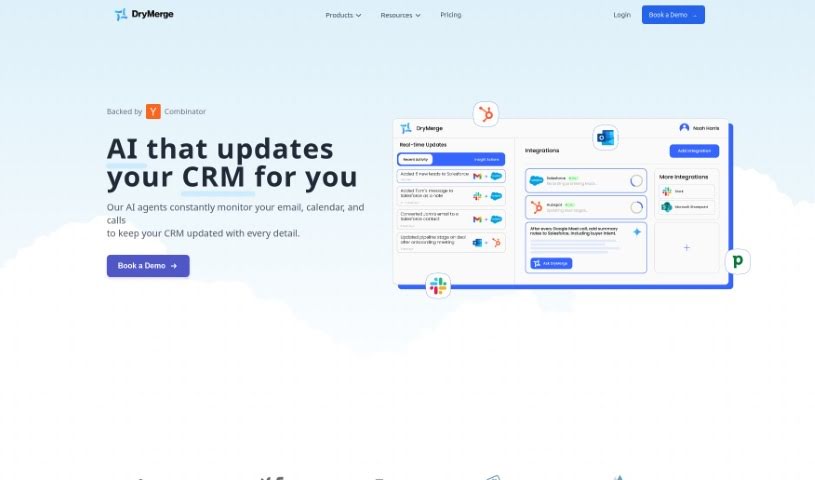
Screenshot of DryMerge

DryMerge

Discover DryMerge, a tool that automates workflows using plain English. Learn its features, how it works, and who it's for in 2025, comparing it to other project management tools.

Screenshot

What is DryMerge?

DryMerge is a really neat tool that helps automate your team’s workflows just by using plain English descriptions. It is a way to tell your computer what you need done, and it figures out how to do it. This means teams in operations, sales, and support can automate tasks without needing a developer to write any code. It’s pretty clever! The tool has a built-in chatbot that can handle connecting to different services (APIs) and setting up the logic for your automations. It works smoothly with tools you probably already use, like Slack, Gmail, and Notion, thanks to its easy software integrations. DryMerge uses natural language processing, which is a fancy way of saying it’s good at understanding the nuances of how people describe their workflows. Plus, it uses AI to get better at automating things over time, and it even gives you notifications if something goes wrong or if an automation is taking a while.

Who created DryMerge?

DryMerge, which first launched on January 10, 2024, was developed by a team led by its founder. The core idea behind DryMerge is to let people automate their daily tasks and workflows simply by describing them in natural language. This really cuts down on the need for extra engineering help or submitting support tickets. It connects effortlessly with popular tools like Slack, Gmail, and Notion, making it easy to move data between different SaaS applications automatically. What’s particularly innovative is DryMerge’s AI. It learns and improves its automation accuracy by looking at how users interact with it and making smart decisions based on specific conditions you set up.

What is DryMerge used for?

DryMerge can handle a wide variety of tasks to make your work life easier. Here are some examples:

  • Employee Onboarding: Imagine automatically setting up new hires with accounts in Slack and Google Drive, all pulled from a Notion database.
  • Daily Reports: You can set it up to gather daily reports from Google Sheets and then send a summary right to your Outlook inbox.
  • E-commerce Management: Keep your inventory in Airtable up-to-date and get an instant Slack notification when stock levels are getting low.
  • Meeting Preparation: Automatically create Google Docs for your upcoming Google Calendar events and share them with everyone invited.
  • Project Management: Turn Slack messages into Jira tasks and automatically add due dates to your Google Calendar.
  • Sales Automation: Log new leads directly into Salesforce and get timely Slack notifications to follow up.
  • Content Creation: Save attachments from your Gmail straight to Google Drive and build a content calendar in Notion.
  • Customer Support: Turn customer feedback into GitHub issues and alert your support team via Slack.
  • Marketing Campaigns: Schedule your social media posts directly from Google Sheets and track performance metrics in Airtable.
  • Event Management: Easily register attendees for a Google Calendar event and send out confirmation emails through Gmail.

These are just a few ways DryMerge can streamline your operations. It’s designed to adapt to many different team needs.

Who is DryMerge for?

DryMerge is a versatile tool that can benefit a wide range of professionals and teams. If you’re involved in:

  • Sales teams
  • Operations teams
  • Support Teams
  • Marketing teams
  • Developers
  • Human resources teams
  • Customer support
  • Content Creation Teams
  • Event management teams
  • Employee Onboarding Teams

…or if you’re simply looking to improve efficiency in areas like operations, sales, or support, DryMerge can likely help. It’s also great for content creators, customer support specialists, event managers, project management teams, and e-commerce management teams who want to automate repetitive tasks.

How to use DryMerge?

Getting started with DryMerge is pretty straightforward. Here’s a simple breakdown of the steps:

  1. Describe What You Need: Start by clearly explaining your workflow in plain English. Detail all the steps and the specific tasks you want to automate.
  2. Use the Natural Language Interface: Just type out your workflow requirements. DryMerge is designed to understand what you mean and put it into action.
  3. Let the Built-in Chatbot Help: The tool has a chatbot that automatically handles connecting to different services (APIs) and setting up the necessary logic, so you don’t have to worry about the technical side.
  4. Connect Your Tools: Easily link DryMerge with the apps you already use, like Slack, Gmail, and Notion. This allows data to flow smoothly between them.
  5. Improve Automation Over Time: DryMerge uses AI to constantly learn from your conversations. This means it gets better and better at automating your tasks accurately as you use it.
  6. Handle API Integrations Easily: The chatbot is key here. It manages all the API connections by understanding your natural language requests, meaning you don’t need extra engineering help.
  7. Keep an Eye on Things with Product Analytics: You can use the product analytics feature to see how your automations are performing. It helps you understand user interactions, make your automations even more precise, and get notified about any errors.
  8. Stay Informed with Notifications: You’ll get alerts about the status of your automations, any errors that pop up, and even suggestions for fixes. This helps ensure everything runs smoothly.

By following these steps, you can effectively automate your workflows, manage your processes better, and boost your overall operational efficiency with DryMerge.

Related AI Tools

Discover more tools in similar categories that might interest you

Stay Updated with AI Tools

Get weekly updates on the latest AI tools, trends, and insights delivered to your inbox

Join 25,000+ AI enthusiasts. No spam, unsubscribe anytime.