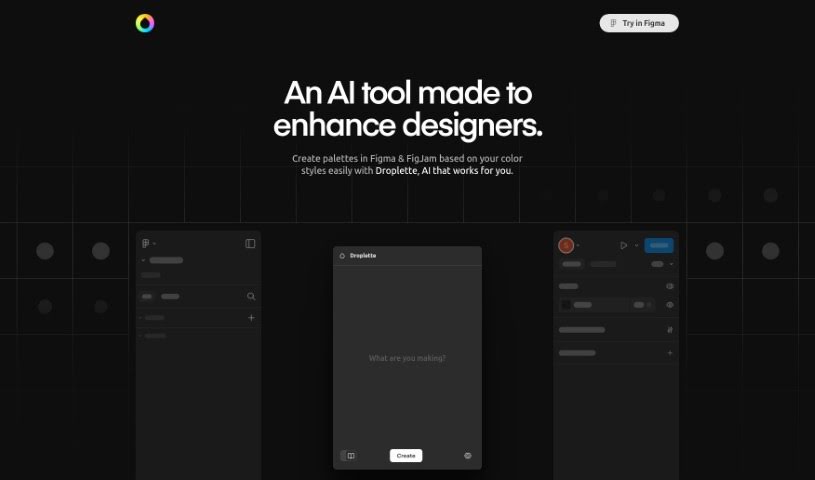
Screenshot of Droplette

Droplette

Discover Droplette, an AI-powered color palette generator for Figma in 2025. Learn its features, how it works, and how it compares to other design tools.

Screenshot

What is Droplette?

Droplette is a smart AI tool that helps you generate color palettes, and it works right inside Figma, a really popular design program. It’s built to make the creative process smoother for designers by offering custom, AI-driven color schemes. With Droplette, you can easily create palettes in Figma that match your preferred color styles. All you need to do is connect your Figma color system to Droplette. This connection lets you generate color harmonies that really fit your unique design look. It promises to make designers’ workflows more productive and enjoyable. While we don’t have all the specifics yet, like pricing or supported languages, Droplette is shaping up to be a fantastic tool for designers who want to create beautiful, personalized color palettes quickly.

If you’re interested in trying Droplette, you can join the waitlist to get updates when it’s ready.

Who created Droplette?

Seán Halpin is the creator behind Droplette. It officially launched on July 30, 2024. The company’s focus is entirely on Droplette, which is an AI-powered color palette generator designed to work seamlessly with Figma, a leading design tool. This tool is all about improving the creative experience for designers by giving them custom, AI-generated color palettes. It makes it much simpler for designers to come up with color schemes that perfectly match their individual design style.

What is Droplette used for?

  • It helps designers by providing custom, AI-driven color palettes that really boost the creative process.
  • You can easily make palettes directly in Figma, tailored to the color styles you like best.
  • By linking your Figma color system to Droplette, you can generate color harmonies that truly reflect your unique design aesthetic.
  • It offers a straightforward setup process, letting you quickly sync your design system’s color styles with Droplette.
  • You can really expand your creative options by connecting your OpenAI account to Droplette. This lets you generate endless palette combinations based on any prompt you can think of, all while sticking to your preferred colors.
  • It’s designed to enhance the creative process for designers by offering tailored and AI-driven color palettes.
  • You can effortlessly create palettes in Figma that match your preferred color styles.
  • Generate harmonies that align with your unique design aesthetic by simply connecting your Figma color system to Droplette.
  • It’s easy to quickly sync your design system’s color styles with Droplette.
  • You can generate countless palette combinations using any prompt, all based on your preferred colors.
  • Create beautiful, custom color palettes for all your designs.
  • It provides a simple setup process for syncing your design system’s color styles with Droplette.

Who is Droplette for?

  • Primarily for designers.

How to use Droplette?

Droplette is an AI-powered color palette generator that integrates smoothly with Figma. To get the most out of Droplette, here’s a simple guide:

  1. Join the waitlist: Sign up for the Droplette waitlist to be among the first to access the tool when it’s released.
  2. Connect your Figma color system: Link your existing color system in Figma to Droplette. This is key to generating harmonious color palettes that perfectly match your unique design style.
  3. Set up for quick use: Complete the setup by syncing your design system’s color styles with Droplette. This ensures you can use it quickly and efficiently.
  4. Boost your creativity: Integrate your OpenAI account with Droplette. This opens up a world of possibilities, allowing you to generate countless palette combinations based on any prompt, all while using your preferred colors.

By following these steps, designers can really streamline their creative process within Figma. You’ll be able to create beautiful, custom color palettes that are perfectly suited to your specific design aesthetic. Make sure to join the waitlist to stay updated on Droplette’s launch and discover all the benefits this innovative color palette generator has to offer.

Related AI Tools

Discover more tools in similar categories that might interest you

123RF AI Image Generator

Creative Image Generation
Learn More

Stay Updated with AI Tools

Get weekly updates on the latest AI tools, trends, and insights delivered to your inbox

Join 25,000+ AI enthusiasts. No spam, unsubscribe anytime.