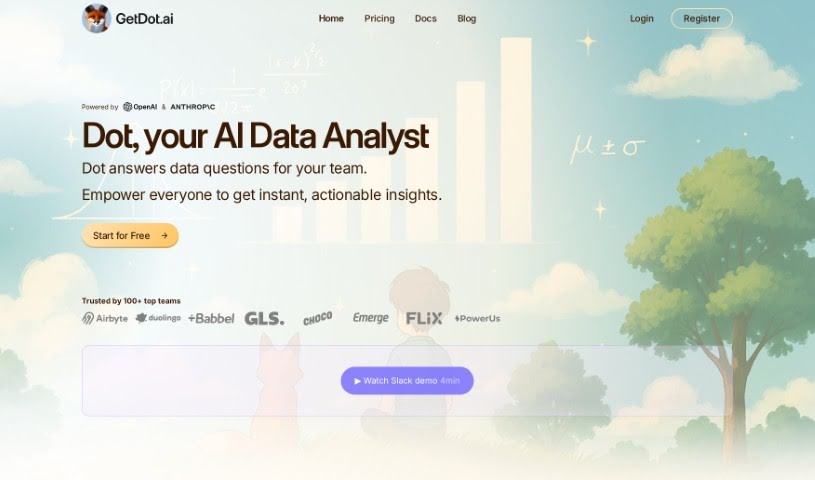
Screenshot of Dot

Dot

Discover what Dot is and how to use it effectively in 2025. We'll explore its features and see how it stacks up against other data analytics tools.

Screenshot

What is Dot?

Dot is an AI tool built specifically for data teams. Its main job is to give you fast, reliable answers to business questions, any time of day or night. This means your data team can spend less time on routine requests and more time on deeper, more complex work. Dot understands natural language questions in several languages, and it connects easily with your existing tech setup using no-code integrations. Plus, it’s built with enterprise-level security in mind. The goal here is to make those quick, ad hoc requests much smoother and boost overall productivity by automating certain tasks. This frees up engineers to tackle the really challenging problems. Dot also makes sure the answers you get are accurate and consistent, thanks to its automated semantic layer that uses your company’s approved business logic.

Who created Dot?

Dot was developed by Sled and first launched on February 24, 2023. The company has support from YCombinator, and its founder is Marcus Bernardi, who leads Data and Analytics at Daki. Essentially, Dot is an AI tool that lets you have conversations with your Data Warehouse. It’s designed to provide quick, trustworthy answers to business questions around the clock. The idea is to take the burden of basic inquiries off data teams, allowing them to concentrate on more involved tasks.

What is Dot used for?

  • Answers based on your data: Dot grounds its responses in your company’s data model and semantic layer.
  • Validated results: It uses an automated component to check and confirm its answers.
  • Performance testing: Dot offers an evaluation framework so data teams can test its performance.
  • Full audit trail: You get complete auditability, showing exactly how Dot arrived at a result.
  • Easy connections: It provides no-code integrations for data warehouses, semantic layers, and communication tools.
  • Governed data model: Maintaining a clear, well-managed data model is key for success with Dot.
  • Boosts productivity: It automates specific tasks for data teams, making them more productive.
  • Streamlines requests: Ad hoc requests are simplified, freeing up engineers’ time.
  • Fast, reliable answers: Get quick and trustworthy answers to business questions 24/7.
  • Seamless integration: Connects with your existing tech stacks via no-code integrations, ensuring accuracy and consistency.
  • Data model consistency: Answers are always based on your company’s data model and semantic layer.
  • Transparent process: Offers full auditability of Dot’s steps in reaching a result.
  • Direct data warehouse chat: You can chat directly with your Data Warehouse for fast, trustworthy answers.
  • Multilingual support: Supports natural language queries in multiple languages.
  • Tech stack integration: Integrates with your existing tech stacks through no-code integrations.
  • Various analyses: Use it to explore order data, perform financial root-cause analysis, and find market insights.
  • Secure and trusted: Offers enterprise-ready security and a training space for 100% trusted answers.
  • Simple and secure: It’s simple, secure, backed by YCombinator, and built by Sled.
  • Financial analysis: Analyze data for financial root-cause analysis.
  • Order data exploration: Explore order data easily.
  • Market insights: Find valuable market insights.
  • Instant insights: Eliminates the need to wait days for insights.
  • Data Warehouse chat: Chat with your Data Warehouse for fast, trustworthy answers.
  • Optimal data management: Maintain a well-defined, governed data model for best results.
  • Task automation: Automate specific tasks for data teams to enhance productivity.
  • Ad hoc request efficiency: Streamline ad hoc requests to free up engineers’ time.
  • Quick demos & queries: Offers a 3-minute demo in Slack and supports natural language queries in multiple languages.
  • Integration for accuracy: Integrates with existing tech stacks via no-code integrations for accuracy and consistency.
  • Enterprise security: Provides enterprise-ready security and a training space for trusted answers.
  • Broad analysis capabilities: Analyze data to explore order data, conduct financial root-cause analysis, and find market insights.
  • Trusted backing: Backed by YCombinator and built by Sled.
  • Flexible integrations: Offers no-code integrations for data warehouses, semantic layers, and communication tools.
  • Adaptive performance: Automatically adapts to your team’s usage for seamless performance.
  • Team security focus: Ensures enterprise-ready security and provides a training space for data teams.
  • Popular database support: Integrates with popular databases like Snowflake, BigQuery, and Redshift.

Who is Dot for?

  • Data Analysts
  • Engineers

How to use Dot?

To get the most out of Dot, here’s a simple guide:

  1. Get Started: First, connect Dot to your existing tech setup. It’s easy with its user-friendly, no-code integrations for data warehouses, semantic layers, and communication tools.
  2. Train Dot: Dot doesn’t need much training because it learns from how your team uses it. To make sure it works its best, keep your data model well-defined and governed.
  3. Ask Questions: You can interact with Dot using natural language in many languages, including English, Spanish, German, French, Arabic, and more. It’s great at giving fast, accurate answers to tough business questions, 24/7.
  4. Analyze Data: Dot analyzes your data right within platforms like Slack and Teams, giving you instant insights so you don’t have to wait around. Its automated semantic layer means your data analysis always follows your company’s approved business logic.
  5. Security & Tracking: Dot is built with enterprise-level security, and it offers a training space where data teams can ensure answers are 100% trustworthy. It also keeps a full audit trail, showing every step it took to get an answer.
  6. Work Together: Use Dot to dig into different datasets, figure out the root causes of financial issues, and uncover important market trends. It really helps streamline those quick, ad hoc requests, giving your data team more time for critical tasks beyond just answering basic dashboard questions.
  7. Keep Improving: Regularly check how Dot is performing using the provided evaluation framework. This helps make sure it’s meeting your data team’s expectations.

By following these steps, you can really use Dot’s abilities to make data analysis smoother, boost productivity, and help your data team focus on strategic work instead of just routine queries.

Related AI Tools

Discover more tools in similar categories that might interest you

Stay Updated with AI Tools

Get weekly updates on the latest AI tools, trends, and insights delivered to your inbox

Join 25,000+ AI enthusiasts. No spam, unsubscribe anytime.