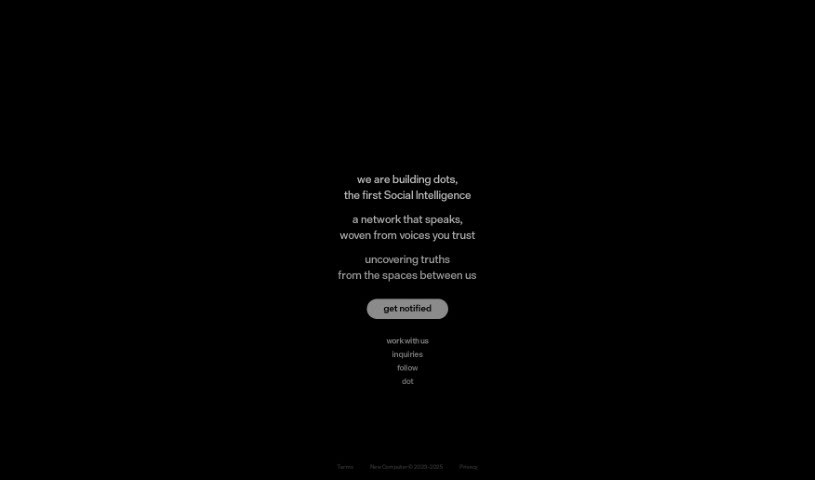
Screenshot of Dot by New Computer

Dot by New Computer

Discover what Dot by New Computer is and how to use it effectively in 2025. We'll explore its features, compare it to other automation tools, and show you how it can help manage your life.

Screenshot

What is Dot by New Computer?

Dot by New Computer is an AI-powered tool designed to help you manage your life. It is your personal assistant for organizing, navigating, and remembering all sorts of things. It’s packed with smart features like Context Awareness, a Dynamic UI, Proactive Agency, and personalized recommendations. With Dot, you can easily schedule tasks and routines, and get a clear, connected overview of everything you’re doing thanks to its ‘Connecting the Dots’ function. It’s built to adapt to your surroundings and interests, offering helpful information and suggestions tailored just for you. Plus, its Proactive Agency feature helps you get ready for important events or tasks. The team is actively developing Dot, with plans to release it on iOS and the web soon.

Who created Dot by New Computer?

Dot by New Computer was developed by a founder who prefers to remain undisclosed. The company officially launched Dot on August 26, 2023, and it sports a modern, sleek logo that really captures the brand’s feel.

What is Dot by New Computer used for?

Dot is designed to help you in many ways:

  • User-friendly interface: It’s easy to navigate and use.
  • Personalized Recommendations: Get suggestions tailored to your interests and needs.
  • Task Management: Keep track of your to-dos and projects.
  • Task Management Assistance: Get help with organizing and completing your tasks.
  • Organize and Navigate Life: Manage and move through different parts of your daily life more smoothly.
  • Memory Tracking and Retention: Helps you remember and keep important information.
  • Context-aware assistance: Get help that’s specific to your current situation, location, or circumstances.
  • Dynamic UI: The interface adapts to present information in an engaging way.
  • Personalized suggestions: Receive recommendations based on what you like.
  • Proactive preparation: Get ready for important events or tasks ahead of time.
  • Scheduling automations and routines: Set up tasks and daily habits to run automatically.
  • Holistic view of activities: See how everything connects with the ‘Connecting the Dots’ feature.
  • Adapting to your lifestyle: It learns and adjusts to how you live and what you do.
  • Navigation assistance: Helps you find your way through your day.
  • Proactive Agency: Get ready for events.
  • Connecting the Dots: Link different parts of your life for a complete picture.
  • Helping you organize, navigate, and remember: It’s your all-in-one life organizer.
  • Scheduling tasks and routines: Set up your day.
  • Memory tracking: Store important details.
  • Providing personalized recommendations: Get suggestions based on your data.
  • Assisting in preparing for events: Get ready for what’s next.
  • Offering a holistic view: See your schedule all in one place.
  • Adapting to your lifestyle: It fits into your routine.
  • Enhancing user experience: The Dynamic UI makes it engaging.
  • Navigating life: It guides you with memory tools and advice.
  • Making connections: It links different areas of your life for a full view.
  • Memory tracking: Store and recall key information.
  • Context Awareness: Tailors functions to your specific situations.
  • Dynamic UI adjustments: The interface changes for a better experience.
  • Personalized suggestions: Get tips based on your input.
  • Recommendation of activities: Suggests things to do based on your interests.
  • Proactive Agency: Prepares you for what’s coming.
  • Adapting to contexts: Customizes to your needs.

Who is Dot by New Computer for?

Dot is a great tool for a variety of professionals and individuals who need help managing their lives:

  • Project Manager
  • Event Planner
  • Personal Assistant
  • Teacher
  • Healthcare professional
  • Freelancer
  • Business Executive
  • Student
  • Researcher
  • Content creator

How to use Dot by New Computer?

Here’s how you can get the most out of Dot by New Computer:

  1. Understand Dot’s Purpose: First off, remember Dot is an AI assistant designed to help you organize, navigate, and recall different parts of your life. It uses features like Context Awareness, a Dynamic UI, Proactive Agency, and personalized recommendations to do this.
  2. Memory Tracking: Dot helps you keep track of your memories by letting you store and recall important information, making sure it’s always there when you need it.
  3. Context Awareness: Make sure to use Dot’s Context Awareness. This feature customizes its functions to match your specific circumstances, locations, or situations, offering truly personalized help.
  4. Dynamic UI: Take advantage of the Dynamic UI. It adjusts based on your environment, presenting information in a way that’s both engaging and adaptive, creating a unique experience for you.
  5. Personalized Suggestions: Dot provides suggestions tailored to you, based on the data you input. For example, it might recommend activities or clubs that align with your interests.
  6. Proactive Agency: Use the Proactive Agency feature to get yourself ready for important events or tasks well in advance.
  7. Automations & Routines: You can schedule routines that happen regularly or at specific times to make sure tasks are completed smoothly.
  8. Connecting the Dots Function: Check out the ‘Connecting the Dots’ feature. It links various aspects of your life, giving you a complete picture of your activities and schedule.
  9. Upcoming Availability: Keep an eye out for Dot’s release on iOS and web platforms, as it’s still being actively developed.
  10. AI Integration: Dot’s AI capabilities are what make context awareness, memory tracking, personalized recommendations, and proactive event preparation possible. It’s essentially a smart guide for your life.

By following these steps, you’ll be able to use Dot by New Computer effectively to better organize and manage your life.

Related AI Tools

Discover more tools in similar categories that might interest you

Stay Updated with AI Tools

Get weekly updates on the latest AI tools, trends, and insights delivered to your inbox

Join 25,000+ AI enthusiasts. No spam, unsubscribe anytime.