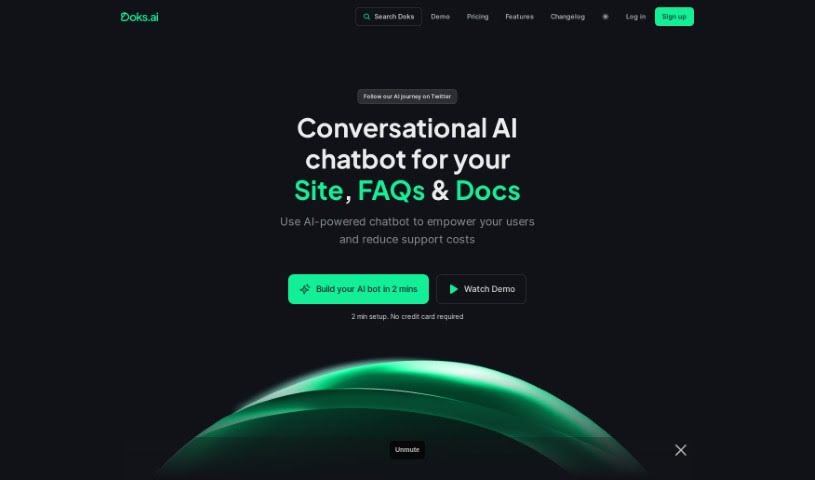
Screenshot of Doks.ai

Doks.ai

Discover Doks.ai, a powerful AI chatbot builder. Learn how to use its features for your business in 2025, compare it to other chatbots, and see how it can streamline your customer support and lead generation.

Screenshot

What is Doks.ai?

Doks.ai is a really smart tool that helps businesses build their own AI chatbots. It is a way to make your company’s knowledge easily accessible. It uses the same kind of technology as ChatGPT to pull information directly from your website and documents. This means it can answer questions accurately and in context, just like a human expert who knows your business inside and out.

What’s great is that these chatbots can handle all sorts of questions, from simple ones to more complex inquiries. This can seriously cut down on the number of support tickets your team has to deal with. Plus, they’re available 24/7 and can chat in multiple languages, which is a huge plus for customer support. You can even connect Doks.ai to your existing knowledge base and train it on different websites. This lets you fine-tune how the chatbot responds, making sure it always follows your company’s guidelines and tone.

Doks.ai also includes customizable lead forms. You can add all sorts of fields, like short or long answers, checkboxes, email, URL, and date fields, to gather exactly the information you need from potential customers. The chatbots themselves, which Doks.ai calls ‘Projects,’ are designed to feel like natural conversations. They’re perfect for customer support, e-commerce, and many other applications where personalized interaction is key.

To get started, you just need to give Doks.ai your website URLs, an XML sitemap, or even paste in text and documents. The AI will then learn from this information to answer questions. You get message credits for using GPT-3.5 Turbo, and there’s no limit to how many documents you can upload to train your AI bot.

By handling a significant portion of customer questions in real-time, Doks.ai can reduce support ticket volumes by 40-70%. This frees up your human support staff to tackle the more challenging issues. The chatbots understand natural language, respond in various languages, and you can even try it out with a free trial to see the benefits for yourself.

Who created Doks.ai?

Doks.ai was developed with the goal of making knowledge management much simpler for businesses. It was launched on May 28, 2023, by a team focused on using ChatGPT technology to provide quick, accurate answers and relevant search results. They wanted to create a tool that truly helped companies manage and share their information effectively.

What is Doks.ai used for?

  • Lead Generation: Capture potential customer information easily.
  • E-Commerce: Enhance the shopping experience for customers.
  • Customer Support: Provide instant answers and assistance.
  • Boosting User Satisfaction: Make customers happier with quick, accurate help.
  • Reducing Support Ticket Volumes: Automate responses to common questions.
  • 24/7 Multilingual Customer Support: Offer help anytime, in any language.
  • Automated Customer Interaction: Keep customers engaged without manual intervention.
  • Contextual Search Results: Deliver answers that are directly relevant to the user’s query.
  • Fine-tuned Responses: Ensure the chatbot’s answers align with your brand voice and guidelines.
  • Secure API Integration: Connect Doks.ai with your other business systems.
  • Streamlining Knowledge Management: Organize and make your company’s information easily accessible.
  • Response Optimization: Continuously improve how the chatbot answers questions.
  • Training Across Multiple URLs: Build a comprehensive knowledge base from various online sources.
  • Addressing a Wide Range of Customer Queries: Handle diverse questions effectively.
  • Handling Complex or Ambiguous Queries: Understand and respond to nuanced questions.
  • Embedding the Chatbot onto a Website: Easily add the AI assistant to your site.

Who is Doks.ai for?

  • Customer Support Professionals: Looking to reduce workload and improve response times.
  • E-commerce Professionals: Aiming to enhance customer experience and drive sales.
  • Content Delivery Professionals: Wanting to make content more accessible and interactive.
  • Customer Support Representatives: Needing tools to handle inquiries more efficiently.
  • E-commerce Platforms Managers: Seeking to automate customer interactions and boost satisfaction.
  • Content Managers: Responsible for organizing and disseminating information.
  • Business Owners: Wanting to improve efficiency and customer engagement.
  • Customer Service Teams: Needing to manage high volumes of inquiries.
  • Lead Generation Specialists: Looking for automated ways to capture leads.
  • Documentation Management: Streamlining access to company documents.
  • Customer Engagement: Creating more interactive and helpful customer experiences.
  • Knowledge Management: Centralizing and distributing company knowledge.
  • E-commerce Managers: Optimizing the online shopping journey.
  • Knowledge Managers: Ensuring information is readily available and accurate.
  • Customer Service Teams: Requiring tools for efficient and effective support.
  • Lead Generation Specialists: Focused on capturing and qualifying leads.
  • Multilingual Support Teams: Needing to assist customers in various languages.

How to use Doks.ai?

Getting started with Doks.ai is straightforward. Here’s a step-by-step guide:

  1. Input Your Data: First, you’ll need to provide the information your chatbot will use. You can do this by entering your website URLs, providing an XML sitemap, or simply pasting the text and documents directly into the platform. This is how the AI learns what to know.
  2. Understand Message Credits: Each message credit you use corresponds to one message sent via GPT-3.5 Turbo. Your chosen plan will detail the total credits available, which are used across all your projects.
  3. Unlimited Document Training: Don’t worry about limits here – Doks.ai allows you to upload and train an unlimited number of documents. You can feed it as much relevant information as you need.
  4. Leverage Multilingual Support: Doks.ai chatbots are built with multilingual capabilities. You can easily customize the preferred language for your chatbot in the configuration settings.
  5. Try the Free Trial: Curious? You can try Doks.ai for free for 7 days. This trial includes one chatbot, 20 message credits, support for 400,000 characters, and one lead form, giving you a great taste of what it can do.
  6. Retrain Your AI: If your website content changes, you can easily update your chatbot. Just click ‘Retrain AI’ in the ‘Manage’ section to fetch the latest content.
  7. Customize Everything: You have control over your chatbot’s prompts, attributes, and responses. This lets you tailor them precisely to your specific needs, including language preferences and brand voice.
  8. Embed on Your Website: Once your chatbot is trained and ready, embedding it is simple. Just copy the provided script code from your dashboard and paste it onto your website.
  9. Efficient Training Time: While training time can vary depending on how much data you provide, it’s generally quite fast, usually taking only 1 to 2 minutes. The AI algorithms are designed for efficient learning.
  10. Utilize Lead Forms: Customize lead forms to collect user information directly within the chat interface, making lead generation seamless.
  11. Understand Projects: In Doks.ai, ‘Projects’ are your AI-powered chatbots. You can customize the fields for each project based on its specific use case, ensuring it gathers the right information.

Overall, Doks.ai makes it easy to use ChatGPT technology, offers a free trial, lets you train unlimited documents, supports multiple languages, and really streamlines your knowledge management processes.

Related AI Tools

Discover more tools in similar categories that might interest you

Stay Updated with AI Tools

Get weekly updates on the latest AI tools, trends, and insights delivered to your inbox

Join 25,000+ AI enthusiasts. No spam, unsubscribe anytime.