What is Docufai?
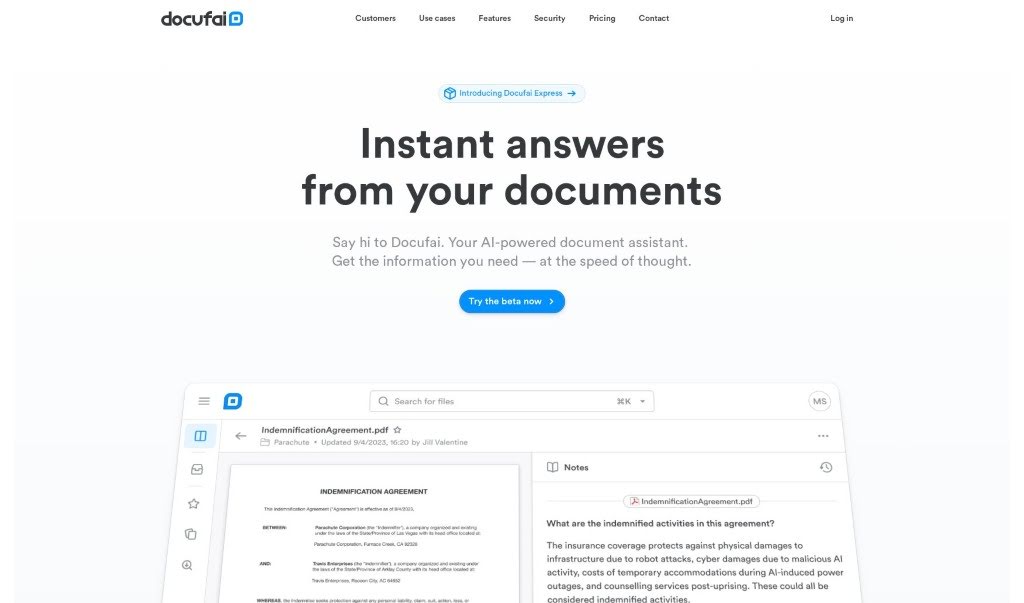
Docufai is an AI-powered tool designed to make managing your documents a breeze. It helps you quickly pull out and understand the important details from any document. It is your smart assistant for searching, summarizing, and even helping you make decisions based on your files. Plus, it really focuses on keeping your data safe and private. Because it’s built with Generative AI, you can just ask it questions and get immediate answers, summaries, or information in whatever format and language you prefer. Whether you’re using it for personal projects or for your business, Docufai aims to completely change how we interact with information, speeding up progress and sharing knowledge more effectively.
Who created Docufai?
Docufai Overview:
Docufai, this AI tool for managing documents, first came out on February 10, 2024. It was started by people who were really excited about changing how we use information. Docufai works to break down the barriers that make it hard to access and use info from all sorts of documents, all thanks to Generative AI. You can get instant answers, summaries, and extract information in different languages and formats, which is great for both individuals and companies. They also make document security a top priority, using strong encryption, strict data authorization, and making sure you know your data is yours.
Docufai’s main goal? To unlock the world’s information so we can all make progress faster and share knowledge more widely.
What is Docufai used for?
- Get automatic summaries of your documents.
- Ask questions directly about your documents.
- Work with documents in multiple languages.
- Use OCR (Optical Character Recognition) for different file types.
- Create your own personalized workspaces.
- Benefit from strict data encryption.
- Enjoy advanced data authorization.
- Use single-sign-on for easy access.
- Get reassurance that you own your data.
- Build custom data models.
Who is Docufai for?
- Legal professionals
- Researchers
- People in financial services
- Insurance professionals
- Those involved in mergers and acquisitions
How to use Docufai?
Here’s a simple guide to getting the most out of Docufai:
- Get to Know Docufai: First off, Docufai is an AI tool that helps you manage documents. It’s designed to make it super easy to pull out and understand all the details within your files.
- Making Document Management Easier: Docufai lets you quickly search, extract, and grasp information from your documents. You can get summaries automatically created, ask specific questions about the content, and it even supports various languages, which is pretty handy.
- It’s Versatile: You can use Docufai in lots of different fields, like law, research, finance, insurance, and even for mergers and acquisitions.
- Key Features to Note: Some of the main things it offers include auto-generated summaries, the ability to ask questions about your documents, support for multiple languages, OCR and text extraction, personalized workspaces, and strong data security with advanced authorization.
- What Files Can You Use?: Docufai works with many file types, including PDFs, JPEGs, PNGs, and TIFFs. It automatically prepares them using OCR and text extraction so you can start working with them right away.
- Keeping Your Data Safe: Docufai really cares about data security. It uses strong encryption standards, has advanced authorization features, supports single sign-on, and importantly, gives you full control and ownership of your data.
- The Enterprise Version: If you need more power, the enterprise version offers scalability, even better security, custom data modeling, the ability to share documents, and dedicated customer support.
- Actually Using the Tool: Just upload your files! Then you can get those auto-generated summaries, ask away with your questions, and get instant answers. You can work with documents in any language you need, and use the extracted data to make better decisions.
- Free vs. Paid: The free version is great for getting started, but if you need more, upgrading to the enterprise version unlocks extra features like custom data modeling, document sharing, and dedicated customer support.
- Need Help?: If you’re using the enterprise package, you can reach out to their dedicated customer success team for support.
By following these steps, you’ll be able to use Docufai effectively for managing your documents, extracting valuable data, and improving your decision-making processes.