DocuChat: Custom Chatbots Trained on Your Documents
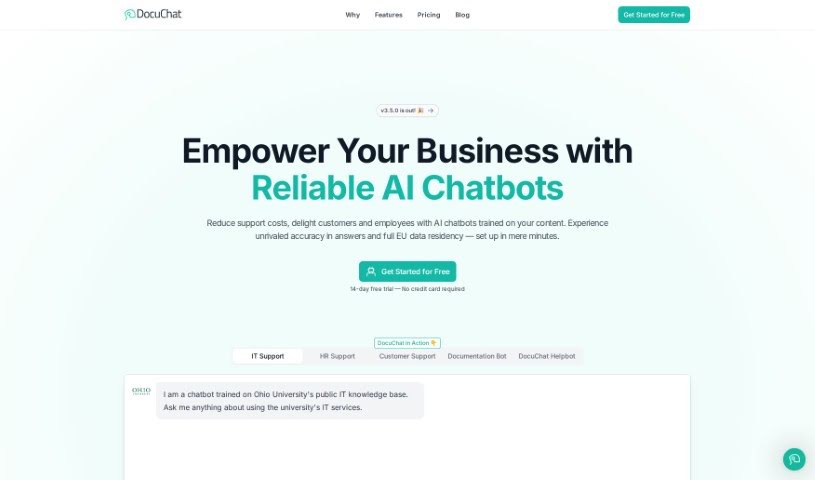
Screenshot of DocuChat

DocuChat

DocuChat lets you build chatbots trained on your own documents and websites, delivering instant, cited answers in multiple languages. Data stays private

Screenshot

What is DocuChat?

DocuChat is a platform for building chatbots trained on your own documents and websites. These chatbots deliver instant, cited answers across any channel and in multiple languages. You can feed them a variety of content, customize their appearance and conversational style, and review chat logs to improve them over time. Data privacy is a priority: your data is private, secure, and never used to train AI models. DocuChat is compliant with GDPR and CCPA and uses security measures such as encryption for data in transit and at rest.

Who created DocuChat?

DocuChat was developed by a team led by C. Cornelius. The company focuses on enabling chatbots trained on users’ own documents and websites, with an emphasis on data privacy, GDPR and CCPA compliance, and pricing options for teams and businesses of all sizes.

What is DocuChat used for?

  • Build custom chatbots trained on your documents, websites, and Google Drive files.
  • Provide instant, cited answers with sources, on any channel and in any language.
  • Automate responses to recurring questions to save time.
  • Personalize your chatbot’s appearance and conversational style.
  • Embed on your website with a simple code snippet, or share via link.
  • Improve accuracy by analyzing chat interactions and exporting transcripts.
  • Keep data safe with GDPR and CCPA compliance and strong security measures.

Who is DocuChat for?

DocuChat suits anyone interested in AI, tech professionals, businesses of all sizes, and teams from small groups to large enterprises — particularly anyone looking to automate answers to common questions.

How to use DocuChat?

  1. Add your content: Upload documents, website links, or Google Drive folders in any language.
  2. Customize and share: Adjust the chatbot’s look and interaction style, then share it via link or embed it on your website.
  3. Review and improve: Analyze chat logs to refine accuracy and export transcripts for deeper insights.
  4. Choose a plan: Start with a 14-day free trial with basic features. Upgrade for unlimited chatbots, more question credits, and extra features; larger teams and enterprises get all pro features and priority support.
  5. Get help: All plans include standard support via chat and email, with priority support on larger plans. You can also find answers to common questions or reach out directly at [[email protected]]

Related

Related AI Tools

Discover more tools in similar categories

New tools, in your inbox.

Weekly picks of the best AI tools we've researched and added — no spam, unsubscribe anytime.

Join 25,000+ AI enthusiasts. No spam, unsubscribe anytime.