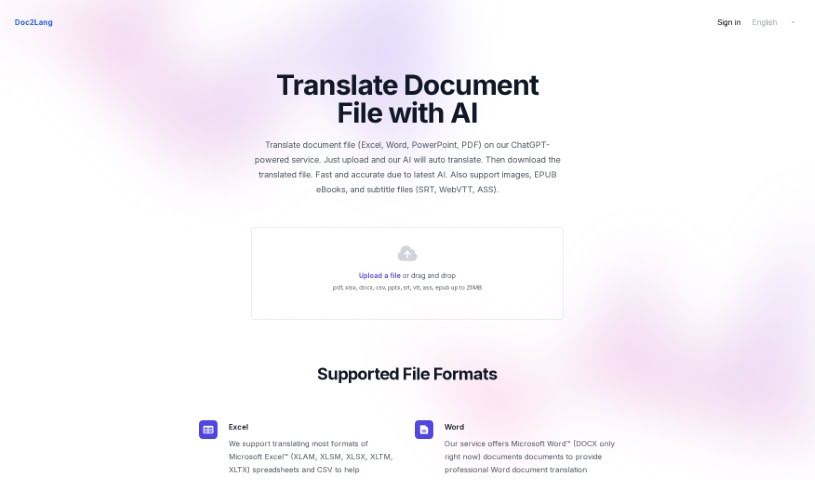
Screenshot of Doc2Lang

Doc2Lang

Discover Doc2Lang, a powerful AI tool for translating documents like Excel, Word, PDF, and PowerPoint. Learn how to use its features for fast, accurate, and secure translations in 2025, comparing it with other translation services.

Screenshot

What is Doc2Lang?

Doc2Lang is a handy tool that makes translating your documents super easy, all thanks to AI. You can just upload files like Excel spreadsheets, Word docs, PowerPoint presentations, and even PDFs directly to this service, which is powered by ChatGPT. What’s great is you don’t need to sign up or subscribe to anything to get fast and accurate translations. Plus, it’s really secure – you can delete your uploaded files whenever you want to remove your data. Doc2Lang also makes sure the translations are high-quality and can be fine-tuned for your specific business needs. You only pay for the translations you actually use, which makes it a really flexible and convenient way to handle all your document translation tasks.

Who created Doc2Lang?

An AI translation company developed Doc2Lang, launching it on September 12, 2023. Their goal was to create a straightforward solution for quickly and accurately translating documents, especially those in Excel, Word, and PowerPoint formats. The tool prioritizes user control with built-in security measures, offers high-quality translations suited for business contexts, and simplifies the entire process with a one-click approach. It also features flexible pay-per-use billing, meaning no sign-up or subscription is ever required.

What is Doc2Lang used for?

  • Getting high-quality translations.
  • Translating Excel documents.
  • Translating Word documents.
  • Translating PDF files.
  • Translating PowerPoint presentations.
  • Keeping control over your uploaded documents.
  • Enjoying a simple and convenient translation process.
  • Not needing to sign up or subscribe.
  • Benefiting from flexible pay-per-use billing.
  • Receiving fast and accurate translations.

Who is Doc2Lang for?

  • Business professionals
  • Individuals

How to use Doc2Lang?

Using Doc2Lang to translate your documents is a breeze. Just follow these simple steps:

  1. Upload Your File: Start by uploading your document. Doc2Lang supports formats like Excel, Word, PowerPoint, or PDF.
  2. Choose Your Language: Next, simply select the language you want your document translated into.
  3. Start Translating: Hit the translate button to kick off the AI-powered translation process.
  4. Download Your Translation: Once the translation is finished, you can download your newly translated document.
  5. Security & Control: Remember, you’re in full control. You can delete uploaded files at any time for complete data removal.
  6. Quality You Can Trust: You’ll get professional translations that are tailored to your business needs, aiming for accuracy that rivals human translators.
  7. It’s Really Simple: The whole process is designed to be user-friendly – just upload, click, and download.
  8. No Signups, No Subscriptions: You don’t need to sign up or subscribe to anything. You pay only for what you use, with flexible billing options.

By following these steps, you can easily use the Doc2Lang tool to translate documents across various formats quickly and accurately.

Related AI Tools

Discover more tools in similar categories that might interest you

Stay Updated with AI Tools

Get weekly updates on the latest AI tools, trends, and insights delivered to your inbox

Join 25,000+ AI enthusiasts. No spam, unsubscribe anytime.