04-X
Text Generation Chatbots
Learn more
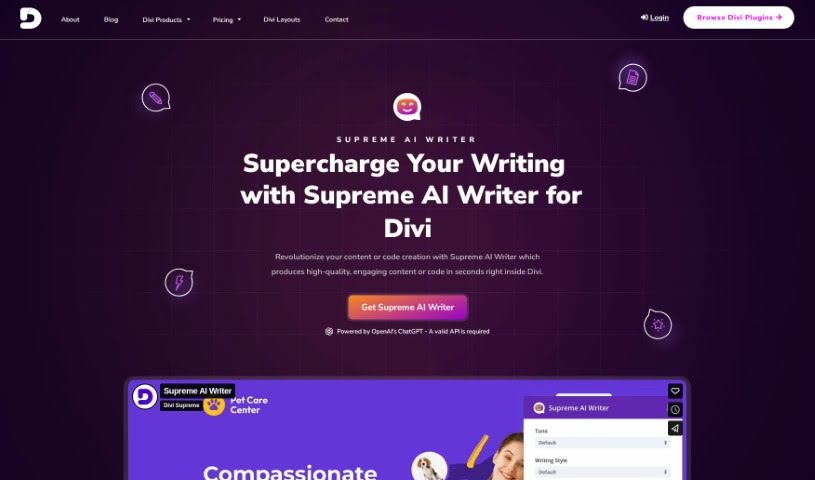
Discover what the Divi Supreme AI Writer is and how it uses OpenAI's ChatGPT to generate content and code directly inside Divi.
The Supreme AI Writer for Divi, built by Divi Supreme, is a tool that works inside Divi to speed up content creation. It uses OpenAI’s ChatGPT technology to write high-quality content or code directly within the page builder. You can choose different writing tones, control how creative the output is, and pick from various writing styles. If a result isn’t quite right, you can tweak it or generate new options until you’re satisfied. It works with content fields in all standard Divi modules as well as Divi Supreme modules, so you can use it across different parts of your webpage.
The tool is designed to help you get past writer’s block and save time with fast, accurate results. Pricing is straightforward and includes a 30% discount on renewals. To use it, you’ll need a valid API key from OpenAI. The price covers a full year of premium support, all updates, unlimited content generation, use on as many Divi sites as you like, and compatibility with PHP7/8 and the latest Divi version.
Divi Supreme was founded in 2018. Seeing that Divi was a top-tier WordPress page builder, the company began creating custom modules and extensions specifically for it. The team has extensive WordPress experience and builds tools for developers and designers, focusing on professional solutions for Divi users with an emphasis on design quality, animations, and visitor engagement.
Related
Discover more tools in similar categories
Weekly picks of the best AI tools we've researched and added — no spam, unsubscribe anytime.
Join 25,000+ AI enthusiasts. No spam, unsubscribe anytime.