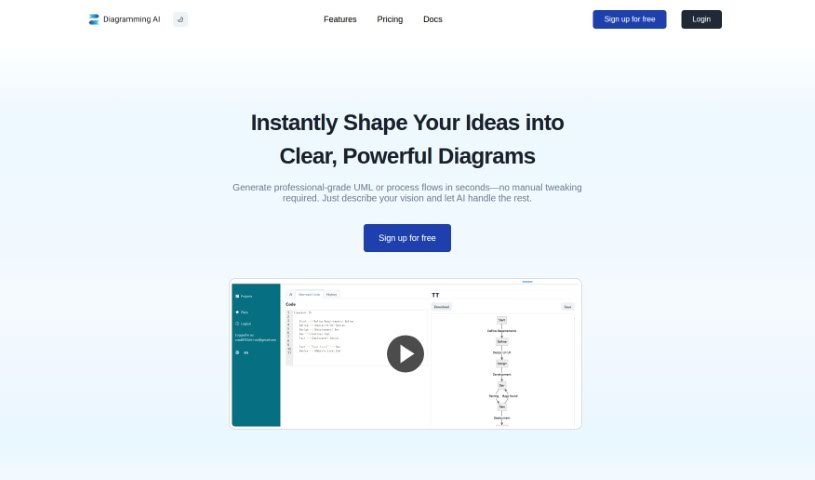
Screenshot of Diagramming AI

Diagramming AI

Discover what Diagramming AI is and learn how to use it effectively in 2025. We'll explore its features and see how it stacks up against other project management tools.

Screenshot

What is Diagramming AI?

Diagramming AI is all about creating visual representations of information or data, and it does this using tools like Diagramming AIAI. It is instantly generating diagrams with AI-powered technology. This means you can quickly create all sorts of diagrams – flowcharts, sequence diagrams, Gantt charts, and many more. Diagramming AIAI also lets you keep your diagrams organized by project, so you can save and manage multiple diagrams within each project. Plus, you can change the color themes, export your diagrams as SVG or PNG files, and even use an AI Chat feature to discuss and improve your diagrams. It’s designed for a wide range of people, including software developers, educators, business analysts, researchers, students, and marketing professionals, helping everyone communicate ideas and concepts more clearly through visuals.

Who created Diagramming AI?

Diagramming was actually created by a founder who prefers to remain anonymous. It first launched on August 26, 2023. The company behind Diagramming develops an AI-powered tool that automatically creates various types of diagrams, like flowcharts, sequence diagrams, and Gantt charts. This platform uses GPT-based AI, which really helps users create and edit complex UML structures and workflow designs efficiently.

What is Diagramming AI used for?

Here are some common ways people use Diagramming AI:

  • Software developers use it to illustrate system designs with sequence diagrams and flowcharts.
  • Project managers visualize project timelines using Gantt charts.
  • Data analysts transform data into visual diagrams to make it easier to understand.
  • Educators explain complex topics visually to their students.
  • Business analysts create flowcharts to map out business processes.
  • Researchers represent their findings visually for better comprehension.
  • Marketing professionals visualize their campaign strategies.
  • Students map out study topics and ideas visually.
  • Technical writers create clear diagrams for technical illustrations.
  • Product managers use diagrams for planning projects and communicating ideas.

Who is Diagramming AI for?

Diagramming AI is a helpful tool for many different professionals and students, including:

  • Software developers
  • Project managers
  • Data Analysts
  • Educators
  • Technical Writers
  • Business analysts
  • Product Managers
  • Researchers
  • Students
  • Marketing professionals

How to use Diagramming AI?

Here’s a simple, step-by-step guide to using a Diagramming tool effectively:

  1. Turn Websites into Diagrams: Just input a website’s URL, and the tool instantly creates a diagram giving you a quick overview of the site’s structure. It’s a neat way to grasp a website’s layout fast.
  2. Generate Diagrams from Images: You can also use this feature to convert images that have text or diagrams into insightful visuals. It’s super handy because you can easily switch between templates, like mermaid or PlantUML, for different kinds of visualizations.
  3. Access Diagram Templates: There’s a huge library of templates available, covering everything from flowcharts and sequence diagrams to class diagrams and Gantt charts. Just tell the AI which template you want, and it’ll create a tailored diagram for you.
  4. AI-Powered Diagram Creation: You can use GPT-based AI to instantly generate complex UML structures and workflow designs. Plus, you can chat with the AI for suggestions on how to improve or update your diagrams, making the whole process smoother.
  5. AI Chat Functionality: Talking with the AI about your diagrams is a great way to get specific suggestions for improvements or to work through challenges. It really enhances the whole diagramming experience.
  6. Project-Based Diagram Storage: You can create and store multiple projects, each with its own set of diagrams. Using Mermaid or PlantUML codes makes managing and accessing them really easy.
  7. Export and Editing: Need to share your work? You can export diagrams as SVG or PNG files, or get shareable URLs for easy collaboration. And if you need to make changes, you can edit diagrams anytime to keep them up-to-date.
  8. Customize Color Themes: Personalize your diagrams to match your project’s style! You can choose from over 10 color themes for mermaid diagrams and more than 40 for PlantUML.
  9. Usage Across Various Fields: Diagramming AI is a big help for software developers, project managers, educators, business analysts, researchers, students, and marketing professionals. It lets them visually represent complex topics, project timelines, data, strategies, and study materials.
  10. Pricing Plans: Diagramming AI offers both free and premium options, like Lite, Starter, and Pro tiers. These come with different features, including access to GPT-4 for more advanced AI capabilities.

By following these steps, you can really make the most of the Diagramming tool to create, customize, store, and collaborate on all sorts of diagrams for whatever you need.

Related AI Tools

Discover more tools in similar categories that might interest you

Stay Updated with AI Tools

Get weekly updates on the latest AI tools, trends, and insights delivered to your inbox

Join 25,000+ AI enthusiasts. No spam, unsubscribe anytime.