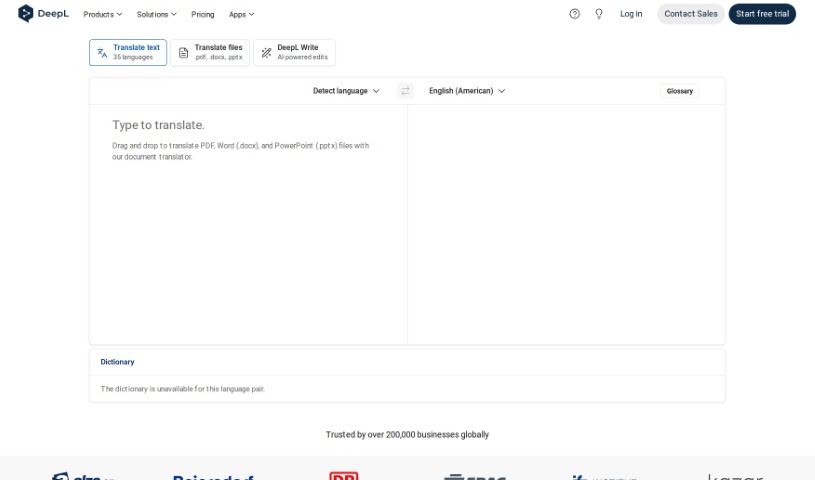
Screenshot of DeepL Translate

DeepL Translate

Discover what DeepL Translate is and how to use it effectively in 2025. We'll explore its features and see how it stacks up against other translation tools.

Screenshot

What is DeepL Translate?

DeepL Translate is a top-tier neural machine translation service, really standing out for how high-quality and accurate its translations are. It uses artificial intelligence and deep learning technology, which means DeepL Translate can produce translations that feel much more natural and fluent than what you typically get from older machine translation systems. It handles translations between many different languages and has a super easy-to-use interface, making it simple for anyone to access. People have really taken to DeepL Translate because it’s great at keeping the original text’s context and subtle meanings intact. This makes it a fantastic tool for all sorts of things, whether you’re communicating for business, doing academic research, or just need something translated for personal reasons. All in all, DeepL Translate is known for its excellent translation quality and reliability in the translation world.

Who created DeepL Translate?

DeepL Translate was actually developed by the folks behind Linguee GmbH, a company based in Germany. Gereon Frahling and Jaroslaw Kutylowski, the founders, launched DeepL Translate back in August 2017. Their company is already well-known for its advanced AI translation tech, which has become quite popular because of how accurate it is and its skill with natural language processing. Over time, DeepL Translate has grown into a major player in the machine translation market, offering its high-quality translation services to people all over the globe.

What is DeepL Translate used for?

DeepL Translate is incredibly versatile. You can use it to:

  • Translate text easily.
  • Handle entire PDF, Word (.docx), and PowerPoint (.pptx) files, translating them seamlessly.
  • Translate whole websites, making global content accessible.
  • Translate single sentences, perfect for quick checks.
  • Get fast and accurate translations across more than 90 language pairs.
  • Enjoy an intuitive interface that’s a breeze to use.
  • Take advantage of powerful search capabilities within the platform.
  • Experience translation speeds up to 8 times faster than the average machine translation engine.
  • Correct errors and apply grammar rules to ensure your translations are spot-on.
  • Use it for free, with no subscription required.
  • Translate text quickly and accurately, every time.
  • Correct errors and apply grammar rules for even more accurate translations.
  • Benefit from translation speeds up to 8 times faster than the average machine translation engine.
  • Access over 90 language pairs for broad coverage.
  • Utilize its patented Deep Learning technology for translations that sound more natural and are more accurate.
  • Navigate an intuitive interface with powerful search capabilities.

Who is DeepL Translate for?

DeepL Translate is a valuable tool for a wide range of professionals and individuals, including:

  • Translators
  • Interpreters
  • Content Writers
  • Academic Researchers
  • Business Professionals
  • Marketing Specialists
  • Travel Agents
  • Human Resources Managers
  • Legal Professionals
  • Software Developers

How to use DeepL Translate?

Using DeepL Translate is pretty straightforward. Just follow these simple steps:

  1. Get Started with DeepL Translate: Head over to the DeepL website or grab the DeepL app for your device.
  2. Pick Your Languages: First, select the language your original text is in, and then choose the language you want it translated into.
  3. Input Your Text: You can either type directly into the text box or paste the text you need translated.
  4. Hit the Translate Button: Click the translation button to kick off the process.
  5. Try the Document Translator: For files, you can simply drag and drop your PDF, Word (.docx), or PowerPoint (.pptx) files right into the document translator feature.
  6. Translate Speech (If You Need To): If you need to translate spoken words, just click the microphone icon.
  7. Check and Tweak: Always review the translated text to make sure it’s accurate. Feel free to edit it if anything needs adjusting.
  8. Explore Extra Features: Remember, DeepL also offers handy features like error correction and grammar rule application to boost translation accuracy.
  9. Save or Share Your Work: Once you’re happy with the translation, you can download the translated text or share it directly from the DeepL platform.
  10. Keep Translating: Just repeat the process for any other texts or documents you need to get translated.

By following these easy steps, you can really make the most of DeepL Translate for quick and accurate translations across all sorts of languages.

Related AI Tools

Discover more tools in similar categories that might interest you

Stay Updated with AI Tools

Get weekly updates on the latest AI tools, trends, and insights delivered to your inbox

Join 25,000+ AI enthusiasts. No spam, unsubscribe anytime.