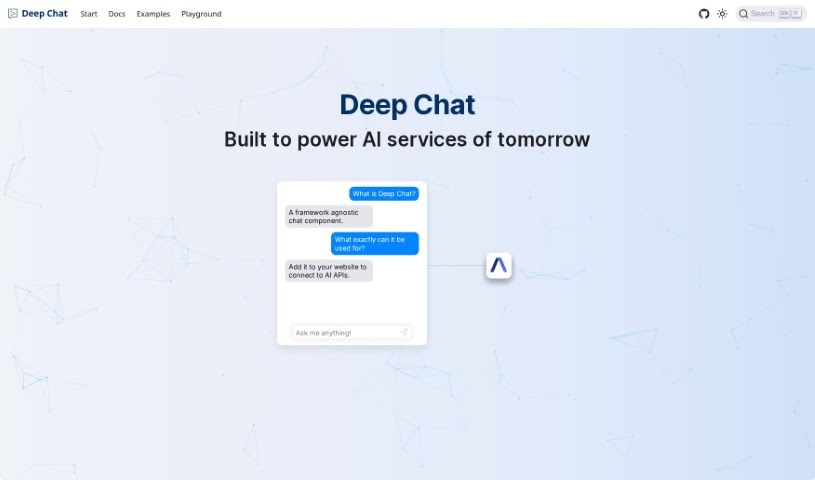
Screenshot of Deepchat

Deepchat

Discover what Deepchat is in 2025 and learn how to use it effectively. We'll explore its features and see how it stacks up against other chatbots.

Screenshot

What is Deepchat?

Deep Chat is essentially a chat component that makes it easy to talk with all sorts of AI APIs. You can connect it straight to popular AI service providers, or if you prefer, you can set it up to link with your own servers. This tool is pretty neat because it lets you send and get different kinds of media – think images, audio files, GIFs, and even spreadsheets – right there in the chat. Plus, you can use Markdown to style your text and show code snippets in your messages. It even has built-in camera and microphone functions so you can snap photos or record audio without leaving the chat. To make things even smoother, Deep Chat offers real-time speech-to-text for transcribing what you say and text-to-speech for reading responses aloud. Ovidijus Parsiunas developed this tool, and it comes with plenty of customization options. You can even check out the source code on GitHub if you’re curious. The goal is to make sure it can handle future AI services really well.

Who created Deepchat?

Ovidijus Parsiunas is the creator behind Deepchat. He first launched it on July 23, 2023. At its core, Deepchat is a chat component designed to connect with various AI APIs. This means you can communicate directly with popular AI service providers or link it up to your own individual servers. It’s really handy because you can send and receive files, use Markdown to format your text, and even take advantage of speech-to-text transcription and text-to-speech synthesis. The tool is also highly customizable, and its source code is readily available on GitHub. This setup really positions Deepchat to be a great support for future AI services.

What is Deepchat used for?

Deep Chat is incredibly versatile. Here’s a rundown of what you can do with it:

  • Talk to AI: It helps you communicate with AI APIs.
  • Direct Connections: You can connect straight to popular AI service providers or set it up for your own servers.
  • Media Sharing: Easily send and receive all sorts of media, like images, audio files, GIFs, and spreadsheets, directly within the chat.
  • Text Styling: Use Markdown to control how your text looks and to display code in your messages.
  • Capture Photos: Snap and send pictures using the built-in camera feature.
  • Record Audio: Record audio clips right inside the chat using the microphone.
  • Speech-to-Text: Get real-time speech-to-text transcription to easily input text by speaking.
  • Text-to-Speech: Have responses automatically read aloud with text-to-speech synthesis.
  • Full Customization: Tailor the chat experience exactly how you like it, with no limits.
  • Future-Ready: It’s built to support AI services that are yet to come.
  • Connect to Anything: Link up with any service you need.
  • Use Camera & Mic: Easily capture photos and record audio.
  • Transfer Media: Send images, audio, GIFs, and spreadsheets.
  • Markdown Control: Style text and render code in messages.
  • Record Audio: Use the microphone to record audio within the chat.
  • Speech Input & Output: Type with your voice and have responses read to you.
  • Tailor Your Chat: Customize the experience without restrictions.
  • Media Transfer: Handle images, audio, GIFs, and spreadsheets.
  • Markdown for Layout: Control text layout and render code.
  • Record Audio: Use the microphone function.
  • Media Transfer: Send images, audio, GIFs, and spreadsheets.
  • Markdown for Text: Control text layout and render code in messages.
  • Record Audio: Use the microphone directly in the chat.
  • Speech Input/Output: Input text via speech and get responses read aloud automatically.
  • Connect to AI: Link directly to popular AI providers or your own servers.
  • Transfer Media: Send images, audio, GIFs, and spreadsheets within the chat.
  • Capture Photos: Use the camera feature to send pictures.
  • Unlimited Customization: Tailor the chat experience without any limitations.
  • GitHub Access: The source code is available on GitHub for further development.
  • Media Transfer: Handle images, audio, GIFs, and spreadsheets.
  • Markdown for Layout: Control text layout and render code.
  • Speech-to-Text: Input text by speaking with real-time transcription.
  • Text-to-Speech: Get responses read aloud automatically.
  • Customization: Tailor chat experiences to your needs.
  • AI Provider Support: Communicate with popular AI providers or individual servers.
  • Created by Ovidijus Parsiunas: Developed by the creator.
  • GitHub Availability: Source code is on GitHub.

Who is Deepchat for?

Deep Chat is a fantastic tool for a wide range of users, including:

  • AI service providers
  • Developers
  • Customer support agents
  • Sales Representatives
  • Managers
  • Consultants
  • AI professionals
  • Chatbot developers
  • Customer service representatives
  • Developers looking to integrate AI into their own products

How to use Deepchat?

Getting started with Deep Chat is straightforward. Just follow these simple steps:

  1. Connect to AI Services: Deep Chat is designed to connect with any API, making it easy to communicate with popular AI providers or your own servers.
  2. Transfer Media: You can send and receive various media types, such as images, audio files, GIFs, and spreadsheets, directly through the chat interface.
  3. Format Your Text: Use Markdown to easily control text layout and render code snippets within your messages.
  4. Use Camera and Microphone: Capture and send photos using the built-in camera feature, or record audio clips directly within the chat using the microphone function.
  5. Benefit from Speech-to-Text: Take advantage of real-time speech-to-text transcription to input your text simply by speaking.
  6. Customize Your Experience: You can customize the chat experience to perfectly suit your preferences, with no restrictions.
  7. Developer Information: Developed by Ovidijus Parsiunas, Deep Chat’s source code is readily available on GitHub for those who want to explore it further.

With its ability to handle different media types, offer flexible text formatting, and include useful speech features, Deep Chat really is a robust tool built to effectively support AI services.

Related AI Tools

Discover more tools in similar categories that might interest you

Stay Updated with AI Tools

Get weekly updates on the latest AI tools, trends, and insights delivered to your inbox

Join 25,000+ AI enthusiasts. No spam, unsubscribe anytime.