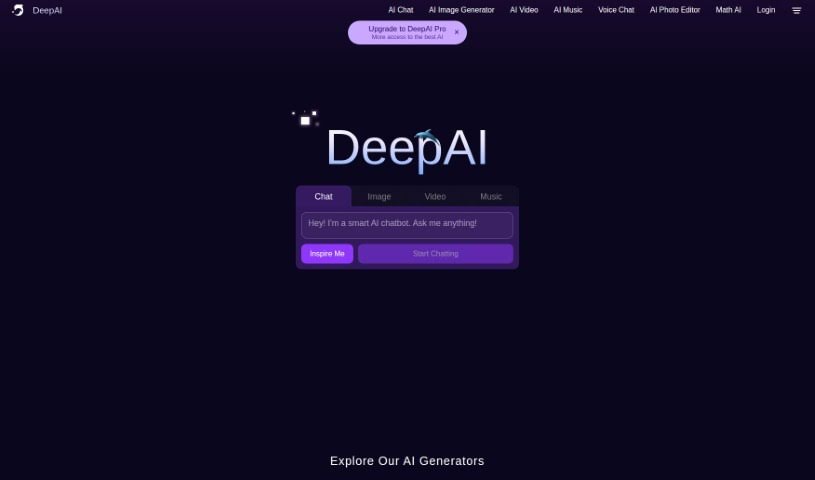
Screenshot of DeepAI

DeepAI

Discover what DeepAI is and how to use its AI tools effectively in 2025. We'll explore its features, compare it to other chatbots, and show you how to get started.

Screenshot

What is DeepAI?

DeepAI is a platform that brings together a variety of AI technologies and APIs, including a really cool Text To Image - AI Image Generator API. Basically, this API lets you type in a text prompt, and the AI turns it into a unique image. You can even pick different styles for your creations, like cute creatures, fantastical worlds, or even cyberpunk vibes. The best part? You can download these images and use them for commercial projects without any hassle. While the images might not be perfectly photorealistic just yet (AI is still learning!), you can definitely tweak and improve them. The API works with lots of different programming languages, and there are various pricing options depending on how much you use it. Plus, DeepAI Pro subscribers get access to even more features.

Who created DeepAI?

DeepAI got its start on December 6, 2019, thanks to its founder, Vincent Boucher. It’s a platform that hosts a whole range of AI technologies and APIs, including that neat Text To Image - AI Image Generator API we just talked about. This API is where you input your text prompts, and AI technology then transforms them into one-of-a-kind images. The platform itself offers some handy features, like letting you choose from different image styles, select shapes for your images, enhance them, and even use them commercially. If you’re looking for more, subscribing to DeepAI Pro unlocks extra benefits and even more styles for your image generation needs.

What is DeepAI used for?

DeepAI is great for a bunch of things:

  • Creating images from text: Just type what you want to see, and the AI makes it happen.
  • Style variety: You can pick from lots of different looks for your images.
  • Shape selection: Choose the general shape of the images you generate.
  • Image enhancement: Tweak and improve the images after they’re created.
  • Commercial use: You can use the images you generate for business purposes.
  • Easy downloads: Get your generated images quickly.
  • Unique results: Every image is different, even with the same prompt.
  • API interaction: Connect with the API using various programming languages.
  • Resolution control: Set the resolution for your image generation.
  • Negative prompts: Tell the AI what you don’t want in the image.
  • Commercial use rights: Use your creations freely for business.
  • Generating images from text prompts: This is its core function.
  • Downloading generated images: Simple and straightforward.
  • Choosing from a variety of image styles: Explore different artistic looks.
  • Selecting the shape of generated images: Control the basic form.
  • Enhancing the generated images: Make them even better.
  • Commercial use of the generated images: Use them for your business needs.
  • Downloading the images generated: Get your creations easily.
  • Using negative prompts for removal: Specify what to exclude.
  • Enhancing image quality and details: Fine-tune the output.
  • Setting resolution for image generation: Control the image size.
  • Interacting with the API using different programming languages: Integrate it into your projects.
  • Allowing commercial use: No restrictions on business applications.
  • Using unique images each time: Get fresh results.
  • Enhancing images with various options: Customize your output.
  • No restrictions on legal use of generated images: Use them freely.
  • Supports multiple programming languages for interaction: Works with many coding languages.
  • Select different styles for image generation: Explore diverse artistic directions.
  • Choose the shape of generated images: Control the basic composition.
  • Enhance generated images: Improve their look and feel.
  • Unique image generation for each text prompt: Always get something new.
  • Use in various programming languages (Curl, Javascript, Python, Ruby, Csharp): Integrates with popular coding tools.
  • No restrictions on the use of images generated: Use them however you need.
  • Negative_prompt option for specified image modifications: Fine-tune what’s excluded.

Who is DeepAI for?

DeepAI is a fantastic tool for anyone involved in creative work or needing visual content:

  • Graphic Designers: Create unique visuals for projects.
  • Game Developers: Generate concept art or in-game assets.
  • Marketing Professionals: Produce eye-catching images for campaigns.
  • Creative Writers: Visualize scenes or characters from your stories.
  • Illustrators: Explore new styles or generate base images.
  • Content Creators: Make engaging visuals for blogs, social media, and more.
  • Educators: Create visual aids for lessons.
  • Artists: Experiment with AI-generated art.
  • Editors: Find unique imagery for publications.
  • Marketers: Develop compelling visual content.
  • AI Enthusiasts: Explore the capabilities of AI image generation.
  • Graphic Designers: Craft custom graphics.
  • Artists: Discover new artistic avenues.
  • Content Creators: Produce unique visual assets.
  • Designers: Bring ideas to life visually.
  • Creators: Generate original artwork.
  • Business Owners: Create marketing materials.
  • Developers: Integrate AI image generation into apps.
  • Influencers: Make unique content for your followers.
  • Social Media Managers: Craft engaging posts.
  • Creative Professionals: Enhance your workflow.
  • Marketers: Boost your campaigns with visuals.
  • Advertisers: Create impactful ad imagery.
  • Branding Experts: Develop unique visual identities.
  • AI Enthusiasts: Dive into AI art creation.

How to use DeepAI?

Getting started with DeepAI’s Text To Image - AI Image Generator API is pretty straightforward. Here’s how you can do it:

  1. Start with a prompt: Type in a text description of the image you want to create. The AI will then use this to generate a unique picture.
  2. Pick your style: You can choose from a range of styles, whether you’re looking for cute creatures, epic fantasy worlds, or cool cyberpunk themes.
  3. Explore features: You can also select image shapes, enhance the images you get, and download them easily.
  4. Go PRO for more: If you want access to even more style options, consider upgrading to a PRO account.
  5. Code it up: You can use the API with various programming languages like Curl, Javascript, Python, Ruby, and Csharp to integrate it into your projects.
  6. Set the resolution: You can choose the image resolution, ranging from 128 to 1536 pixels, with 512 pixels being the default.
  7. Use negative prompts: Want to exclude something from your image? Just use the negative_prompt option to specify what you don’t want.
  8. Download and use: Once you’ve got your image, you can download it and use it for commercial purposes without any restrictions.
  9. Understand pricing: For DeepAI Pro subscribers, pricing is typically around $5 for 100 API calls or $5 for 500 API calls, depending on the plan.
  10. Keep quality in mind: Remember that due to current AI limitations, the image quality might not be perfectly photorealistic, but it’s still pretty impressive!

Related AI Tools

Discover more tools in similar categories that might interest you

Stay Updated with AI Tools

Get weekly updates on the latest AI tools, trends, and insights delivered to your inbox

Join 25,000+ AI enthusiasts. No spam, unsubscribe anytime.