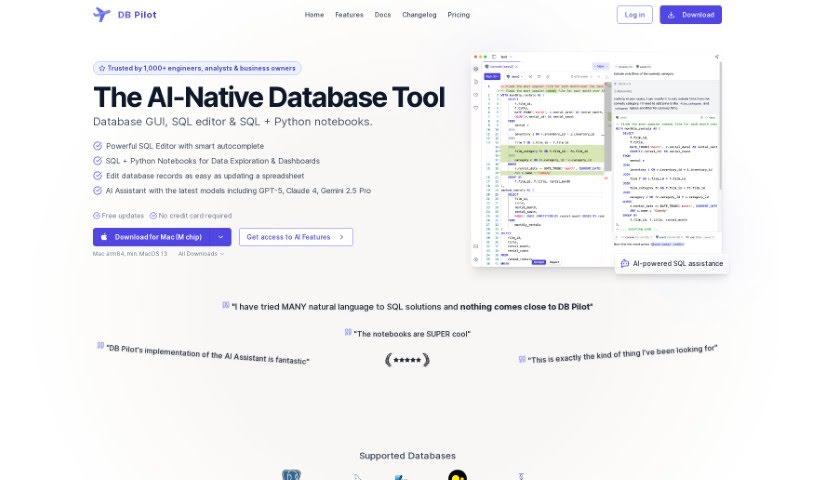
Screenshot of DB Pilot

DB Pilot

Discover DB Pilot in 2025! Learn what this powerful database GUI is, how to use its features like the AI assistant and spreadsheet editor, and how it stacks up against other data analytics tools.

Screenshot

What is DB Pilot?

DB Pilot is a really smart database GUI designed to completely change how you manage your data. It’s built with an OLAP system from ClickHouse, which means you can query different data sources – think PostgreSQL, S3, CSV, and JSON – as if they were all just one big database. Pretty neat, right?

What really sets it apart is the AI assistant, powered by GPT-3.5 and GPT-4. This feature makes it super easy to write, fix, and understand your SQL queries. No more struggling with complex code! Plus, DB Pilot comes with a handy spreadsheet-like editor, smart autocomplete that actually helps, and it supports a bunch of databases like PostgreSQL, CockroachDB, and MySQL. It’s a truly versatile tool, whether you’re a seasoned database pro or just getting started.

Who created DB Pilot?

DB Pilot was developed by a team, with their founder leading the charge. While the founder’s specific details aren’t shared in the documents I have, the company’s main goal is clear: to make data management much better. They do this by adding cool features, like that OLAP system that lets you query across many data sources smoothly. They’re using advanced tech, like GPT-3.5 and GPT-4, for their AI assistant, which really helps users write SQL queries without a hitch. DB Pilot works with popular databases such as PostgreSQL, CockroachDB, and MySQL, making it a flexible choice for anyone working with data.

Who is DB Pilot for?

  • Anyone who loves working with databases!
  • Professionals who manage databases regularly

How to use DB Pilot?

Ready to get the most out of DB Pilot? Here’s a simple guide:

  1. Get Started: First, download and install DB Pilot on your Mac. Don’t worry if you’re on Linux or Windows; versions for those operating systems are on their way soon!
  2. Connect Databases: DB Pilot plays nicely with a variety of databases, including PostgreSQL, CockroachDB, MySQL, SQLite, chDB, and DuckDB. Just connect to the one you want to work with.
  3. Utilize the AI Assistant: This is a game-changer! The AI assistant, powered by GPT-3.5 and GPT-4, helps you write, debug, and understand SQL queries with incredible ease. It’s even capable of handling massive databases with thousands of tables.
  4. Import Data: Need to bring in data from other places? DB Pilot can import from over 250 sources like Intercom, Mixpanel, and many more. The AI assistant makes this process feel almost effortless.
  5. Smart Autocomplete: As you write your SQL queries, you’ll get helpful, context-aware suggestions for tables, columns, keywords, functions, and more. It really speeds things up.
  6. Edit & Search: Working with your data is easy thanks to the spreadsheet-like interface. You can edit, update, or delete rows directly. Plus, use filters to find specific data without needing to write any SQL yourself.
  7. Query Various Formats: Whether your files are local or remote, in formats like CSV and JSON, you can query them easily using chDB or DuckDB.
  8. Future Updates: Keep an eye out for exciting new features! They’re planning a schema editor to help you update your database structure without SQL, plus even more database support.
  9. Pricing Plans: You can choose a subscription that starts at $20 per month, or opt for a one-time purchase of $79. This one-time purchase includes various benefits, like access to premium features and the AI assistant.

By following these steps, you’ll be able to use DB Pilot’s powerful features smoothly for all your data management and SQL query needs.

Related AI Tools

Discover more tools in similar categories that might interest you

Stay Updated with AI Tools

Get weekly updates on the latest AI tools, trends, and insights delivered to your inbox

Join 25,000+ AI enthusiasts. No spam, unsubscribe anytime.