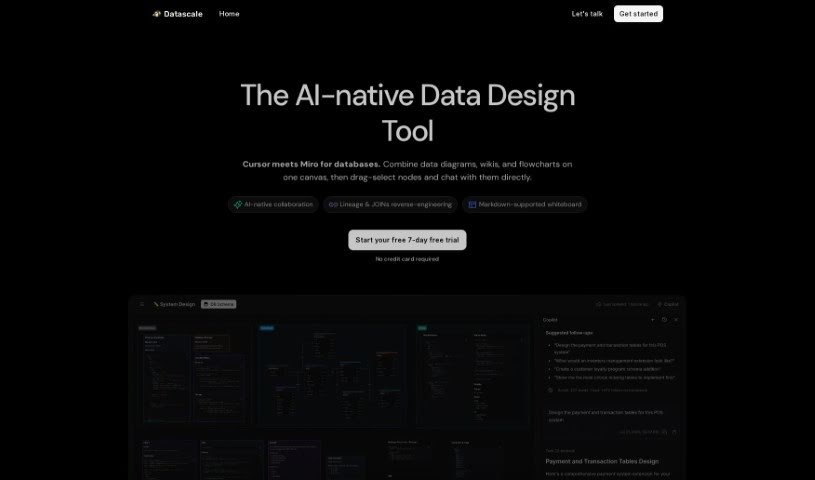
Screenshot of Datascale

Datascale

Discover what Datascale is and how to use it effectively in 2025. Explore its features and see how it stacks up against other Data Analytics Tools.

Screenshot

What is Datascale?

Datascale is a tool that automatically analyzes SQL lineage. Its main goal is to give you a really clear picture of how complex data connects, help you be more productive with data, and make your data workflows run much smoother. It uses AI to automate SQL lineage analysis. Plus, it has a SQL store where analysts can easily search for, share, and link queries. There’s also a collaborative workspace that makes querying and organizing data workflows efficient. Datascale is built for all sorts of data pros, like data leaders, data scientists, analytics engineers, and product managers. It even helps speed up writing queries with ready-made data prompt templates and a central SQL repository for finding and sharing queries.

Basically, Datascale helps you get more done with data. It does this through automated SQL lineage analysis, AI-powered automation, a collaborative SQL store, and by giving you a complete understanding of data relationships. This makes it super helpful for anyone involved in managing or analyzing data.

Who created Datascale?

Datascale was launched by an unnamed founder on March 14, 2023. This platform offers tools for automated SQL lineage analysis, which really boosts data productivity and makes workflows more efficient. You’ll find AI-powered automation for detailed SQL lineage analysis, a handy SQL store for managing your queries, and a collaborative workspace that makes organizing and querying data a breeze. Datascale is designed with various data professionals in mind, including data leaders, scientists, engineers, and product managers.

What is Datascale used for?

  • Making workflows run more smoothly
  • Analyzing SQL lineage automatically
  • Boosting how productive you are with data
  • Visualizing how SQL elements relate to each other
  • Providing a space for team collaboration
  • Improving your data management skills
  • Cataloging your data effectively
  • Offering deep search capabilities
  • Enabling intelligent workflows
  • Connecting data, insights, and knowledge
  • Optimizing your workflow processes
  • Supplying pre-built templates for data prompts
  • Giving you a complete understanding of data relationships
  • Encouraging better data connectedness
  • Serving as a single, reliable source for analytics
  • Making analytics discovery easier
  • Streamlining how data workflows are managed
  • Allowing you to organize models into collections
  • Extracting tables and columns from your data
  • Mapping out data relationships and their lineage
  • Modeling database relationships and how data transforms
  • Creating ER diagrams directly from SQL queries
  • Boosting overall data productivity
  • Designed to work for many different types of tasks
  • A great fit for data leaders
  • Promoting a stronger sense of data connectedness
  • Making analytics discovery more accessible
  • Streamlining the entire data workflow process

Who is Datascale for?

  • Data leaders
  • Data scientists
  • Analytics engineers
  • Product Managers

How to use Datascale?

To get the most out of Datascale, here’s a simple guide:

  1. Organize Your Models: First, group your data models into collections within the platform. This helps keep things tidy.
  2. Extract Tables and Columns: Use Datascale to pull out tables and columns from your SQL queries and schemas. It makes gathering this info straightforward.
  3. Map Relations and Lineage: Clearly map out how your tables connect and trace the flow of data through your models. Understanding this lineage is key.
  4. Automate Metadata Management: Let Datascale’s AI-powered SQL analysis handle your metadata management automatically. It saves a lot of manual effort.
  5. Discover Insights: Dive into the deep search functions to quickly find the specific SQL queries or analytics assets you need. No more endless scrolling!
  6. Collaborate with Your Team: Make the most of the collaborative workspace. It’s designed to make teamwork smoother and interactions more efficient.
  7. Use Pre-built Templates: Speed up your query writing and cut down on mistakes by using the ready-made data prompt templates. They’re a real time-saver.
  8. Optimize Query Writing: Write queries faster by using the SQL store. You can easily search for, share, and connect queries with your team, making everyone more efficient.
  9. Visualize SQL Relationships: See your SQL relationships clearly with directed acyclic graphs. This visual approach helps you understand dependencies much better.
  10. Benefit Various Work Types: Datascale is perfect for data leaders, data scientists, analytics engineers, product managers, and really anyone who works with data regularly.

By following these steps, you can manage your data efficiently, make your workflows run much smoother, collaborate better with your team, and boost your overall productivity thanks to Datascale’s thorough features and capabilities.

Related AI Tools

Discover more tools in similar categories that might interest you

Stay Updated with AI Tools

Get weekly updates on the latest AI tools, trends, and insights delivered to your inbox

Join 25,000+ AI enthusiasts. No spam, unsubscribe anytime.