20Paths
Productivity Documentation
Learn more
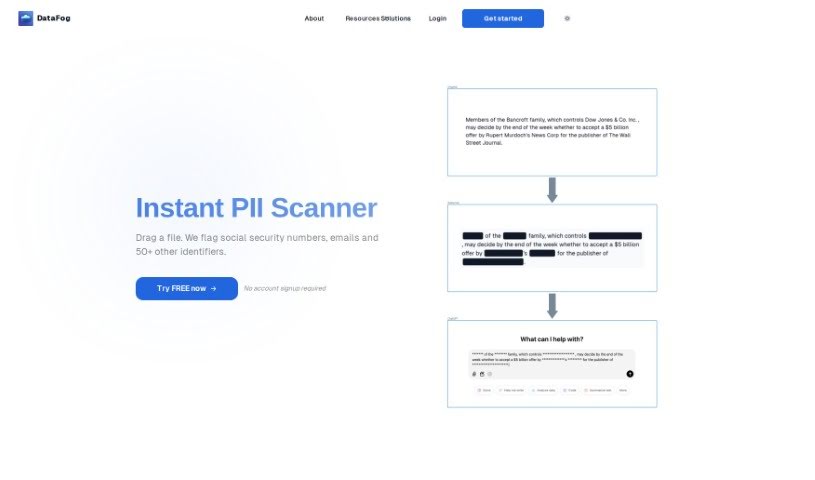
Discover what DataFog is, an open-source platform that scans text, image, and audio files for PII and anonymizes it via redaction or synthetic data.
Note: despite the listing name, this tool is actually DataFog, not Datadog. DataFog is an open-source, privacy-focused platform that finds and anonymizes Personally Identifiable Information (PII) — such as names, addresses, or phone numbers — in text documents, images, and audio files. It scans data for sensitive information, then either redacts it or replaces it with custom synthetic data, producing datasets that are free of PII and safe to share with trusted third parties like partners or collaborators.
DataFog was developed to provide a privacy-focused, open-source solution for detecting and anonymizing PII across different file types.
Anyone working with data who needs to ensure privacy and compliance, including:
Run the DataFog API locally with Docker:
docker run -p 8000:8000 datafog/datafog-api:latestOnce running, access the API at http://localhost:8000/docs. From there, you can scan files for PII and anonymize it by redaction or substitution with synthetic data.
More details and support are available on the DataFog Docker Hub, its GitHub repository, and the contact links provided.
Related
Discover more tools in similar categories
Weekly picks of the best AI tools we've researched and added — no spam, unsubscribe anytime.
Join 25,000+ AI enthusiasts. No spam, unsubscribe anytime.