DapperGPT (Text Generation)
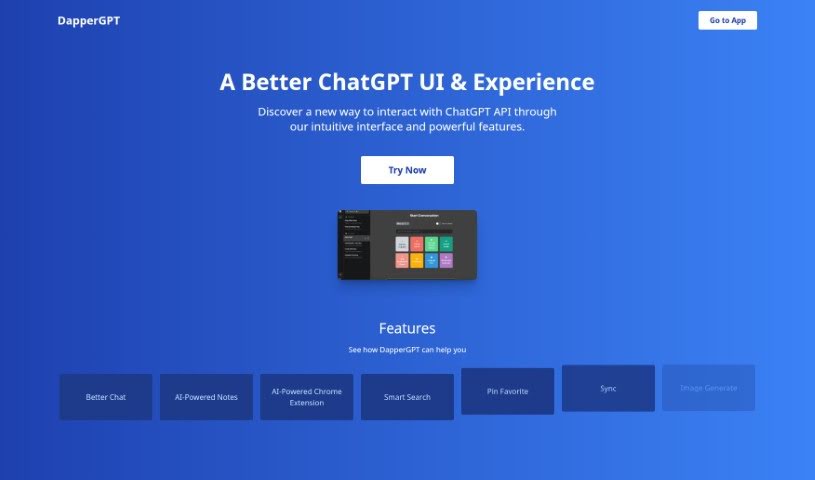
Screenshot of DapperGPT

DapperGPT

Discover DapperGPT, an enhanced ChatGPT interface with Better Chat, AI-powered notes, smart search, voice features, and image generation.

Screenshot

What is DapperGPT?

DapperGPT is an AI chat tool that offers a smoother, more intuitive experience than standard ChatGPT. It includes features like ‘Better Chat’ for more dynamic conversations, AI-powered notes for capturing thoughts quickly, and a smart search function for finding information fast. You can personalize your experience by pinning favorite chats, and it also offers voice-to-text, text-to-voice, and image generation capabilities. It supports character instructions, prompts, and code generation for a range of content creation tasks.

Who created DapperGPT?

DapperGPT was developed by a team aiming to build a powerful AI tool that is easy to use. Their work produced the ‘Better Chat’ functionality, AI-powered notes, and a Chrome extension that can autofill information on popular websites, alongside smart search, voice features, image generation, a library of character instructions and prompts, and code generation.

What is DapperGPT used for?

  • Better Chat: More interactive and dynamic conversations.
  • AI-powered notes: Quickly capture important information.
  • Chrome extension: Autofill capabilities on many popular websites.
  • Smart search: Find what you need quickly, similar to a spotlight search.
  • Customization: Pin favorite chats for easy access.
  • Voice interaction: Voice-to-text and text-to-voice communication.
  • Image generation: Create images based on your chats.
  • Content creation: A library of character instructions and prompts.
  • Code generation: Generate code snippets.

How to use DapperGPT?

  1. You need an OpenAI API Key, which you can sign up for at https://platform.openai.com/signup. A ChatGPT Plus subscription is not required.
  2. Once you have your key, you can access and use DapperGPT and its features, including customization, pinning favorites, smart search, voice-to-text, text-to-voice, AI-powered notes, and the Chrome extension.
  3. There are no limits on the number of conversations; restrictions come only from your OpenAI API Key usage and your browser’s storage capacity.
  4. Premium features are available through a one-time purchase or a yearly plan, which is useful for teams.
  5. Your OpenAI API Key is stored securely within your browser, with strict access controls in place.
  6. Self-hosting is not currently available, but a team feature is planned that will let you assign your own subdomain or domain.

Related

Related AI Tools

Discover more tools in similar categories

New tools, in your inbox.

Weekly picks of the best AI tools we've researched and added — no spam, unsubscribe anytime.

Join 25,000+ AI enthusiasts. No spam, unsubscribe anytime.