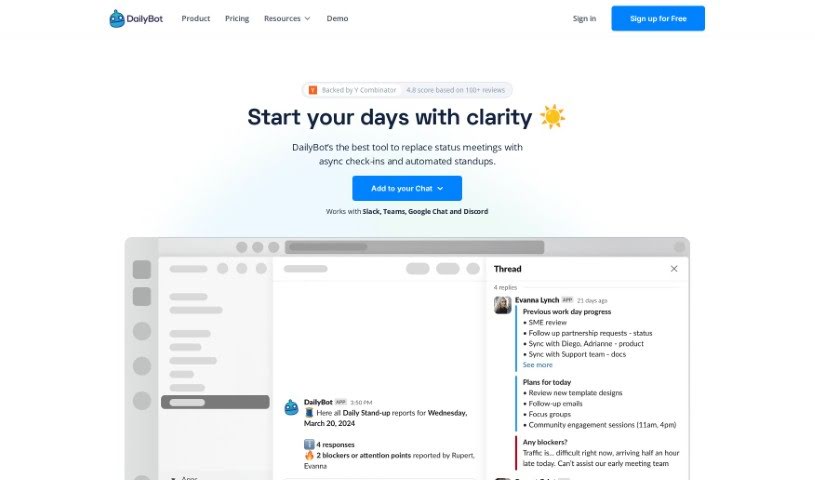
What is DailyBot?
DailyBot is an AI-powered chat assistant built to really boost how your team works together and gets things done, no matter the industry. It is an upgrade for your team’s collaboration, offering key features like regular check-ins, ways to give kudos, custom forms, and even fun extras like watercoolers. DailyBot uses smart AI to automate tasks, let you create your own commands, and even connect with other tools you already use through its API. The main goal here is to make work processes smoother, improve how you report on things, offer lots of customization, and bring in AI capabilities to handle all sorts of team needs. Plus, they take security seriously, following the best practices to keep your user data safe.
Who created DailyBot?
DailyBot was co-founded by Josue, who is the driving force behind the company. They’ve developed an AI chat assistant specifically to enhance team collaboration and productivity. It does this through features like automated workflows, check-ins, giving kudos, creating forms, and integrating seamlessly with popular chat platforms like Slack and Microsoft Teams. For larger organizations, the Dailybot for Enterprise plan provides even more advanced features, including robust enterprise security, priority support, and personalized onboarding.
What is DailyBot used for?
Here’s a look at what DailyBot can help your team achieve:
- Automate your daily standups, retrospectives, and many other workflows.
- Keep everyone in sync asynchronously with AI-generated reports.
- Gain team analytics for better visibility and alignment.
- Boost team visibility and cut down on unnecessary meetings.
- Automate various workflows and build custom forms right within your chat workspace.
- Get AI-powered summaries of what your team has been up to.
- Quickly flag blockers as they happen in real-time.
- Easily customize how often reports are sent.
- Encourage team well-being and keep motivation high.
Who is DailyBot for?
DailyBot is a great tool for a variety of professionals, including:
- Software engineers
- Marketers
- Psychologists
- Game Designers
How to use DailyBot?
Getting the most out of DailyBot is pretty straightforward. Just follow these steps:
- Integration: First, you’ll need to integrate DailyBot into your chat platform. You can usually do this by adding it to your team yourself if you have admin rights, or you can ask your administrator to enable it for you.
- Team Activation: Once it’s integrated, get your team members on board by having them interact with DailyBot in the chat. It’s a simple way to get everyone involved.
- Initiate Check-Ins: Pick from the ready-made templates, like the Daily Standup, to start working asynchronously. DailyBot handles the automation for you, making it super easy.
- Automated Reports: Team members can send their daily progress updates through DailyBot, so you get reports automatically without needing to schedule meetings.
- Explore Features: Don’t stop at check-ins! You can also use DailyBot for giving kudos, automating other workflows, and even building forms directly within your chat workspace.
- Advanced Automation: Take advantage of DailyBot’s advanced automation to manage tasks that come up regularly and set reminders. This really frees up your time for the more important work.
- Smart Reports: Get insightful analytics with AI-powered summaries of your team’s activities.
- Team Analytics: Keep a close eye on what your team is doing across different tools and integrations to really boost productivity.
- Customization: Tailor the frequency of reports and workflows to perfectly match your team’s specific needs.
- Support: DailyBot provides direct customer support, gives you control over privacy settings, and offers enterprise-level security to ensure a smooth and secure experience.