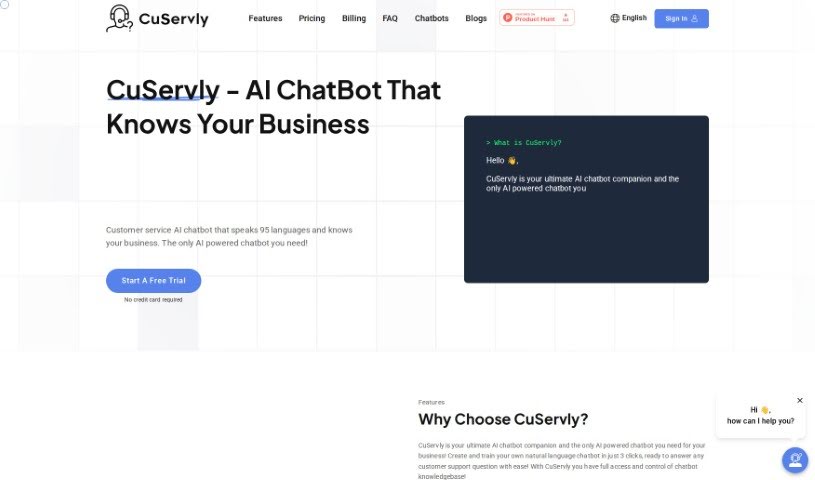
What Exactly is CuServly?
CuServly is an AI-powered chatbot specifically built to handle customer service tasks for businesses. It’s pretty impressive because it can answer customer questions in real-time across 95 different languages. Plus, you get complete control over what the chatbot knows – its entire knowledge base is yours to manage. You can train CuServly to understand your unique business by feeding it information from various sources, like your website’s URLs, PDF documents, and more. It’s designed for a quick setup, offers instant answers to customer questions, provides helpful data analytics, and comes with plenty of customization options.
Who’s Behind CuServly?
While the exact identity of the founder isn’t publicly shared in the documents we have, CuServly, the AI chatbot for customer service, was launched on January 20, 2024. This platform offers support in 95 languages and can be trained to grasp the specifics of any business environment. CuServly gives users full control over the chatbot’s knowledge base, provides valuable data analytics, and efficiently resolves customer queries. It’s designed to significantly cut down on support work, potentially reducing it by as much as 80%.
What Can You Use CuServly For?
CuServly is incredibly versatile and can be used for a wide range of applications:
- E-Commerce: Helping customers find products, answering questions about orders, and providing recommendations.
- Healthcare: Offering basic health information and general advice.
- Business Optimization: Streamlining customer service efforts and gaining insights from data analytics.
- Customizable Chatbot: Tailoring the chatbot’s appearance and personality to match your brand.
- Multilingual Support: Communicating with customers in 95 different languages.
- Website Integration: Easily embedding the chatbot onto your site.
- WordPress Integration: Seamlessly adding CuServly to WordPress sites.
- Data Analytics: Understanding customer interactions and identifying trends.
- Product Recommendation: Assisting e-commerce customers with finding the right products.
- Financial/Banking: Answering common financial questions and offering basic investment guidance.
- HR/Recruitment: Efficiently handling HR and onboarding-related inquiries.
- Customer Interaction Analysis: Providing detailed insights into customer behavior and frequently asked questions.
- Customization: Adjusting colors, avatars, logos, and chatbot messages to fit your brand.
- Top FAQs: Displaying the most frequently asked questions and their frequency.
Who Should Use CuServly?
CuServly is a great tool for a variety of industries and professionals:
- E-Commerce Businesses: To enhance customer support and sales.
- Healthcare Providers: For providing accessible information and basic guidance.
- Finance and Banking Institutions: To answer customer queries efficiently.
- HR and Recruitment Departments: To streamline onboarding and HR-related questions.
- Businesses Focused on Optimization: To improve customer service operations and leverage data insights.
- E-commerce Professionals: To boost customer engagement and sales.
- Healthcare Professionals: To offer quick access to information.
- Finance and Banking Professionals: To manage customer inquiries effectively.
How Do I Use CuServly?
Getting the most out of CuServly is straightforward. Just follow these steps:
- Set Up Your Chatbot: You can create your chatbot in just three simple steps. Start by training it with your business’s specific information. You can use data sources like website URLs, PDFs, DOCs, and more to help it understand your environment.
- Make It Your Own: Customize the chatbot’s look and feel. Adjust the colors, choose an avatar, upload your logo, and tweak other settings to perfectly match your brand identity.
- Put It on Your Website: Integrate the chatbot smoothly into your site. You can add it as a small widget, a full-page window, or even an iFrame, ensuring a seamless experience for your visitors.
- Train It Thoroughly: To make sure your chatbot answers customer questions accurately, train it extensively. You can do this by providing website URLs or uploading your own data files.
- Manage the Knowledge Base: You have complete access and control over everything the chatbot knows. Feel free to add, edit, or delete data units whenever you need to.
- Explore Advanced Features: Take advantage of features like the Advanced parsing mode for better training results. Also, check out the visibility of the most asked questions to help optimize your chatbot’s performance.
- Trust Your Data Privacy: Your data is securely encrypted on Google Cloud, so you can be confident in its confidentiality and privacy.
- Integrate with WordPress: If you’re using WordPress, it’s easy to integrate the chatbot. You can use plugins and simply add the custom JS code provided in your CuServly Portal.
By following these steps, you’ll be able to effectively use CuServly to improve your customer service and provide excellent support to everyone who visits your website.