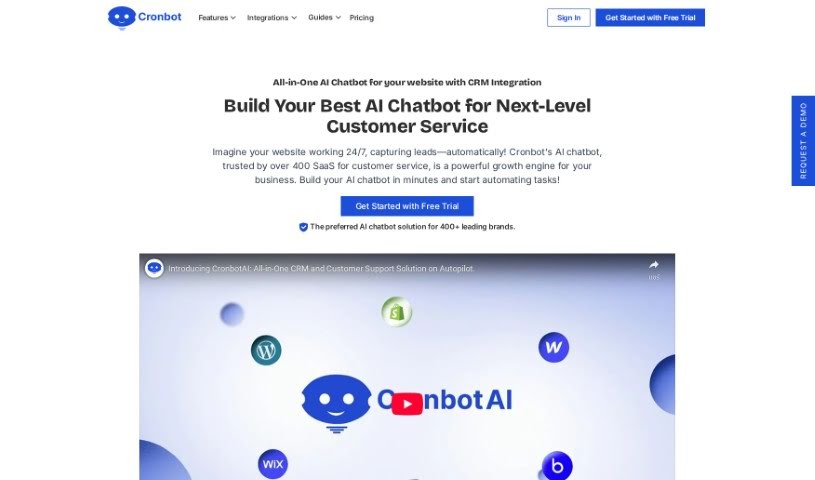
Screenshot of Cronbot

Cronbot

Discover what Cronbot is and how to use it effectively in 2025. We'll explore its features, compare it to other chatbots, and show you how to get started.

Screenshot

What is Cronbot?

CronbotAI is a smart AI chatbot tool designed to give you really quick answers to questions, with hardly any waiting time. It’s trained using your own data, like your website’s content, so it can respond to your users’ questions fast and accurately. CronbotAI lets you set up and manage lots of different chatbots, customize them to match your brand’s look and feel, and even adjust how they work. You can easily add them to your website, get instant email alerts, track how well they’re doing with analytics, and capture leads. Basically, it’s all about making customer support much more efficient and giving you useful insights powered by AI.

Who created Cronbot?

Cronbotai was actually built by a team who noticed how long people had to wait for chatbot responses. They wanted to fix that, so they created this AI tool for instant replies. The company focuses on offering AI chatbot solutions for all sorts of businesses. They provide features like handling tasks automatically, keeping all your customer information in one place, and offering smart help desk options.

What is Cronbot used for?

  • Automating Tasks: You can free up your team’s time by letting the chatbot handle repetitive jobs. Think answering frequently asked questions, setting up appointments, or even just qualifying leads to see if they’re a good fit.
  • Centralized Customer Data: Cronbot comes with a built-in 360° CRM. This means all your customer information – like their contact details, past conversations, and any support tickets – is kept neatly in one spot.
  • Managing Multiple Chatbots: If you have several SaaS products, you can easily manage and launch a chatbot for each one, all from a single, easy-to-use dashboard.
  • Seamless Integration: Getting CronbotAI chatbots onto popular website builders like Wix, Shopify, and WordPress is a breeze. It usually only takes a few clicks.
  • Data-Driven Decisions: CronbotAI’s analytics dashboards are packed with useful information. You can see how your chatbots are performing, what customers are saying, and what questions they ask most often.
  • Flexible Plan Options: Cronbot has a variety of plans available, so whether you’re a small startup or a larger business, there’s likely an option that fits. Plus, they scale with you as your business grows.
  • Scalable Chatbot Management: As your business expands, you can easily manage and deploy chatbots for each of your SaaS products from that same central dashboard.
  • Customize Chatbot as per your brand: You can easily make the chatbot’s messages your own, decide when your human agents are available, and tweak the AI’s responses without needing to write any code.
  • Add a No Code Chatbot to your Website: Integrating your chatbot is super simple. Just copy and paste a bit of code to connect it to popular platforms.
  • Stay Connected with Email Alerts: You’ll get instant email notifications for support tickets, and you can even reply directly from your inbox, keeping you connected all the time.

Who is Cronbot for?

  • Real estate professionals
  • Healthcare providers
  • And many other industries too!

How to use Cronbot?

Getting started with CronbotAI is pretty straightforward. Here’s a quick rundown of the steps:

  1. Sign Up: First, you’ll want to register for Cronbot’s basic plan. It’s a good way to get started.
  2. Customize: Next, take some time to personalize your chatbot. You can make it look and sound just like your brand, and you don’t need any coding skills to do it.
  3. Get Embed Code: Once it’s customized, you’ll generate a unique embed code specifically for your chatbot.
  4. Integrate: Now, you can seamlessly add your chatbot to your website. Whether you use WordPress, Shopify, or Wix, it’s designed for easy integration. If you need more detailed help for a specific platform, there’s a comprehensive Website Chatbot Integration Guide available.
  5. Manage Multiple Chatbots: If you have several SaaS products, you can easily deploy and manage all your chatbots from that single dashboard we mentioned.
  6. Stay Informed: You’ll get real-time email alerts for any support tickets that come in. Plus, you can even collaborate with your team via Slack integration.
  7. Gain Insights: Make sure to use the analytics dashboards. They’re great for tracking how well your chatbots are performing and understanding what your customers are asking.
  8. Capture Leads: Cronbot helps you capture leads automatically. It can populate contact information for you, which really streamlines how you manage potential customers.

Related AI Tools

Discover more tools in similar categories that might interest you

Stay Updated with AI Tools

Get weekly updates on the latest AI tools, trends, and insights delivered to your inbox

Join 25,000+ AI enthusiasts. No spam, unsubscribe anytime.