CRM Chat (Productivity)
Screenshot of CRM Chat

CRM Chat

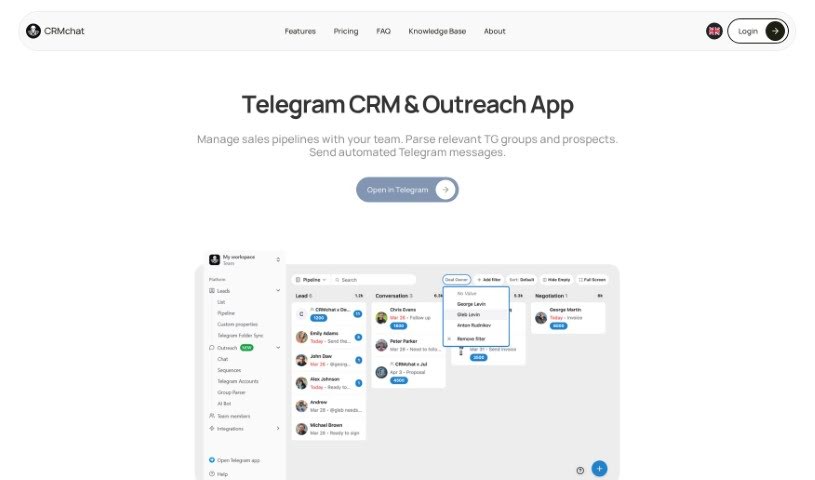
Discover what CRM Chat is, a Telegram mini-app that turns chats into organized leads and deals with reminders, tasks, and CRM integrations.

Screenshot

What is CRM Chat?

CRMchat is a Telegram mini-app that organizes your conversations into leads and deals, complete with reminders and tasks. It syncs with the tools you already use, and you can choose which integrations to set up. It’s built for teams, letting everyone move the business forward without manually updating interfaces. You control what gets synced — only contacts you approve are shared.

The team behind CRMchat, Hints, has raised $2.5 million from Altair VC and angel investors. Their previous project, Getintent, reached $16 million in annual recurring revenue before being acquired in 2019.

Who created CRM Chat?

CRM Chat was created by the Hints team. They raised $2.5 million from Altair VC and angel investors, and previously built Getintent, which achieved $16 million in annual recurring revenue and was acquired in 2019.

What is CRM Chat used for?

  • Keep your CRM updated, even when you’re on the go.
  • Get instant access to your data by asking the bot.
  • Set up your CRM using simple, everyday language.
  • Integrates with popular platforms like Pipedrive, HubSpot, and Salesforce.
  • Works across WhatsApp, Telegram, SMS, Web, and iOS.
  • Manage your CRM using voice and chat.
  • Connect up to 3 Telegram accounts.
  • Track sales, customer success, and support activities directly from Telegram.
  • Organize conversations into leads and deals, with reminders and tasks.
  • Sync private messages based on sync rules you control.
  • Encrypt all exchanges between Telegram and CRMchat.

Who is CRM Chat for?

  • Sales teams
  • Customer success professionals
  • Support teams
  • Individual sales professionals
  • Customer Success Managers
  • Support staff

How to use CRM Chat?

  1. Getting started: Create your CRMchat account within Telegram, then connect your CRM by telling the mini-app which CRM tool you want to integrate with.
  2. Organizing chats: Sort conversations into leads and deals, add reminders and tasks, and sync them to your CRM tool.
  3. Team collaboration: Teams can advance business goals without manually updating interfaces.
  4. Connecting other tools: Let the platform know which tool you want to link up, and they’ll help you set it up.
  5. Privacy and security: Only contacts you approve will be synced, and you control the sync rules. All exchanges between Telegram and CRMchat are encrypted.

Related

Related AI Tools

Discover more tools in similar categories

New tools, in your inbox.

Weekly picks of the best AI tools we've researched and added — no spam, unsubscribe anytime.

Join 25,000+ AI enthusiasts. No spam, unsubscribe anytime.