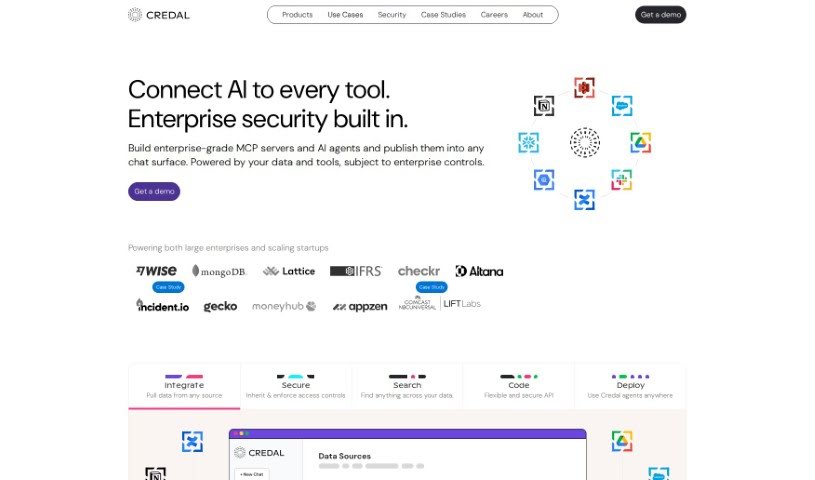
Screenshot of Credal

Credal

Discover what Credal is and how to use it effectively in 2025. We'll explore its features and see how it stacks up against other customer service tools.

Screenshot

What is Credal?

Credal.ai is a tool designed to boost data security when you’re bringing AI applications into your business. It helps keep your data safe with features like automatically enforcing access rules, masking sensitive information, detailed audit logs, and syncing permissions with places like Google Drive and Confluence. For developers, Credal offers secure APIs to build custom apps while making sure you stick to data security rules. You can even plug in popular AI apps like GPT-4 32k, and it can be set up entirely on-premise, meaning your sensitive data stays right where you want it – within your own network.

Who created Credal?

Ravin Thambapillai and Jack Fischer are the minds behind Credal. They launched it on March 13, 2023. Ravin, who’s the co-founder and CEO, has a solid background in building AI systems at Palantir and leading teams at big names like Google. Jack, the co-founder and CTO, also comes from Palantir and has experience using AI in fields like air travel and healthcare.

What is Credal used for?

Credal helps with a bunch of things, including:

  • Making sure access policies are followed
  • Hiding sensitive information
  • Automatically enforcing access rules
  • Connecting with outside data sources
  • Helping developers keep data secure
  • Redacting sensitive data before it leaves your company
  • Keeping permissions in sync with where your data lives
  • Controlling how AI apps are used
  • Building custom applications using secure APIs
  • Providing thorough audit logs
  • Allowing unlimited queries
  • Masking sensitive data
  • Logging data shared with AI providers
  • Redacting specific sensitive keywords and phrases
  • Managing agreements with AI providers
  • Synchronizing permissions with your data sources
  • Masking all kinds of sensitive data
  • Redacting PII and other sensitive data
  • Keeping audit logs
  • Accessing a ChatGPT UI
  • A secure chat interface
  • Automatically redacting sensitive data
  • Integrating with Google Docs, Sheets & Drive
  • A native Slackbot
  • Role-Based Access Control (RBAC) for Admins & Users
  • Connecting to enterprise data

Who is Credal for?

Credal is a great fit for:

  • Developers
  • Legal professionals
  • Engineers
  • Legal Officers
  • Data scientists

How to use Credal?

Here’s how you can get the most out of Credal:

  1. Deployment: You can set up Credal entirely on-premise. This keeps your data within your network and works well with your existing cloud investments, like Azure and AWS.
  2. Integration: Credal connects smoothly with popular AI apps such as GPT-4 and Claude. It also works seamlessly with tools you might already use, like Google Drive, Confluence, and Slack.
  3. Data Security: Credal keeps your data safe by automatically enforcing access policies, redacting sensitive information, and syncing permissions with your source systems (think Google Docs and Confluence). Plus, it creates detailed audit logs so you always know what’s happening.
  4. Application Building: If you’re a developer, you can use Credal’s APIs to build custom applications securely. It even offers direct replacements for common AI APIs, making it easier to build apps using your company’s data safely.
  5. Operational Control: Businesses can manage how AI apps are used by setting, enforcing, and auditing access policies through Credal. This means you can oversee both the AI tools you build in-house and those you get from elsewhere, all from one central place.
  6. Redaction and Permissions: Credal automatically redacts sensitive data before it leaves your organization and keeps your permissions in sync with your source systems. This is key for keeping data secure and ensuring Large Language Models (LLMs) have the right context.
  7. User Feedback: People who use Credal, like Will from Latchel and Aaron from Arena AI, have said they really like how accurately it captures meeting notes. They find it helps them coordinate strategy and operations while keeping their data secure.

By following these steps, you can use Credal effectively to protect sensitive data, integrate AI applications, and maintain data security and compliance for your business.

Related AI Tools

Discover more tools in similar categories that might interest you

Stay Updated with AI Tools

Get weekly updates on the latest AI tools, trends, and insights delivered to your inbox

Join 25,000+ AI enthusiasts. No spam, unsubscribe anytime.