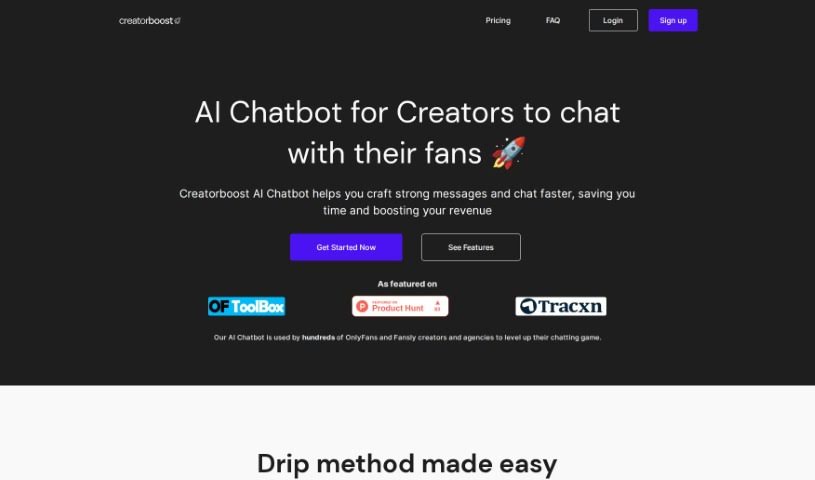
What is Creatorboost?
Creatorboost is a really smart Chrome extension built to help OnlyFans and Fansly creators boost their productivity and make more money. It gives you privacy-focused tools, letting you manage your accounts like the top 0.01% creators and agencies do. It is having a built-in AI Chatbot, an Emoji Keyboard, a Fan’s CRM, and Message Templates all in one place. These features speed up your messaging, so you can create strong, personalized messages on the fly. For OnlyFans users, it also offers Inbox Prioritization and Vault Labelling to make interacting with fans smoother. Creatorboost really cares about your privacy, making sure your private messages, fan lists, and earnings stay confidential. It’s a straightforward and efficient way to build real connections with your fans, saving you time and helping you connect better. The features include AI-Generated Chat Suggestions, an Emoji Keyboard and Message Templates, a Privacy-Oriented Chrome Extension, an Easy-to-use CRM, Inbox Prioritization, and Vault Labelling.
Who created Creatorboost?
Creatorboost was developed by an innovative founder who wanted to help OnlyFans and Fansly creators be more productive and earn more. The platform provides privacy-focused tools like an AI Chatbot, Emoji Keyboard, and CRM, which help users write personalized messages while keeping their data completely private. With a range of helpful features and benefits, including Inbox Prioritization and Vault Labelling, Creatorboost aims to simplify how creators interact with their fans. It’s all about making genuine connections easier, saving valuable time, and maximizing engagement. The company’s core commitment is to user privacy, ensuring that all personal messages, fan lists, and revenue details are kept confidential.
What is Creatorboost used for?
Creatorboost is used for a variety of tasks to help creators succeed:
- AI-Generated Chat Suggestions: Get real-time, personalized response ideas to engage your fans.
- Emoji Keyboard and Message Templates: Use a wide range of emojis and pre-written templates to keep conversations lively with minimal effort.
- Privacy-Oriented Chrome Extension: This extension ensures your personal messages, fan lists, and revenue details are never accessed without your explicit consent.
- Easy-to-use CRM: Easily keep notes on your fans, helping you build genuine relationships.
- Inbox Prioritization and Vault Labelling: These special features help you manage your content and easily spot your top fans on OnlyFans.
- Message Templates: Quickly access and use pre-written messages.
- Boosting Productivity and Revenue: It’s designed to enhance how much you get done and how much you earn on OnlyFans and Fansly.
- Speeding Up Messaging: Features like the AI Chatbot, Emoji Keyboard, Fan’s CRM, and Message Templates accelerate your communication process.
- Crafting Personalized Messages: Create strong, tailored messages in real-time for your fans.
- Streamlining Fan Interactions: Features like Inbox Prioritization and Vault Labelling make managing your fan communications much smoother.
- Maintaining Privacy: It ensures your personal messages, fan lists, and revenue details remain private and confidential.
- Identifying Top Spenders: Easily spot your highest-paying fans directly within your inbox.
- Simplifying Fan Engagement: Makes it easier to connect with and build relationships with your fans.
- Providing Real-time Suggestions: Offers personalized response suggestions to help you engage fans effectively.
- Saving Time and Increasing Engagement: Helps you work more efficiently and connect more deeply with your audience.
- Better Communication and Management: Facilitates improved communication and management on both OnlyFans and Fansly.
- Hyper-personalized AI Chatbot: Get AI chatbot suggestions that are tailored to your style.
- Emoji Keyboard: A handy keyboard with many emojis.
- Fan’s CRM: A customer relationship management tool for your fans.
- Inbox Prioritization: Helps you sort and manage your messages.
- Vault Labelling: A feature for organizing your content.
- Identifying Top Fans: Quickly see who your most valuable fans are.
- AI-Generated Chat Suggestions: Get real-time, personalized response suggestions for engaging fans.
- Emoji Keyboard and Message Templates: Use a wide range of emojis and templates to keep conversations lively with minimal effort.
- Privacy-Oriented Chrome Extension: Ensures no access to personal messages, fan lists, or revenue details without consent.
- Easy-to-use CRM: Maintain fan notes and build genuine relationships with ease.
- Inbox Prioritization and Vault Labelling: Special features to manage content and identify top fans for OnlyFans creators.
Who is Creatorboost for?
Creatorboost is designed for:
- Creators on OnlyFans
- Creators on Fansly
- Agencies that manage OnlyFans accounts
How to use Creatorboost?
To get the most out of Creatorboost, just follow these simple steps:
- Sign Up for Creatorboost: Head over to the Creatorboost website and create your account. It’s a quick process.
- Access the Features: Once your account is set up, you’ll be able to use all the great features, including the AI Chatbot, Emoji Keyboard, Fan’s CRM, and Message Templates.
- Utilize the AI Chatbot: Let the AI help you out! It provides real-time suggestions to engage with your fans. The chatbot learns your writing style, making your conversations fun and interactive.
- Use the Emoji Keyboard and Templates: Make your conversations more engaging with a variety of emojis and pre-written message templates. This saves you time and keeps your interactions lively.
- Manage Fan Interactions: Use the CRM to jot down notes about your fans. This really helps in building genuine connections and personalizing your interactions.
- Exclusive OnlyFans Perks: Take advantage of special features like Inbox Prioritization, which helps you spot your top spenders, and Vault Labelling to avoid sending the same content twice.
- Privacy Protection: Creatorboost is built with your privacy in mind. It keeps your personal messages, fan lists, and revenue details confidential.
- Customization Options: You can tailor the tool to fit your specific needs. Just enable or disable features based on what works best for you.
- FAQs and Support: If you have questions, check out the FAQs section on the website. You can also get priority support through email, chat, and Telegram.
By following these steps, you can effectively use Creatorboost to improve how you engage with fans and make your interactions on platforms like OnlyFans and Fansly much smoother. Why not start your 7-day free trial today and see how it can elevate your content creation experience?