11Sight
Business Customer Service
Learn more
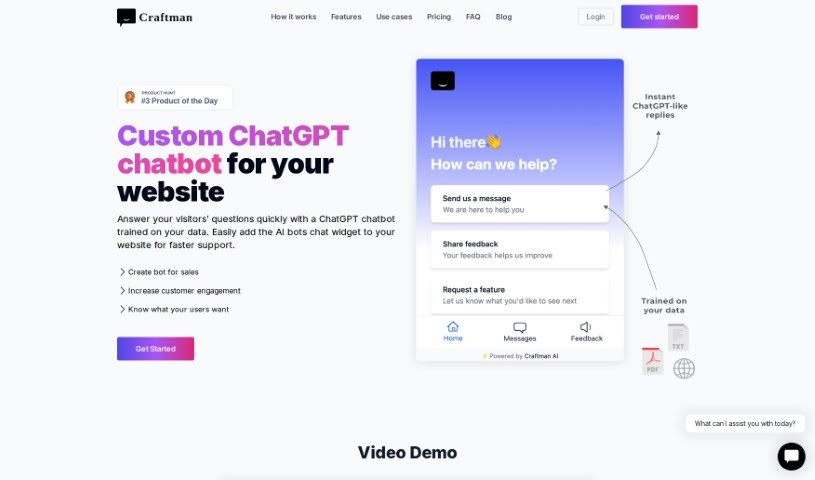
Discover Craftman, a custom ChatGPT chatbot for SaaS companies that trains on your own data to answer visitor questions. Learn about its features, pricing
Craftman is a custom ChatGPT chatbot designed for Software as a Service (SaaS) companies. You train the AI chatbot on your own data so it can quickly answer your website visitors’ questions, then add the widget to your site to offer faster support, instant replies, feedback collection, and feature request handling.
Users report that it streamlines support work, improves customer satisfaction, and enhances the overall client experience. Setup is straightforward, and reviewers often note how natural the AI sounds in conversations. Craftman offers several pricing plans with different message limits and features; some plans include multiple chatbots, GPT-3.5 and GPT-4 integration, and a 30-day money-back guarantee.
Victor M., founder of Sitekick AI, created Craftman. The chatbot provides quick answers, improves the customer experience, and can be customized to match your brand’s voice.
Craftman suits customer support teams, sales professionals, marketing departments, digital marketers, founders, and SaaS companies.
Related
Discover more tools in similar categories
Weekly picks of the best AI tools we've researched and added — no spam, unsubscribe anytime.
Join 25,000+ AI enthusiasts. No spam, unsubscribe anytime.