Cradl AI (Productivity)
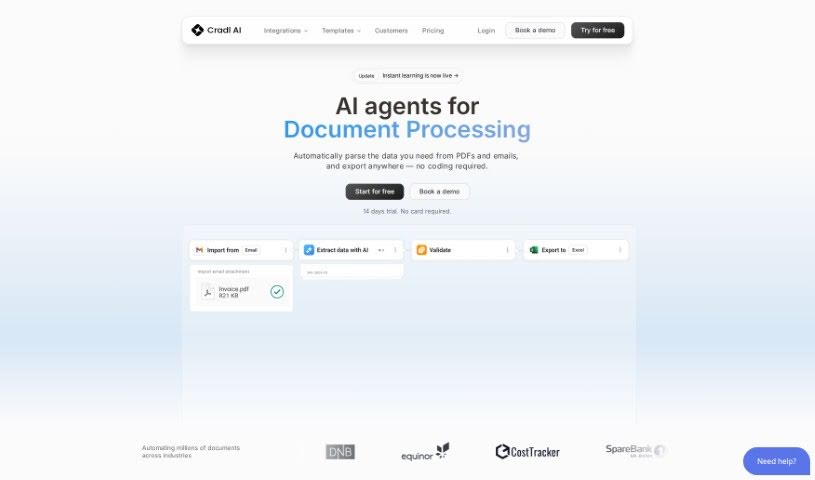
Screenshot of Cradl AI

Cradl AI

Discover what Cradl AI is and how it automates invoice and receipt data extraction with no-code workflows and human-in-the-loop review.

Screenshot

What is Cradl AI?

Cradl AI is a no-code AI platform for automating document processes such as Invoice OCR and Receipt OCR. It offers an easy-to-use interface for non-developers, while developers get detailed documentation, a CLI tutorial, a REST API reference, and a quickstart guide. The platform supports continuous retraining using human feedback, improving accuracy and automation levels over time across a range of industries.

Who created Cradl AI?

Cradl AI was built by a founding team with the goal of offering a no-code platform for smart document parsing — accurate data extraction combined with a simple human review workflow. Users can customize how information is extracted and integrate the platform with other automation tools. It targets businesses of any size and includes various pricing plans, from basic support to team and enterprise solutions.

What is Cradl AI used for?

  • Invoice OCR: Automatically extract data from invoices.
  • Receipt OCR: Pull information from receipts.
  • Customizable AI models: Tailor extraction to specific document types and industries.
  • Visual automation workflow builder: Design automation processes visually.
  • Human-in-the-loop UI: Review AI predictions to ensure accuracy.
  • Continuous retraining: Improve model performance over time using human feedback.
  • Integrations: Connect with existing tools and APIs via native connectors.
  • Data entry automation: Automate repetitive data entry from complex or unstructured documents.

Who is Cradl AI for?

  • Developers
  • Data entry specialists
  • Business analysts
  • Operations managers
  • Data scientists
  • Teams across various industries

How to use Cradl AI?

  1. Sign up for an account on the Cradl AI platform.
  2. Explore templates in the template library to see how workflows can be automated.
  3. Customize data extraction — you can train an AI model with as few as 5 documents.
  4. Integrate with your automation tools using native connectors or APIs.
  5. Implement your use case with features like Invoice OCR and Receipt OCR, using the human-in-the-loop UI to review predictions and keep accuracy high.

Related

Related AI Tools

Discover more tools in similar categories

New tools, in your inbox.

Weekly picks of the best AI tools we've researched and added — no spam, unsubscribe anytime.

Join 25,000+ AI enthusiasts. No spam, unsubscribe anytime.