What is Copilot.live?
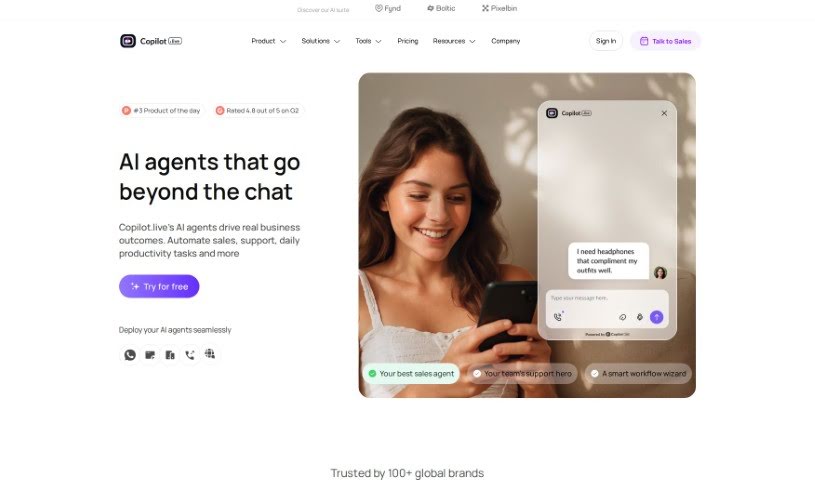
Copilot.live is a really useful platform that helps businesses manage their customer service like a pro. It is your all-in-one assistant for customer interactions. It can automatically create support tickets, make communication smoother across different channels, and give you detailed insights so you can really improve how you support your customers. The main goal here is to make talking to customers simpler, get them answers faster, and ultimately, make them happier. By bringing all your communication channels together in one place, Copilot.live helps you keep those high customer service standards you’re aiming for. It’s a solid choice if you want to make your customer support operations better and give your customers an amazing experience.
Who created Copilot.live?
Copilot.live was brought to life by Mayank Malviya, working alongside Sumit Dafda and Asma Khan. Their vision for the platform was to provide AI-powered help, making it easy for users to get accurate information and make smart, data-backed decisions across all sorts of areas.
What is Copilot.live used for?
Copilot.live is incredibly versatile and can help with a bunch of things:
- Generating leads: It helps you find and capture potential customers.
- Website chatbots: You can easily embed chatbots onto your website.
- Boosting engagement: It’s great for making your website visitors more interactive.
- Multilingual support: It handles over 50 different languages, so you can reach a global audience.
- Automating tasks: Many of your business processes can be automated.
- Customer support: It’s designed to handle all sorts of customer inquiries efficiently.
- Capturing lead info: It makes sure you don’t miss any important lead details.
- Beyond forms: It allows you to interact with website visitors in ways that go beyond just filling out a form.
- Voice support: You can even implement voice calls for customer support questions.
- Human handoff: It makes the switch from AI to human support feel really smooth.
- Brand customization: You can change how your chatbots look to match your brand’s style.
- Multi-channel deployment: Your chatbots can be used across various platforms.
- No-code chatbots: You can create ChatGPT-enabled chatbots without needing to write any code.
- Data-driven answers: It can answer questions using the data you provide.
- WhatsApp & phone integration: Connect it with WhatsApp or phone numbers for broader communication.
- Customizable appearance: You can use pre-set themes or personalize the colors of your chatbots.
- AI voice calls: Utilize the AI Voice feature for interactive voice conversations.
- Team collaboration: Work with your team members on building and managing chatbots.
- Personalized chatbots: Create chatbots specifically tailored for your business needs.
- Automated syncing: Data sources sync automatically for easy information access.
- Preset themes: Customize your chatbots using themes that are already set up.
- Interactive voice communication: Voice call integration makes interactions more dynamic.
- Persona feature: Customize responses with the helpful Persona feature.
- Website embedding: Embed chatbots on your website to boost visitor engagement.
- Model variety: It supports various OpenAI models like GPT-3.5, GPT-4, GPT-4o, Gemini 1.5 Flash, and Gemini 1.5 Pro.
- Flexible training: Train your chatbots using documents, website links, text, Notion, Google Drive, and GitHub.
- Language support: It covers over 50 languages, including English, Hindi, French, Spanish, Arabic, Indonesian, and Russian.
- Key features: It includes lead capturing, seamless human handoff, AI voice calls, and customizable responses via the Persona feature.
- Affiliate program: There’s an affiliate program if you’d like to earn commissions by referring others.
- Dedicated webpages: You can publish your Copilots as standalone webpages.
- Message credits: Interactions use message credits, with GPT-4 messages using 10 times more credits than GPT-3.5.
Who is Copilot.live for?
Copilot.live is a great tool for a variety of roles within a business, especially those focused on customer interaction and support:
- Customer service representatives
- Customer support managers
- Help desk technicians
- Call center agents
- Technical support specialists
- Customer experience managers
- Sales support specialists
- Operations managers
- Product support specialists
- Quality assurance analysts
How to use Copilot.live?
Getting started with Copilot.live is pretty straightforward. Just follow these simple steps:
- Create Your Copilot: First, give your Copilot a name and define its persona. Once you do that, it’s ready to go.
- Add Your Data Sources: Next, you’ll connect your data. This could involve uploading files, adding links to your website, or connecting other sources. This is how your Copilot gets the information it needs to help users.
Once you’ve completed these easy steps, you’ll be all set to use Copilot.live to create a smart, AI-powered chatbot for your website and start improving your customer interactions right away.