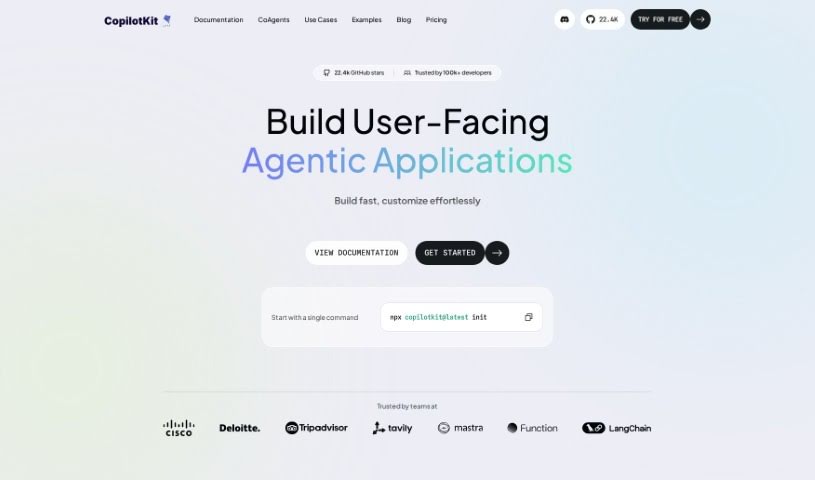
Screenshot of Copilotkit By Tawkitai

Copilotkit By Tawkitai

Discover what Copilotkit by TawkitAI is and learn how to use it effectively in 2025. We'll explore its features and see how it stacks up against other automation tools.

Screenshot

What is Copilotkit By Tawkitai?

From what we can gather from the “Copilotkit By Tawkitai” document, CopilotKit by TawkitAI is essentially an open-source infrastructure built to help you develop copilots much faster. It is a toolkit that gives you a head start. It comes with a handy Copilot Portal, and a special component called COPILOTTEXTAREA that’s great for autocompleting, inserting, and editing text. Plus, it plays nicely with other services like Salesforce and Zendesk. You can customize it to fit your needs, find it on GitHub, and there’s a community on Discord where you can get updates and chat with other users. While it offers a lot of benefits, it’s worth noting that it has some limitations, such as a currently limited number of third-party integrations and potential compatibility quirks with COPILOTTEXTAREA. Ultimately, the goal of this tool is to make building copilots simpler, and Tawkit, Inc. is actively involved in its ongoing development and community support.

Who created Copilotkit By Tawkitai?

CopilotKit by TawkitAI was brought to life by Tawkit, Inc. This company is the driving force behind its development, maintenance, and all future updates. Tawkit, Inc. acts as a crucial link, connecting copilots directly to applications and making it easier to integrate with third-party services. They also provide key features like COPILOTTEXTAREA, which helps with text autocompletion and editing. The platform first launched on December 2, 2023, with the aim of offering a plug-and-play, fully customizable, and open-source infrastructure that significantly speeds up the process of developing copilots.

What is Copilotkit By Tawkitai used for?

CopilotKit by TawkitAI is quite versatile and can be used for a variety of tasks:

  • Connecting things: It acts as a programming bridge, linking copilots with your applications.
  • Integrating data: It helps integrate client and cloud states seamlessly.
  • Working with other tools: It supports integrations with third-party services, specifically mentioning Salesforce and Zendesk.
  • Editing text: It offers text editing capabilities through COPILOTTEXTAREA.
  • Smart text features: You get autocompletion, text insertion, and editing features.
  • Portal support: It supports all integrations within the Copilot Portal.
  • Open access: You can easily access and use it because it’s open-source on GitHub.
  • Continuous improvement: The project is under constant development, with new features being added regularly.
  • Faster development: It’s designed to accelerate the entire process of building copilots.
  • Smooth integration: It ensures copilots integrate smoothly into your applications.
  • Better interaction: It enhances how your application interacts with the copilot.
  • Customization: You can tailor it to meet your specific application needs.
  • Community support: You can engage with the development community on Discord.

Who is Copilotkit By Tawkitai for?

This tool is particularly useful for:

  • Programmers
  • Developers
  • Software engineers
  • AI engineers
  • Chatbot developers

How to use Copilotkit By Tawkitai?

Getting started with CopilotKit by TawkitAI is pretty straightforward. Here’s a breakdown of how you can use it:

  1. Get to know CopilotKit: First off, understand that it’s an open-source infrastructure designed to make building copilots quicker. It includes helpful tools like a Copilot Portal and the COPILOTTEXTAREA component.
  2. Add Copilots to your app: You can easily integrate Copilots into your application using components like <CopilotSidebar />, <CopilotPopup />, or <CopilotPanel />.
  3. Provide real-time context: To make your copilots smarter, you can ground them in real-time, user-specific context using functions such as useCopilotReadable() and useCopilotAction().
  4. Edit text with AI: The COPILOTTEXTAREA component is your go-to for AI-powered text editing. It handles autocompletions, insertions, edits, and can even generate initial drafts for you.
  5. Customize it: CopilotKit is fully customizable, meaning you can adapt it to your unique needs. It also supports integrations with popular third-party services like Salesforce and Zendesk.
  6. Find access and support: You can access the project on GitHub for the latest updates. If you have questions or want to connect with others, the Discord community is a great place to be.
  7. Build copilots faster: Take advantage of CopilotKit’s infrastructure and tools, like the Copilot Portal, to speed up your copilot development projects.
  8. Contribute your ideas: Since it’s open-source, you can contribute! Just fork the repository on GitHub and submit your pull requests.
  9. Stay updated on what’s next: Keep an eye out for ongoing developments, as more features are planned for future releases.

By following these steps, you’ll be well on your way to effectively using CopilotKit to add powerful AI capabilities to your applications and streamline your copilot development process.

Related AI Tools

Discover more tools in similar categories that might interest you

Stay Updated with AI Tools

Get weekly updates on the latest AI tools, trends, and insights delivered to your inbox

Join 25,000+ AI enthusiasts. No spam, unsubscribe anytime.