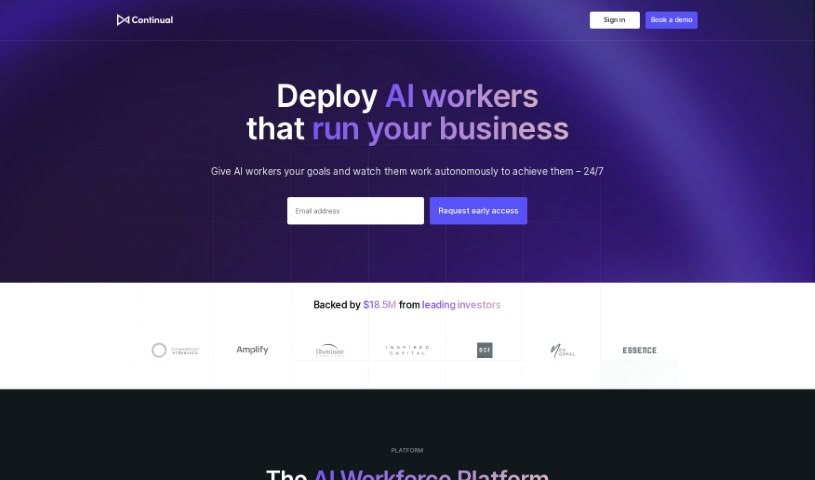
Screenshot of Continual

Continual

Discover what Continual is and how to use it effectively in 2025. We'll explore its features and see how it stacks up against other Customer Service Tools.

Screenshot

What Exactly is Continual?

Continual is a platform that really lets you build your own AI copilot for your applications. It is a tireless AI assistant, custom-built for whatever specific tasks you need it for. It’s designed to give you instant answers, speed up your workflows, and create smarter experiences, all thanks to its unified copilot engine. You can easily connect it to your application data and APIs, which really boosts the copilot’s knowledge base. Plus, the platform supports both AI and human feedback, so you can evaluate and fine-tune your copilot for continuous improvement. Startups and big enterprises alike trust Continual because it cuts down on engineering and maintenance costs while actually making things perform better and more reliably. With AI experiences you can customize, built-in continuous learning, insights drawn directly from your data, and a solid, dependable foundation, Continual offers a really flexible way to build your AI copilots.

So, Who Created Continual?

Continual was actually founded by Adam Black and Carlos del Carpio. Adam Black is the Product Portfolio Manager, and Carlos del Carpio is the Chief Data Scientist. Their platform consistently does better than internal prototypes, which gives them a really strong base for growing and makes it super easy to get started.

Who Would Find Continual Useful?

  • Software developers
  • Data scientists
  • Product Managers
  • Business analysts
  • Customer Support Agents
  • Marketing professionals
  • HR Specialists
  • Financial Analysts
  • Project managers
  • Sales Representatives

How Can You Start Using Continual?

Getting started with Continual is pretty straightforward. Here’s a simple breakdown:

  1. Get into Continual: First, just head over to the Continual platform and log in to your account. It’s easy to access.
  2. Build Your AI Agents: The next step is to start building AI agents that are specifically designed for your business. These agents are built to really understand how your business operates, help automate tasks, and generally make things run smoother.
  3. Tap into Smart Assistance: Make the most of the smart assistance your AI agents provide. This feature is all about helping you work more efficiently by giving you expert advice and support.
  4. Speed Up Your Workflows: You can really accelerate your business workflows using Continual. The platform helps you simplify and speed up tasks by automating them with your AI agents.
  5. See What Others Say: It’s always helpful to hear from others. For instance, Adam Black, a Product Portfolio Manager at HCSS, mentioned how efficient Continual was for him. He found it easy to upload new training data, adjust settings, and test how the copilot responded, all without needing to write any code.

By following these steps, you’ll be able to use Continual effectively to improve how your business runs and make your workflows much more efficient.

Related AI Tools

Discover more tools in similar categories that might interest you

Stay Updated with AI Tools

Get weekly updates on the latest AI tools, trends, and insights delivered to your inbox

Join 25,000+ AI enthusiasts. No spam, unsubscribe anytime.