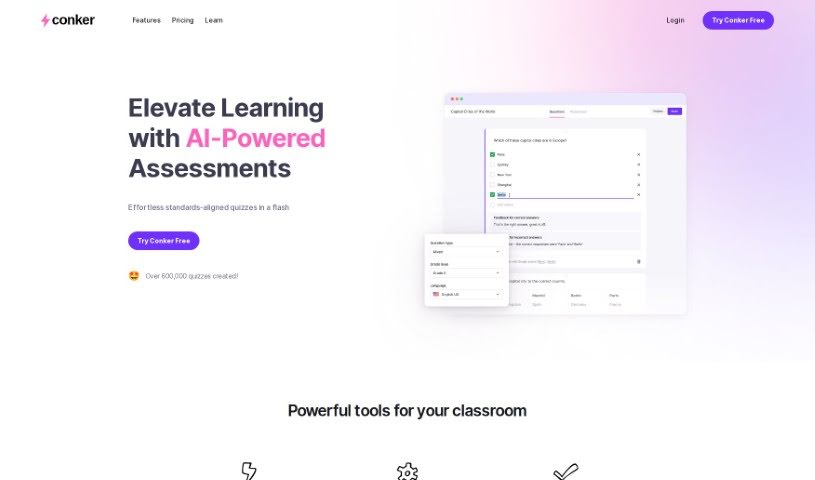
Screenshot of Conker

Conker

Discover what Conker is and learn how to use it effectively in 2025. We'll explore its features and see how it stacks up against other teacher tools.

Screenshot

What is Conker?

Conker is a smart tool that uses AI to help you create unique quizzes without breaking a sweat. It’s designed for educators, letting you tailor quizzes precisely to what your students need, which is a great way to differentiate instruction. You’ll also find a huge library of assessments that line up with K12 standards. Plus, Conker includes helpful accessibility features, like a built-in read-aloud option, to support every student. You can easily export your quizzes to Google Forms or share them straight through Canvas LMS. Basically, Conker is here to make quiz creation much simpler, give you back more teaching time, and really grab your students’ attention with fun question formats.

Who created Conker?

Mote Technologies is the company behind Conker. They focus on building AI-powered tools for education, and Conker is a prime example of how they’re changing classroom assessments with customizable, interactive quizzes. Their goal is to make teaching more efficient, ensure students are hitting their learning goals, and keep them engaged using smart, new technology.

Who is Conker for?

  • Teachers
  • Educators
  • Instructors

How to use Conker?

Here’s a straightforward way to get the most out of Conker:

  1. Sign Up and Log In: First, create your account on Conker’s platform using your email and a password. Once that’s done, just log in to start exploring all the features.
  2. Create Your Quiz: Jump into using Conker’s AI tool to generate quizzes easily. You can pick from lots of different question types that are designed to be engaging, and you can tweak them to fit exactly what your students need.
  3. Align with Standards: You’ve got access to a massive collection of K12 standards-aligned assessments, so you can be sure your teaching is right on track with curriculum goals.
  4. Make it Accessible: Take advantage of Conker’s built-in read-aloud feature for quizzes. This makes them accessible for all students, promoting truly inclusive learning.
  5. Connect Seamlessly: You can export your quizzes directly to Google Forms, or if you use Canvas LMS, you can share them right from there. It really helps streamline the whole teaching and learning process.
  6. Use Engaging Questions: Keep your students hooked with a variety of question types. It makes things more interactive and boosts their learning engagement.
  7. Tailor the Learning: Design unique quizzes that are specifically made for different learning needs. This is a smart way to make the most of your teaching time and hit those educational targets effectively.
  8. Teach with Innovation: Step into the future of education with Conker. It brings formative assessments to life with innovative features and functionalities.

By following these steps, you can really use Conker’s strengths to make quiz creation better, assessments smoother, and your students more engaged in their learning journey.

Related AI Tools

Discover more tools in similar categories that might interest you

Academic Help Free Essay Generator

Education Academic Writing
Learn More

Stay Updated with AI Tools

Get weekly updates on the latest AI tools, trends, and insights delivered to your inbox

Join 25,000+ AI enthusiasts. No spam, unsubscribe anytime.