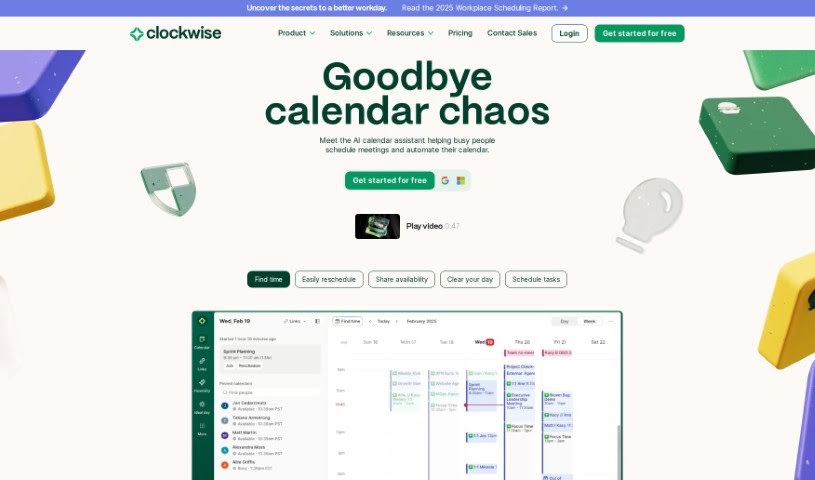
Screenshot of Clockwise

Clockwise

Discover Clockwise, an AI-powered time management tool. Learn its features, how it helps with productivity and work-life balance, and how it stacks up against other project management tools in 2025.

Screenshot

What is Clockwise?

Clockwise is a smart calendar tool that uses AI to help manage your team’s schedule. It is a personal assistant for your calendar, powered by advanced AI like the Generative Pre-trained Transformer (GPT) model. It learns how you and your team like to work, figuring out your best productivity times. The goal is simple: make sure you get more done by scheduling meetings efficiently, sorting out any conflicts, and carving out dedicated blocks of uninterrupted Focus Time. This really helps boost productivity. Companies like Amplitude, Asana, Etsy, Twitter, and Uber rely on Clockwise to get a better handle on their time and achieve a healthier work-life balance.

Who created Clockwise?

Clockwise was developed by a team focused on creating an AI-driven calendar tool. Their aim was to really optimize how teams schedule their time and, in turn, boost everyone’s productivity. The platform officially launched on January 18, 2022, with a strong emphasis on supporting flexible work arrangements and making sure people have enough time to really concentrate. The tool was built to learn individual user preferences and productivity habits. It uses AI, specifically the Generative Pre-trained Transformer (GPT) model, to smartly schedule meetings, protect those crucial focus periods, and cut down on distractions. Big names like Asana and Atlassian have given Clockwise their stamp of approval, which really speaks to how well it helps people manage their work-life balance and improve their daily productivity.

What is Clockwise used for?

Clockwise helps you in a bunch of ways:

  • It makes maintaining a good work-life balance much easier.
  • You won’t have to constantly juggle your calendar anymore.
  • It helps you figure out what’s most important and focus on those tasks.
  • It’s designed to make the most of your available time.
  • It helps improve how you work and get things done.
  • Scheduling meetings becomes a breeze.
  • It cuts down on the mental drain of switching between different tasks.
  • It makes working with colleagues across different teams and time zones much smoother.
  • It supports working independently and on your own terms.
  • It’s great for helping you concentrate and stay flexible with your schedule.

Who is Clockwise for?

Clockwise is particularly useful for:

  • Engineers
  • Software engineers
  • Billing Operations Managers

How to use Clockwise?

Clockwise is a really powerful AI tool designed to help you and your team manage your schedules better and get more done. Here’s a straightforward guide to using it effectively:

  1. Sign Up: The first step is easy – just sign up for free on the Clockwise website.
  2. Personalize Settings: Once you’re in, take a moment to adjust your Clockwise preferences. This helps the tool match your unique work style and what helps you be most productive.
  3. Explore Features:
    • Get to know the different things Clockwise can do. This includes automatically scheduling meetings, setting aside Focus Time, and connecting with other tools you might use, like Slack and Asana.
  4. Optimize Your Schedule:
    • Let Clockwise’s AI do the heavy lifting. It will automatically find the best times for your meetings, making sure you have the most productive slots available.
  5. Focus Time:
    • Make sure to use the Focus Time feature. This creates dedicated periods where you can work without interruptions, really helping you concentrate and get more done.
  6. Real-time Analytics:
    • Keep an eye on your team’s workload and help everyone set healthy boundaries using Clockwise’s real-time analytics. It’s a great way to promote efficiency and balance.
  7. Integrations:
    • Take advantage of Clockwise’s smooth integrations with tools like Slack and Asana. This helps minimize interruptions during your workday.
  8. Attend Demo:
    • If you want a deeper dive, consider joining one of Clockwise’s tours or demo sessions. It’s a great way to see exactly how everything works firsthand.
  9. Collaborate Efficiently:
    • Work better with your team by using Clockwise’s smart scheduling, meeting customization options, and its ability to coordinate across different time zones.
  10. Feedback and Adjustment:
    • As you use Clockwise, share your thoughts and experiences. This feedback helps refine the settings to better fit your changing preferences and needs.

Just remember, Clockwise is all about making your time management better, boosting your productivity, and helping you find a good work-life balance. By using its features smartly, you can really make your workday smoother and improve your overall efficiency.

Related AI Tools

Discover more tools in similar categories that might interest you

Stay Updated with AI Tools

Get weekly updates on the latest AI tools, trends, and insights delivered to your inbox

Join 25,000+ AI enthusiasts. No spam, unsubscribe anytime.