ClientZen (Business)
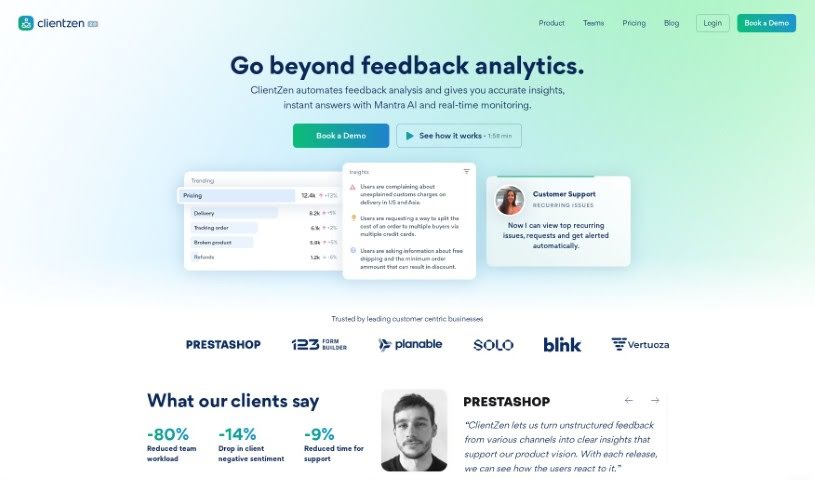
Screenshot of ClientZen

ClientZen

Discover what ClientZen is, an AI-powered tool that tags customer feedback, analyzes sentiment, and turns insights into action across sales, support, and

Screenshot

What is ClientZen?

ClientZen is an AI-powered tool that helps businesses understand what their customers are struggling with. It automatically tags feedback and analyzes the sentiment behind it, acting as a central hub for all customer feedback from sales, support, and customer success teams. The result is clear, actionable insights. ClientZen can also show how new product releases affect customer happiness, and it integrates with popular customer voice platforms like Intercom and Zendesk. A free trial is available with no credit card or coding knowledge required.

If you want to learn more, you can check out their documentation for the details.

Who created ClientZen?

ClientZen was developed by a company of the same name and launched on July 5, 2022. Its purpose is to automate the tagging of customer feedback and sentiment analysis, giving businesses actionable insights. It connects with platforms like Intercom, Zendesk, and Slack to make feedback management easier.

What is ClientZen used for?

  • Sentiment analysis: Gauges how customers feel about your product.
  • Automatic organization: Tags and classifies feedback automatically.
  • Finding customer problems: Pinpoints what customers are having trouble with.
  • Discovering requests: Identifies what customers are asking for.
  • Gathering feedback: Brings together feedback from all customer touchpoints.
  • Tracking impact: Monitors how products affect customer satisfaction.
  • Ranking issues: Helps prioritize which customer problems to tackle first.
  • Sales insights: Provides analytics on pain points and their impact on revenue.
  • Custom solutions: Can be tailored with custom integrations and development.

Who is ClientZen for?

ClientZen is used by managing directors, product managers, and CEOs who need to handle customer feedback and understand what customers need.

How to use ClientZen?

  1. Start with a free trial: Sign up for a 30-day free trial — no credit card or coding skills required.
  2. Automate feedback analysis: Let ClientZen handle feedback tagging and sentiment analysis across your sales, support, and customer success teams.
  3. Connect your platforms: Integrate with tools you already use, like Intercom, Zendesk, and Slack, so your data stays organized.
  4. See how customers react to releases: Check whether new product updates are generating positive comments or complaints.
  5. Track problems over time: Monitor how customer issues develop with each product version to spot trends.
  6. Prioritize what to fix: Use ClientZen’s automated tagging and ranking to decide which issues to address first, based on their impact on customer satisfaction and revenue.

Related

Related AI Tools

Discover more tools in similar categories

New tools, in your inbox.

Weekly picks of the best AI tools we've researched and added — no spam, unsubscribe anytime.

Join 25,000+ AI enthusiasts. No spam, unsubscribe anytime.