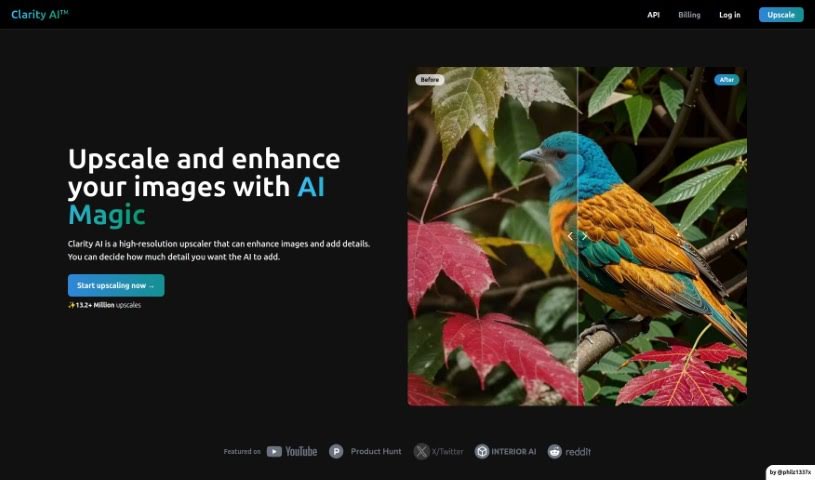
Screenshot of Clarityai

Clarityai

Discover ClarityAI in 2025! Learn what this AI-powered tool does, how to use its features for image enhancement, and how it stacks up against other photo editors.

Screenshot

What is ClarityAI?

ClarityAI is a really neat tool that uses artificial intelligence to make your images look better. It is a smart way to boost image resolution, add more depth and detail, clean up any fuzzy bits, and basically turn regular photos into super clear, high-definition visuals. What’s great is you can actually control how much detail it adds, so it works well for all sorts of pictures – whether it’s a sweeping landscape, a close-up portrait, a cool illustration, some anime art, or even a picture of your home’s interior.

Now, while ClarityAI makes upscaling images pretty straightforward with an easy-to-use interface, it’s not perfect. For instance, you can’t process a bunch of images at once, it doesn’t automatically save your work, it’s not available on every device, and you can’t tweak as many settings as you might want.

Just a heads-up, you’ll need JavaScript enabled in your browser for ClarityAI to work its magic. It’s what makes the tool interactive, keeps it running smoothly, and handles all those complex tasks, like upscaling high-resolution images, which is a big part of what ClarityAI does so well.

Overall, ClarityAI really shines as a top-tier AI Image Upscaler. It’s fantastic at boosting image resolution, adding that extra layer of depth and detail with its smart AI, and transforming your photos into detailed, high-resolution works of art. Many users say it performs better than other similar tools out there, and the feedback and performance numbers seem to back that up.

Who created ClarityAI?

ClarityAI was developed by someone who prefers to keep their identity private. It first launched on February 13, 2024. The company focuses specifically on AI-driven image upscaling and enhancement. Their tools are designed to increase image resolution, add depth, and remove visual artifacts. ClarityAI is built to handle a variety of image types, including landscapes, portraits, illustrations, anime, and interior designs.

Who is ClarityAI for?

  • Landscape photographers
  • Portrait photographers
  • Illustrators
  • Anime artists
  • Interior designers

How to use ClarityAI?

Ready to give your images a boost with ClarityAI? It’s a pretty simple process:

  1. First, you’ll need to log in to the ClarityAI platform.
  2. Then, tell the tool what kind of image you’re working with – like landscapes, portraits, illustrations, anime, or interior designs.
  3. Next, pick the specific image you want to upscale and enhance.
  4. You get to decide how much detail you want ClarityAI to add, so you can really fine-tune it to your liking.
  5. Now, let ClarityAI do its thing to increase the resolution, add depth, and clean up any artifacts.
  6. It’s always a good idea to check out the “before” and “after” views to really see the quality improvement.
  7. You can then use ClarityAI in your photo editing or digital artwork projects to make your images look their absolute best.
  8. You’ll find the interface is really user-friendly, and the steps are easy to follow, making the whole experience smooth.
  9. Don’t forget to make sure JavaScript is turned on in your browser so the tool works perfectly.
  10. Feel free to explore the platform for things like restoring old photos, enhancing interior design images, or adding fine details step-by-step for specific needs.

ClarityAI really stands out as a top AI Image Upscaler. It’s known for its ability to upscale images to high resolutions, add depth, and enhance details. The goal is to turn everyday photos into detailed, high-resolution masterpieces. This makes it a super versatile tool for pretty much any image enhancement task you can think of.

Related AI Tools

Discover more tools in similar categories that might interest you

123RF AI Image Generator

Creative Image Generation
Learn More

Stay Updated with AI Tools

Get weekly updates on the latest AI tools, trends, and insights delivered to your inbox

Join 25,000+ AI enthusiasts. No spam, unsubscribe anytime.