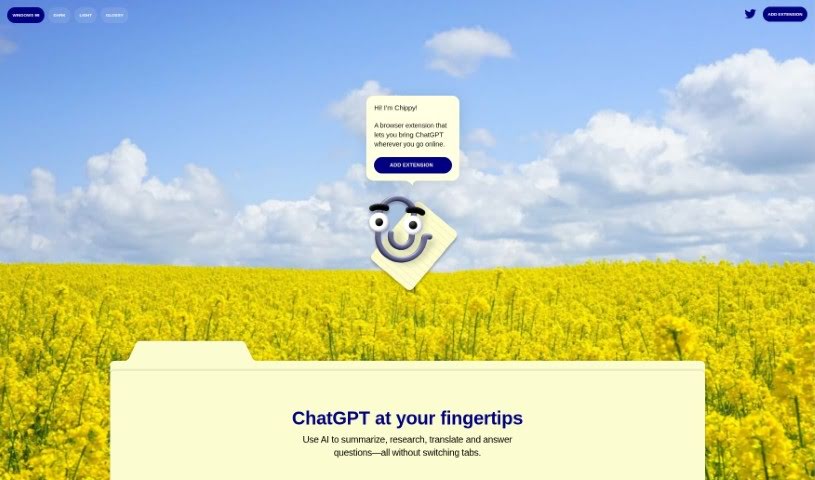
Screenshot of Chippy

Chippy

Discover what Chippy is and how to use it effectively in 2025. We'll explore its features and see how it stacks up against other chatbots.

Screenshot

What Exactly is Chippy?

Chippy is a handy browser extension that lets you bring the power of ChatGPT right along with you as you browse the web. Imagine having AI assistance for tasks like summarizing articles, doing quick research, translating text, or getting answers to your questions, all without needing to jump between different tabs. It’s a free tool, and it gives you twenty free GPT-3.5 queries every day. If you want to use GPT-4, you can simply provide your own OpenAI API key. For your privacy, all your conversations and your API key are stored right there in your browser, and you can delete them whenever you like. Chippy doesn’t keep tabs on your browsing history, and you don’t even need an account to start using it. It works with Google Chrome and other browsers built on Chromium.

Who’s Behind Chippy?

Chippy, the browser extension that brings ChatGPT’s capabilities to your online browsing, was developed by a team that prefers to remain anonymous for this project. This extension is designed to help users seamlessly integrate AI for summarizing content, conducting research, translating languages, and answering questions as they navigate the web. Chippy is available at no cost, offering twenty free GPT-3.5 queries each day. For those who need more or want to access GPT-4, you can provide your OpenAI API key. Importantly, your conversations and API key are kept private by being stored locally within your browser, and you have the ability to delete this data at any time. Chippy is compatible with Google Chrome and other Chromium-based browsers.

What Can You Do with Chippy?

Chippy is really versatile and can help you with a bunch of things:

  • Summarize text: Get the main points of long articles or documents quickly.
  • Research information: Find answers and details without leaving your current page.
  • Translate text: Understand content in different languages.
  • Answer questions: Get instant responses to your queries.
  • Provide suggested prompts: Discover new ways to interact with AI.
  • Facilitate easy input for queries: Type your questions or requests smoothly.
  • Enable focused search on the current page: Get information specific to what you’re looking at right now.
  • Assist in drafting quick email replies: Speed up your email writing process.

Who Would Find Chippy Useful?

Chippy is particularly helpful for:

  • People who develop AI chatbots.
  • Those who create prompts for ChatGPT.
  • Developers working on Chrome Extensions.

How Do I Start Using Chippy?

Here’s a straightforward guide to get you up and running with Chippy:

  1. Add the Extension: First, install Chippy into your Chrome browser. You can do this by going to the Chrome store, finding the extension, and clicking “Add Extension,” then confirming with “Add to Chrome.”
  2. Initial Setup: After installation, you can personalize your experience by selecting your preferred theme for Chippy.
  3. Putting Chippy to Work:
    • Easy Input: It’s simple to use. Just type your question directly, or if you want Chippy to analyze something specific, select the text on the page first.
    • Suggested Prompts: To get started, you can use the prompts Chippy suggests. These are great for exploring different AI capabilities and can lead to more specific follow-up questions.
    • Focused Search: Need information that’s very specific to the page you’re on, or something beyond ChatGPT’s usual knowledge cutoff (which is typically 2021)? Chippy can narrow its search to just the current page.
    • Your Email Assistant: If you need to quickly draft an email reply, Chippy can lend a hand.
  4. Daily Query Limits:
    • You get twenty free GPT-3.5 queries each day. If you need more than that, or if you want to use GPT-4, you’ll need to supply your own OpenAI API key.
  5. Protecting Your Data:
    • We want you to feel secure. Your conversations and your API key are stored locally in your browser, and you can delete them whenever you wish. Chippy doesn’t track your browsing history, and there’s no need to create an account to begin using it.
  6. Upgrading and Settings:
    • If you decide you want to upgrade Chippy, it’s easy. Just open the extension, go to “Settings,” and then click on “Upgrade.”
  7. Browser Support:
    • Currently, Chippy works with Google Chrome and other browsers that are based on Chromium.

By following these steps, you can easily integrate Chippy into your browsing routine and enjoy the benefits of ChatGPT right where you need it.

Related AI Tools

Discover more tools in similar categories that might interest you

Stay Updated with AI Tools

Get weekly updates on the latest AI tools, trends, and insights delivered to your inbox

Join 25,000+ AI enthusiasts. No spam, unsubscribe anytime.