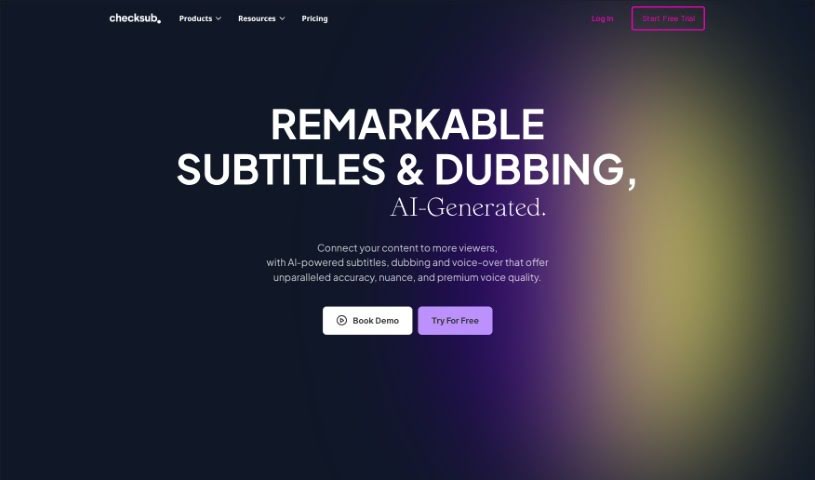
Screenshot of Checksub

Checksub

Discover Checksub, an AI tool for generating subtitles and translating videos. Learn its features, how to use it, and compare it with other voice cloning tools in 2025.

Screenshot

What is Checksub?

Checksub is a smart tool that uses AI to create subtitles and translate your videos into many different languages. It’s really handy because it can even clone voices and dub your videos, making them perfect for audiences all over the world. People like Checksub because it’s super fast at generating subtitles, lets you customize styles and animations, and helps your translated content reach more people on social media and improve your SEO. It works with over 200 languages and is used by businesses for all sorts of things.

Who created Checksub?

Florian and CH created Checksub, launching the company on December 26, 2023. Essentially, Checksub is an AI-powered platform that focuses on making subtitles, translating videos into various languages, and offering voice-cloning and dubbing features. These capabilities are designed to help you connect with a wider range of audiences more effectively.

What is Checksub used for?

  • Expand your video audience: Reach more viewers by making your content accessible in different languages.
  • Boost your SEO: Improve your search engine ranking with translated content.
  • Customize subtitle styles and animations: Make your subtitles visually appealing and engaging.
  • Enhance YouTube performance: Get more out of your YouTube videos.
  • Support for over 200 languages: Translate your content into a vast array of languages.
  • Auto-generate translator scripts: Streamline the translation process.
  • Localize digital content: Adapt your videos for different cultural contexts.
  • Reach new audiences: Connect with viewers you might otherwise miss.
  • Generate perfect subtitles: Ensure accuracy and clarity in your subtitles.
  • Boost social media reach: Make your videos more shareable and discoverable.
  • Quality translations for subtitling: Get accurate and natural-sounding translations.
  • Offer animated subtitles: Add dynamic visual elements to your subtitles.
  • Advanced online editing: Fine-tune your subtitles with a powerful editor.
  • Voice isolation for quality: Ensure clear audio for your dubbed content.
  • Auto-subtitles generation: Quickly create subtitles automatically.
  • Automatic script conversion: Convert scripts into subtitle formats easily.
  • Customizable subtitling: Tailor subtitles to your specific needs.
  • Dubbing videos: Create professional voice-overs in different languages.
  • Export videos with embedded subtitles: Easily share your localized videos.
  • Translate training videos: Make educational content accessible globally.
  • Boost YouTube audience: Increase viewership on your YouTube channel.
  • Customize subtitle style and animations: Enhance content impact with personalized visuals.
  • Generate subtitles rapidly: Save time with quick subtitle creation.
  • Enhance social media reach: Make your videos more engaging for social platforms.
  • Localize digital content: Adapt your videos for diverse markets.
  • Auto-generate subtitles: Effortlessly create subtitles for any video.
  • Support over 200 languages: Translate and subtitle in a wide range of languages.
  • Generate subtitles and translate videos: Cover all your subtitling and translation needs.
  • AI voice-cloning and dubbing: Localize videos with realistic voice-overs.
  • Customize subtitle style and animations: Make your content stand out.
  • Boost YouTube audience with translations: Grow your channel by reaching more viewers.
  • Translate training videos and expand audience: Ideal for businesses and educational content.
  • AI translation in over 200 languages: Get premium quality translations.
  • Dub videos with quality results: Maintain original audio background for authenticity.
  • Handle sentence refinement: Use an online editor for precise adjustments.
  • Support any video content: Subtitle any type of video you have.
  • Integrate with social media: Manage subtitles and videos for social platforms.

Who is Checksub for?

  • Video Producers
  • Translators
  • Digital Content Creators
  • Social Media Managers
  • Business Professionals
  • Content Creators
  • Marketing Professionals
  • Training Professionals
  • YouTube Content Creators
  • Digital Marketers
  • Enterprise Organizations
  • Video Creators
  • Enterprise Users

How to use Checksub?

Here’s a simple guide to using Checksub:

  1. Upload Your Video: Start by uploading your finished video to Checksub. You can upload one or multiple videos at once, which is pretty convenient.
  2. Generate Subtitles: You can add subtitles to your video in just minutes. After that, you can review and share your project using Checksub’s editor, making collaboration easy.
  3. Generate Dubbing: Checksub also lets you create a localized version of your video with high-quality voice-overs, so your message resonates globally.
  4. Editing and Refinement: Once your subtitles or dubbing are ready, use Checksub’s online editor. It’s a great place to tweak and perfect any sentences until they’re just right.
  5. Export and Publish: After you’re happy with your edits, you can export your video. You can also generate subtitle files, create separate audio files, or even publish directly to YouTube.
  6. Grow Your Audience: Join the many businesses that are already using Checksub to make their videos have a bigger impact and connect with a wider range of audiences.

Checksub’s platform is really versatile. It supports all sorts of video content for subtitling, lets you customize subtitle styles and animations to make your content pop, and even integrates smoothly with social media platforms. Their ‘Auto-Subtitles’ feature is a lifesaver for automatic generation, and they support over 200 languages for translation. Plus, they have special plans for businesses that need tailored capabilities. Getting started is easy – just sign up on their website for a free trial and begin exploring all the powerful features Checksub offers to make your video content shine.

Related AI Tools

Discover more tools in similar categories that might interest you

Stay Updated with AI Tools

Get weekly updates on the latest AI tools, trends, and insights delivered to your inbox

Join 25,000+ AI enthusiasts. No spam, unsubscribe anytime.