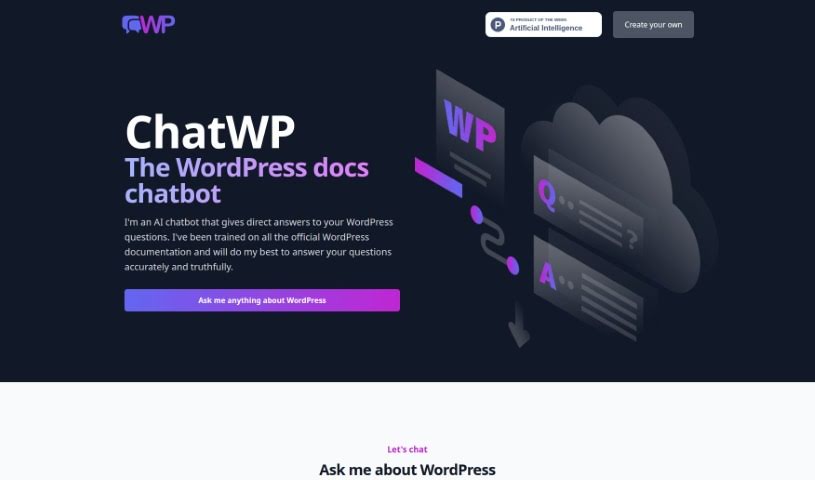
Screenshot of ChatWP

ChatWP

Discover what ChatWP is and how to make the most of its features in 2025. We'll cover its capabilities, compare it to other chatbots, and show you how to get direct answers for all your WordPress questions.

Screenshot

What is ChatWP?

ChatWP is essentially an AI chatbot built specifically to help you with anything related to WordPress. It is your go-to expert for WordPress questions. It’s been trained using all the official WordPress documentation, so you can trust that the answers you get are accurate and reliable. You can ask it pretty much anything about WordPress, and it’ll use everything it’s learned to give you a helpful response. This whole system is powered by DocsBot AI, which is a platform that lets people create and set up their own custom chatbots to handle customer support automatically. When you use ChatWP, you’re essentially automating your support tasks, which means you and your team can spend more time on other important things. Some of the really cool things ChatWP can do include acting as a question-and-answer bot, offering embeddable widgets you can put right on your website, helping you write marketing copy, automatically responding to support tickets, and even indexing your company’s internal knowledge bases so your employees can find information super fast.

Plus, DocsBot offers a really handy API. This makes it super easy to weave AI chat capabilities into all sorts of products, helping you quickly answer whatever questions your users might have.

Who created ChatWP?

ChatWP Overview:

DocsBot AI is the company behind ChatWP. They’re specialists in creating and deploying custom chatbots. While the specific founder’s name isn’t shared in the available information, the core idea is that DocsBot AI built ChatWP. It’s an AI chatbot designed to give you accurate, reliable answers specifically about WordPress. How does it do this? By learning from the official WordPress documentation. This means you get direct answers to your questions. The platform itself, powered by DocsBot AI, is all about making customer support automation easier. This frees up valuable time for other tasks. ChatWP comes with several useful features: it can act as a question-and-answer bot, it offers widgets you can easily embed on your website, it can help with custom copywriting, it can automatically reply to support tickets, and it can index your internal knowledge bases so your employees can find answers instantly. And if you want to build AI chat into your own products, DocsBot’s API makes that integration smooth, allowing for quick responses to user inquiries.

What is ChatWP used for?

ChatWP, through the DocsBot AI platform, is incredibly versatile. Here’s a breakdown of its main uses:

  • Building Custom Chatbots: You can train and deploy your own chatbots using DocsBot AI, making it a powerful tool for various needs.
  • Interactive Documentation: It turns your documentation into a Q/A bot, providing detailed, direct answers about your product. This can even include code examples and formatted output, making complex information much easier to digest.
  • Website Integration: You can easily add DocsBot chats to your website. This is done in just minutes by adding a simple script tag or using a WordPress plugin, making your site more interactive.
  • Content Creation Assistance: Need help writing marketing copy or blog posts? ChatWP can assist you with this, acting like a customized ChatGPT that’s knowledgeable about your specific product.
  • Automated Support: Train the DocBot on your support history and existing documentation. This allows it to automatically reply to new support tickets, which is a huge time and money saver.
  • Internal Knowledge Access: It can index your internal knowledge bases and documentation. This means your employees can find the answers they need instantly, boosting productivity.
  • Product Integration: DocsBot’s powerful API lets you integrate AI chat directly into your own products, providing instant answers to your users.
  • Customer Support Automation: By answering frequently asked questions with ChatGPT-powered bots, you can automate a significant portion of your customer support.
  • Saving Time and Money: Ultimately, automating customer support tasks helps you save both time and money.
  • Direct WordPress Answers: ChatWP is specifically designed to give you direct answers to WordPress questions, drawing from official WordPress documentation.
  • Interactive Q&A for Products: It makes documentation interactive with a Q/A bot that provides detailed, direct answers, including code examples and formatted output.
  • Easy Website Embedding: You can add DocsBot chats to your website easily in minutes with a script tag or WordPress plugin.
  • Marketing and Blog Copywriting: Get help writing marketing copy and blog posts using a customized ChatGPT that knows your product.
  • Automated Ticket Replies: Train the DocBot on support history and documentation to automatically reply to support tickets, saving time and money.
  • Instant Employee Answers: Index internal knowledge bases and documentation for quick answers for your staff.
  • API Integration: Integrate AI chat into your own products for providing instant answers.

Who is ChatWP for?

ChatWP and the DocsBot AI platform are designed for a wide range of professionals and businesses looking to enhance their customer support, content creation, and internal knowledge management. This includes:

  • Customer Support Teams: Representatives, specialists, and general customer service personnel who handle inquiries.
  • Content Creators: Copywriters, content writers, and marketing professionals who need assistance with creating engaging material.
  • Support Ticket Handlers: Individuals responsible for responding to customer support tickets.
  • Internal Knowledge Management: Employees who work with internal knowledge bases, knowledge managers, and technical writers who need quick access to information.
  • Technical Support: Specialists and staff who provide technical assistance.
  • Marketing and Sales: Marketers, API integrators, and anyone involved in promoting products or services.
  • Website Administrators: Those who manage websites and want to add interactive elements.
  • WordPress Users: Anyone who uses WordPress and needs quick, accurate answers to their questions.

Essentially, if you deal with customer inquiries, content creation, or need efficient access to information, ChatWP can be a valuable tool.

How to use ChatWP?

Using ChatWP effectively is straightforward. Just follow these simple steps:

  1. Access ChatWP: Start by visiting the ChatWP website. This is where you’ll find the AI chatbot that’s specifically designed to answer your WordPress-related questions.
  2. Ask Your Questions: Once you’re there, just start asking. You can pose any question you have about WordPress. Remember, it’s trained on the official WordPress documentation, so it’s built to give you accurate answers.
  3. Check the Answers: While ChatWP is very reliable, it’s always a good idea to double-check its responses. Sometimes, like any AI, it might occasionally provide information that isn’t quite right, so verifying the sources is recommended.
  4. Understand Its Limits: It’s important to know that ChatWP can only answer questions based on the WordPress.org documentation it was trained on. This means it might not be able to answer questions about specific plugins or themes you might be using.
  5. Explore the Features: ChatWP offers several helpful features:
    • Question/Answer Bots: You can interact with a Q&A bot that gives detailed answers about products, even including code examples.
    • Embeddable Widgets: You can easily add DocsBot chats to your website. This is done by adding a script tag or using a WordPress plugin, making it super simple.
    • Custom Copywriting: Need help writing marketing copy or blog posts? You can use a customized ChatGPT that’s knowledgeable about your product to get assistance.
    • Support Ticket Replies: Train the chatbot on your support history and documentation, and it can automatically respond to new support tickets.
    • Internal Knowledge Bases: You can index your internal knowledge bases. This allows employees to get instant access to the information they need.
  6. Look at Pricing: If you’re interested in the more advanced features or need to understand any costs, you can explore the pricing details on the website.

By following these steps, you’ll be able to use ChatWP efficiently and get accurate assistance with all your WordPress-related needs.

Related AI Tools

Discover more tools in similar categories that might interest you

Stay Updated with AI Tools

Get weekly updates on the latest AI tools, trends, and insights delivered to your inbox

Join 25,000+ AI enthusiasts. No spam, unsubscribe anytime.