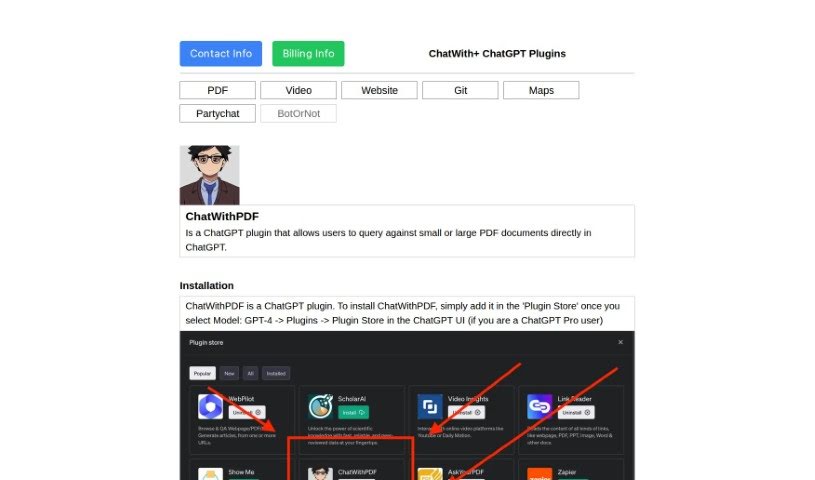
Screenshot of ChatwithPDF

ChatwithPDF

Discover ChatwithPDF, a handy ChatGPT plugin for searching PDFs. Learn how it works, its features, and how it stacks up against other PDF chat tools in 2025.

Screenshot

What is ChatwithPDF?

ChatWithPDF: Making PDFs Easy to Talk To

ChatWithPDF is a super helpful plugin for ChatGPT. It’s designed to make loading and asking questions about your PDF documents really simple. You just give it a temporary web link to your PDF, and it grabs the content to help you find what you need. You don’t need to install anything complicated; just add it to your ChatGPT ‘Plugin Store,’ and you’re good to go.

How does it work? Well, it takes that temporary URL you provide, pulls the PDF content, and then extracts the important bits so you can ask your questions. The best part? It doesn’t keep your PDFs around forever. Everything is temporary and gets cleaned up right after you’re done loading and asking questions.

One of its coolest features is called semantic search. This means it’s smart enough to understand the meaning behind your questions and find the most relevant parts of the PDF, not just keywords. It scans the document with meaning in mind to give you the best matches for what you’re asking.

Basically, ChatwithPDF makes digging through PDF files a breeze. You can ask it to define terms, find specific paragraphs, or anything in between. It presents the information in a friendly, conversational way, which really makes the whole experience much smoother and more enjoyable.

When it comes to your privacy, ChatwithPDF is on top of it. It doesn’t save any of your data permanently. All the PDF information is stored only temporarily and is wiped clean once the process is finished. This tool really simplifies how you analyze documents, giving you a quick and effective way to get the information you need.

Since it’s web-based, there’s no installation hassle at all, which is a big plus for ease of use. By using ChatwithPDF, you can speed up how you get information out of PDFs, making it a really valuable tool for anyone who needs to analyze documents efficiently.

So, to sum it up, ChatwithPDF gives you a smooth, secure way to ask questions about your PDFs right inside ChatGPT. It makes analyzing documents much more efficient and convenient.

Based on: chatwithpdf.pdf.

Who created ChatwithPDF?

ChatwithPDF was developed as a plugin specifically for ChatGPT. It first became available on May 2, 2023. This tool lets you pull in and ask questions about PDF documents directly within ChatGPT, simply by giving it a temporary web link to the PDF. The idea was to skip the manual searching and make getting information much faster. You could add it as an unverified plugin in the ‘Plugin Store’ within the ChatGPT interface. Importantly, the tool doesn’t keep any data permanently; all PDFs are loaded temporarily and then immediately deleted after you’ve finished loading and asking questions, which really helps protect your privacy and keep your data secure.

What is ChatwithPDF used for?

  • You can search through your PDFs right inside ChatGPT.
  • It works with PDFs of any size.
  • You can search PDFs in any language.
  • It handles PDFs on any topic.
  • It doesn’t matter how long the PDF is.
  • PDF quality isn’t an issue.
  • It offers smart, semantic PDF searching.
  • It works by using temporary web links.
  • It’s web-based, so no installation is needed.
  • Your data is wiped immediately after use.
  • It fetches information directly from PDF files.
  • It functions as a ChatGPT plugin.
  • It finds and delivers matches that make sense for your questions.
  • It’s really convenient for loading and working with PDFs.
  • It ensures your data privacy.
  • You can work with temporary web links.
  • It lets you do web-based searching without installing anything.
  • It helps you pull out the relevant information you need from PDFs.

Who is ChatwithPDF for?

  • Students
  • Researchers
  • Academic Professionals
  • Teachers
  • Professionals in many different fields
  • Professionals in fields like business or science
  • Professionals in fields like law or academia
  • Academics
  • Professionals in areas such as medicine, law, or engineering

How to use ChatwithPDF?

Here’s how you can get started with ChatwithPDF:

  1. Getting Set Up: First, add ChatwithPDF to your ‘Plugin Store’ within the ChatGPT interface.
  2. Using It:
    • When you’re chatting with ChatwithPDF, you can either provide a public link to your PDF or upload your document to a service like tmpfiles.org.
    • The tool will then grab the information from your PDF and show you matches that fit what you’re looking for based on your search.
  3. What It Can Do:
    • You can search PDFs of any size, language, topic, length, or quality directly within ChatGPT.
  4. Privacy Matters:
    • ChatwithPDF doesn’t keep your data permanently. All PDFs are loaded temporarily and then wiped clean right away.
    • Your data is stored temporarily using ChromaDB on the server where it’s deployed.
  5. How It Works:
    • Users give the plugin a public PDF link. The plugin then matches what you ask with the relevant information in the PDF and shows you suitable results.
  6. The Benefits:
    • It lets you do semantic PDF searches without keeping your data long-term.
    • As a ChatGPT plugin, it makes analyzing documents much smoother and keeps your data private.
  7. Analyzing PDFs Made Easy:
    • Just give ChatwithPDF a temporary URL for your PDF to load it.
    • Then, ask specific questions about the document to get information efficiently.
  8. Asking Specific Questions:
    • You can ask about definitions, specific parts of the document, its advantages, main ideas, or even experimental results.
  9. Where Data is Stored:
    • Temporary information from your PDFs (embeddings) is stored with ChromaDB on the deployment server and then wiped after you’re done.
  10. Convenience Factor:
    • It helps you find specific sections, gives you answers conversationally, and speeds up how quickly you can get information.

By following these steps, you’ll find ChatwithPDF to be a really efficient way to look through and get information from your PDF documents.

Related AI Tools

Discover more tools in similar categories that might interest you

Academic Help Free Essay Generator

Education Academic Writing
Learn More

Stay Updated with AI Tools

Get weekly updates on the latest AI tools, trends, and insights delivered to your inbox

Join 25,000+ AI enthusiasts. No spam, unsubscribe anytime.