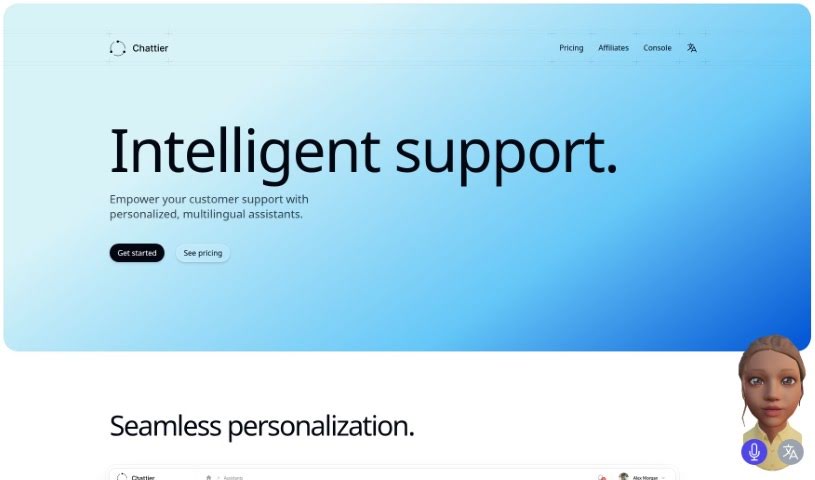
Screenshot of Chattier

Chattier

Discover Chattier in 2025! Learn what this AI tool is, how to use it effectively, explore its features, and see how it stacks up against other chatbots.

Screenshot

What is Chattier?

Chattier is a neat AI tool that helps you create smart chatbots for customer support. You can choose between a simple text chatbot or a more engaging 3D avatar that can even speak. Getting it set up is really straightforward and quick. You’ll just need to define your data, pick where you want to install it, grab the embed code, and then pop that code into your website’s HTML. Chattier uses OpenAI’s GPT models, so you know the chatbots will give really intelligent answers. By adding Chattier’s chatbots, businesses can really boost their customer support and how they communicate with people. If you want to know more about pricing or need to get in touch, you can find all that info on the Chattier website. Plus, you can give it a try for free before you decide to subscribe.

Who created Chattier?

Chattier was developed by a founder who prefers to remain anonymous. It first launched on August 27, 2023. This AI tool is all about making it easy to generate intelligent chatbots for customer support. You get to pick between standard text chatbots or more interactive 3D avatars that can speak. Chattier relies on OpenAI GPT to power its intelligent responses, aiming to make customer support experiences better by helping businesses connect smoothly with their users. You can find specific pricing details and contact information over on the Chattier website.

What is Chattier used for?

  • Creating smart chatbots: You can generate intelligent chatbots specifically for customer support needs.
  • Easy website integration: It’s simple to add these chatbots to any website.
  • Choice of chatbot type: You can opt for either standard text chatbots or more dynamic 3D avatars that include speech capabilities.
  • Quick setup: The process for getting started is fast and uncomplicated.
  • Domain specification: You can define the specific websites or domains where your chatbot will operate.
  • Simple embedding: Just copy the provided embed code and paste it directly into your website’s HTML.
  • Intelligent responses: By using OpenAI GPT, the chatbots are designed to provide smart and informative answers.
  • Better customer support: You can improve the overall customer support experience.
  • Smoother interactions: It helps streamline how users interact with your business.
  • Enhanced website support: This means better customer support directly on your web pages.
  • Seamless communication: It facilitates smoother conversations between your business and customers.
  • Customizable chatbots: You can create chatbots tailored to your specific needs and incorporate them into your website.

Who is Chattier for?

  • Businesses of all sizes
  • Customer support teams
  • Customer Support Representatives looking for better tools

How to use Chattier?

Here’s a simple guide to getting Chattier up and running:

  1. Create Your Chatbot: First, you’ll need to define the data your chatbot will use. Then, decide if you want a standard text chat or a 3D avatar that can speak.
  2. Installation: Next, specify the websites (domains) where you want your chatbot to be available. Once you’ve done that, you’ll copy the embed code that Chattier provides.
  3. Embedding: Now, just paste that copied embed code into the HTML code of your website. This step seamlessly integrates the chatbot right onto your site.
  4. Activation: After you’ve embedded the code, your chatbot will be live and ready to go on your website. It’ll be able to chat with users based on the topics you’ve set up.
  5. Enhanced Support: Remember, Chattier uses OpenAI GPT, which is a really powerful language model. This ensures that the chatbots you create will give intelligent and helpful responses.
  6. Improving Customer Support: By using Chattier’s chatbots, businesses can really boost their customer support experience and make user interactions much smoother and more effective.
  7. Try It for Free: Chattier offers a free trial, so you can test out all the benefits before you decide to subscribe. If you have questions about pricing or anything else, just head over to the Chattier website.

So, to sum it up, Chattier offers a really user-friendly way to add smart, customizable chatbots to your website. It makes communicating with your customers much more efficient.

Related AI Tools

Discover more tools in similar categories that might interest you

Stay Updated with AI Tools

Get weekly updates on the latest AI tools, trends, and insights delivered to your inbox

Join 25,000+ AI enthusiasts. No spam, unsubscribe anytime.