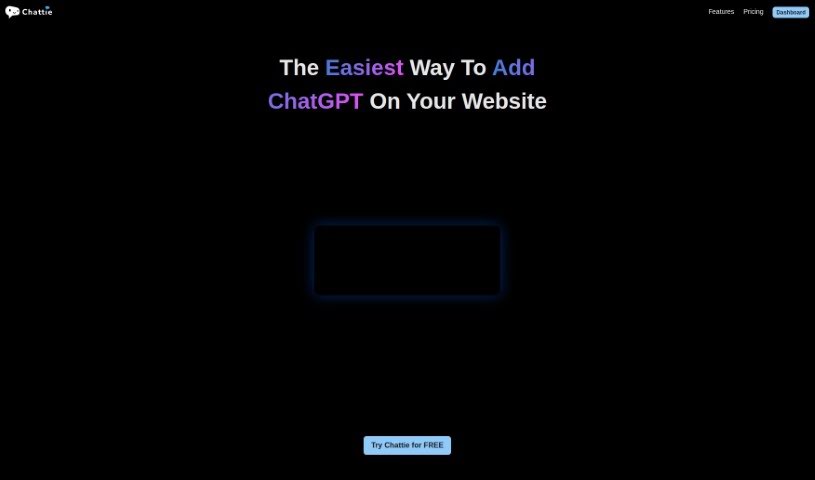
Screenshot of Chattie

Chattie

Discover what Chattie is and how to use it effectively in 2025. We'll explore its features and see how it stacks up against other chatbots.

Screenshot

What is Chattie?

Chattie is a really user-friendly tool that brings ChatGPT right into your website, all without needing any coding. It is a way to instantly give your website AI-powered customer support, letting visitors have interactive chats and get personalized answers. It’s super easy to set up, and you can tweak it to look just right with your site’s design and information. Basically, it’s a simple way to boost how much people interact with your site by offering them tailored conversations and immediate AI responses.

Who created Chattie?

Chattie was developed as an innovative no-code solution to seamlessly integrate ChatGPT into websites. While the specific founder and company details aren’t mentioned here, the core idea is clear: making it easy for anyone to add AI chat features. Chattie focuses on simple integration, personalized conversations, and boosting engagement, all without requiring users to know how to code. It’s designed to let you effortlessly add AI-driven chat capabilities to your online presence.

What is Chattie used for?

Chattie is great for a bunch of things that make your website better:

  • Boost User Experience: Make visitors happier by giving them instant, AI-powered customer support right on your site.
  • Interactive Conversations: Let visitors chat with your website in a more engaging way.
  • Personalized Responses: Offer tailored answers that make each visitor feel understood.
  • Easy ChatGPT Integration: Add ChatGPT to your website without needing any coding skills at all.
  • Quick Setup: Get ChatGPT up and running on your site in just seconds.
  • Customizable Chatbot: Tailor the AI chatbot to perfectly match your website’s unique data and overall design.
  • Better User Experience: Provide personalized interactions that really improve how people experience your site.
  • Keep Visitors Engaged: Hold people’s attention with instant AI responses and interactive chats.
  • Boost Engagement: Enhance how users interact with your site by offering personalized support.
  • Improve Customer Interaction: Make customer conversations better by using ChatGPT’s capabilities.
  • Enhance Website User Experience: Generally, make your website a more pleasant place for visitors.
  • Provide Instant AI Support: Offer immediate help whenever a visitor needs it.
  • Engage in Interactive Conversations: Create a more dynamic experience for your website visitors.
  • Deliver Personalized Visitor Responses: Make sure each visitor gets an answer that feels just right for them.
  • Fast Integration Process: Get the system up and running without any delays.
  • Tailor Chatbot to Your Data and Design: Make sure the AI fits your specific needs and looks good on your site.
  • Deliver Personalized Interactions for Better UX: Ensure every interaction is tailored for a superior user experience.
  • Keep Visitors Engaged with Instant AI Responses: Use AI to provide immediate, attention-grabbing interactions.

Who is Chattie for?

Chattie is a helpful tool for several groups:

  • Customer Support Representatives: To help manage inquiries more efficiently.
  • Web Developers: To easily add advanced chat features to client sites.
  • Website Owners: To improve visitor engagement and support without technical hassle.
  • Customer Service Managers: To enhance their team’s capabilities and customer satisfaction.

How to use Chattie?

Chattie is designed to be super easy to use, letting you effortlessly add ChatGPT to your website. Here’s a simple, step-by-step guide to get you started:

  1. Visit the Chattie Website: First, head over to https://usechattie.com to find the Chattie platform.
  2. Sign Up or Log In: If you’re new, create an account. If you already have one, just log in.
  3. Choose a Plan: Pick the plan that best suits what you need – they have Essential, Pro, and Agency options.
  4. Customize Your Chatbot: Use the straightforward interface to make the ChatGPT bot look and feel like it belongs on your website, matching its design and using your specific data.
  5. Integrate on Your Website: It’s quick! Integrate the ChatGPT chatbot onto your site using the tools and instructions Chattie provides.
  6. Personalize Interactions: Make the user experience even better by ensuring the chatbot offers personalized interactions with everyone who visits your site.
  7. Engage Your Visitors: Keep people interested by providing instant AI-driven responses and letting them have interactive conversations.
  8. Access Analytics: Keep an eye on how things are going by checking the chat history and using the analytics dashboard to understand what your users are doing.
  9. Further Customization: If you want to tweak the design even more, you can use the full CSS support available.
  10. Enjoy Better User Engagement: You’ll see the benefits of improved user engagement, instant support, and personalized responses, all thanks to ChatGPT working through Chattie.

By following these steps, you can smoothly add ChatGPT to your website with Chattie and really improve how users interact with your site using these smart AI features.

Related AI Tools

Discover more tools in similar categories that might interest you

Stay Updated with AI Tools

Get weekly updates on the latest AI tools, trends, and insights delivered to your inbox

Join 25,000+ AI enthusiasts. No spam, unsubscribe anytime.