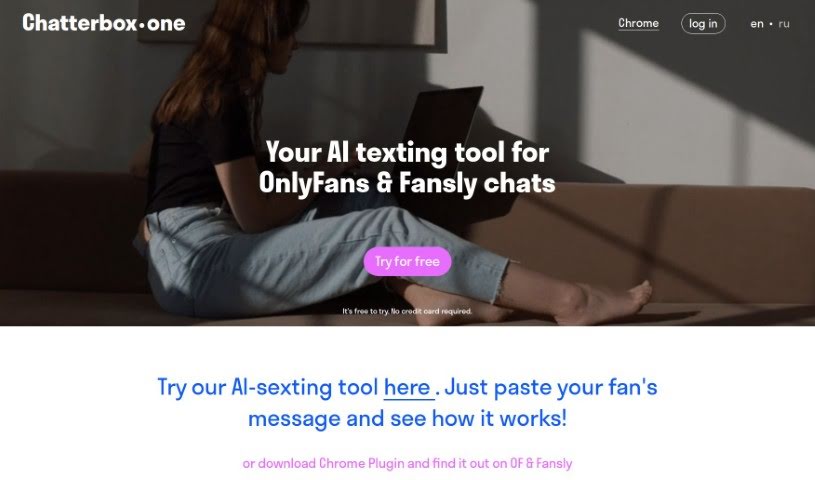
Screenshot of Chatterbox One

Chatterbox One

Discover what Chatterbox One is and how to use it effectively in 2025. We'll explore its features and see how it stacks up against other chatbots.

Screenshot

What is Chatterbox One?

Chatterbox One is an AI-powered chat tool built specifically for creators on platforms like OnlyFans and Fansly. Its main goal is to make communicating with fans much smoother by automating messages and creating engaging, natural-sounding replies. This helps creators save time, boost their conversion rates, and stay compliant with platform rules, which is super important, especially in the adult entertainment world. Chatterbox offers some neat features, like AI messages that understand the context, saving you tons of time, making sure you follow the rules, and even a free trial so you can test out the AI messages yourself.

Who created Chatterbox One?

Chatterbox One was developed by a team dedicated to providing innovative solutions for the adult entertainment industry. Their AI-assisted chat tool is designed to really improve how content creators connect with their fans on platforms like OnlyFans and Fansly. It automates a lot of the messaging work, which can save creators up to 80% of their texting time and even increase the number of non-paying fans who become paying subscribers by as much as 37%. They’re really focused on security and making sure everything complies with platform guidelines, so you can use it without worrying about getting banned.

What is Chatterbox One used for?

  • It helps you automate and speed up how you send messages.
  • You can use it to engage fans with flirty and context-aware messages.
  • It saves you time by letting you manage lots of conversations at once.
  • It’s designed to help you convert more free fans into paying ones.
  • You can be sure it keeps your account secure and follows OnlyFans’ rules.
  • New users get a free trial with AI-generated messages to try out.
  • It’s easy to connect with your OnlyFans or Fansly accounts using a simple Chrome plugin.
  • It supports automation for the adult industry.
  • It can help Smart Agencies scale their operations.
  • It provides an efficient way to keep fans engaged.
  • It helps you automate and speed up your messaging.
  • You can manage multiple conversations at the same time, really efficiently.
  • It generates engaging messages that fit the conversation and are a bit flirty.
  • It helps turn fans who aren’t paying into paying subscribers.
  • It ensures your account stays secure and follows platform guidelines.
  • You can save up to 80% of the time you spend texting fans.
  • There’s no risk of getting banned from OnlyFans.
  • It boosts the rate at which non-paying fans become paying ones.
  • New users can get a free trial with AI-generated messages.
  • It’s easy to link up with your existing OnlyFans or Fansly accounts.
  • It generates messages that are not only engaging but also fit the specific conversation.
  • You can save up to 80% of your texting time with fans.
  • It supports efficient and engaging fan interaction.
  • It makes sure your account is secure and follows platform rules.
  • It’s easy to integrate with both OnlyFans and Fansly accounts.
  • You can try it out for free with AI-generated messages.
  • It offers support for automating tasks in the adult entertainment industry.
  • It helps you manage many conversations at once.

Who is Chatterbox One for?

  • If you’re a content creator on OnlyFans.
  • If you’re a content creator on Fansly.

How to use Chatterbox One?

Here’s a simple, step-by-step guide to using Chatterbox One effectively:

  1. Sign Up and Log In: First things first, head over to the Chatterbox One website and sign up for an account. You don’t need to provide any credit card details just to get started.
  2. Integration: Next, you’ll want to download the Chrome Plugin that Chatterbox One offers. This makes it super easy to connect the tool directly to your OnlyFans or Fansly account. It lets you use AI-assisted messaging with just one click right inside your chats.
  3. Initiate Conversations: Once everything’s integrated, go to your OnlyFans or Fansly chats. You should see a Chatterbox panel appear in your chat window. Just click the button there to get the AI ready to help.
  4. Message Generation: When you’re chatting with fans, let the AI help you craft messages that fit the conversation and are engaging. The AI is designed to sound like a real person and can even create flirty dialogues to keep your fans interested.
  5. Time Efficiency: Take advantage of how much time Chatterbox One can save you. It’s great for handling multiple conversations at the same time. People often find they save up to 80% of their texting time, which means you can chat with more fans more efficiently.
  6. Enhanced Revenue Generation: You can use Chatterbox One to help convert fans who aren’t paying into subscribers. The AI messages are crafted to boost fan engagement, which can really help increase your earnings.
  7. Security and Compliance: You can feel confident using Chatterbox One because it really focuses on keeping your account secure and following all the platform rules, especially for sites like OnlyFans. It’s 100% secure, and they guarantee you won’t get banned from platforms like OnlyFans.
  8. Support and Pricing: Check out the different pricing options Chatterbox One has. There’s a free trial that comes with a welcome pack of AI messages, plus starter, pro, and custom plans if you need more. They’re designed to fit different creator needs.

By following these steps, creators can really make the most of Chatterbox One’s AI chat tool. It helps streamline your communication, keeps your fans engaged, and can even boost your income on platforms like OnlyFans and Fansly.

Related AI Tools

Discover more tools in similar categories that might interest you

Stay Updated with AI Tools

Get weekly updates on the latest AI tools, trends, and insights delivered to your inbox

Join 25,000+ AI enthusiasts. No spam, unsubscribe anytime.