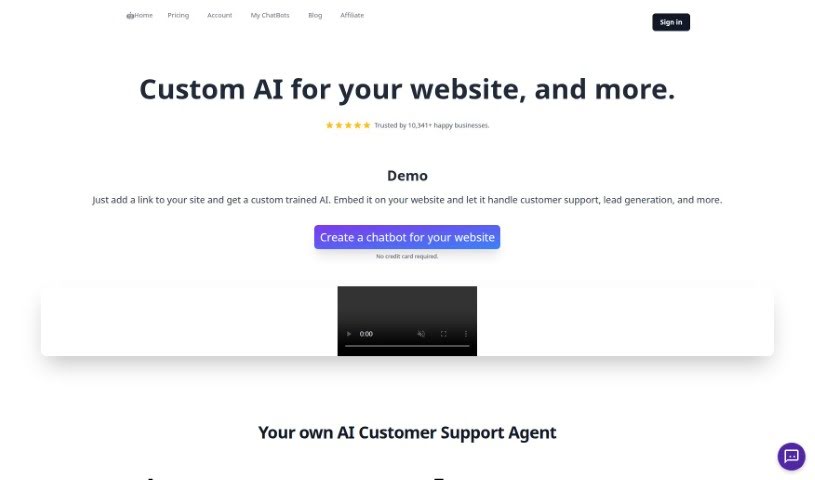
Screenshot of Chatshape

Chatshape

Discover what Chatshape is and how to use it effectively in 2025. We'll explore its features and see how it stacks up against other chatbots.

Screenshot

What is Chatshape?

ChatShape is a platform that lets you build and add your own AI chatbots to your website, super easily. Just give it your website link, and it trains a chatbot that can instantly answer customer questions, help you gather leads, and save you a ton of time. You can also tweak its look – think branding, colors, and even its personality – to perfectly match your business. Plus, you can collect leads, check out how your chatbot is doing with analytics, and update its answers before you put it live on your site. It really helps with instant customer support, getting leads, looking good with custom design, boosting conversions, and generally improving how you deliver customer service.

Who created Chatshape?

Rowan Cheung, who also founded therundown.ai, is the person behind Chatshape. His company offers a really advanced AI chatbot solution for websites, designed to help businesses connect better with their customers and offer top-notch support. Over 10,341 businesses are already using ChatShape, and they love how it integrates smoothly, lets them customize everything to fit their brand’s look, and provides useful insights through chat analytics. Rowan’s smart approach means businesses can save time while making customers happier and increasing sales.

What is Chatshape used for?

  • Answering customer questions right away
  • Gathering leads from visitors
  • Being highly customizable to fit your brand
  • Boosting your conversion rates
  • Collecting and reviewing chatbot analytics
  • Updating the chatbot’s responses when needed
  • Building chatbots using web sources and PDF files
  • Collecting visitor leads and email addresses
  • Viewing chatbot analytics and tracking interaction numbers
  • Keeping an eye on chatbot analytics
  • Making changes to bot responses
  • Creating a chatbot from PDF files
  • Adding your own custom data to the bot
  • Upgrading your plan for more features

Who is Chatshape for?

  • Teams focused on customer support
  • Businesses looking to generate more leads

How to use Chatshape?

Using ChatShape is pretty straightforward. Here’s how you do it:

  1. First, head over to chatshape.com/create and pop in your website link. This helps the AI learn from the text on your site.
  2. The tool then pulls all the visible, copyable text from your website to train the chatbot.
  3. Once the chatbot is ready, you can customize it to perfectly match your brand’s look and feel, and even its tone.
  4. To add it to your website, just copy the script tag and paste it into your website’s HTML.
  5. Want to collect leads? Turn on the email input form right in the chat window. You can then see and export all the leads and their conversations with the AI.
  6. You can check out your chatbot’s performance by looking at the analytics in your dashboard, which tracks all the interactions.
  7. Need to tweak what your chatbot says? You can easily update its responses by changing the prompt and the initial welcome message.
  8. The number of websites you can use depends on your plan, and you can also add your own custom data to make the chatbot even more specific.
  9. Every time you create a chatbot from new sources, it counts as one chatbot generation.
  10. You always have the option to upgrade your plan and fine-tune your bot’s responses before it goes live on your website.
  11. Keep an eye on how much text your sources contain and adjust your bot’s prompt and start message accordingly.

ChatShape really helps by offering instant customer support, making lead generation easier, letting you customize the design, optimizing for conversions, providing analytics, and offering other customization features. All of this works together to boost your website’s performance and make the user experience much better. With over 10,000 businesses already seeing the benefits of ChatShape, it’s a solid tool for improving how you engage with customers and increasing your conversions.

Related AI Tools

Discover more tools in similar categories that might interest you

Stay Updated with AI Tools

Get weekly updates on the latest AI tools, trends, and insights delivered to your inbox

Join 25,000+ AI enthusiasts. No spam, unsubscribe anytime.