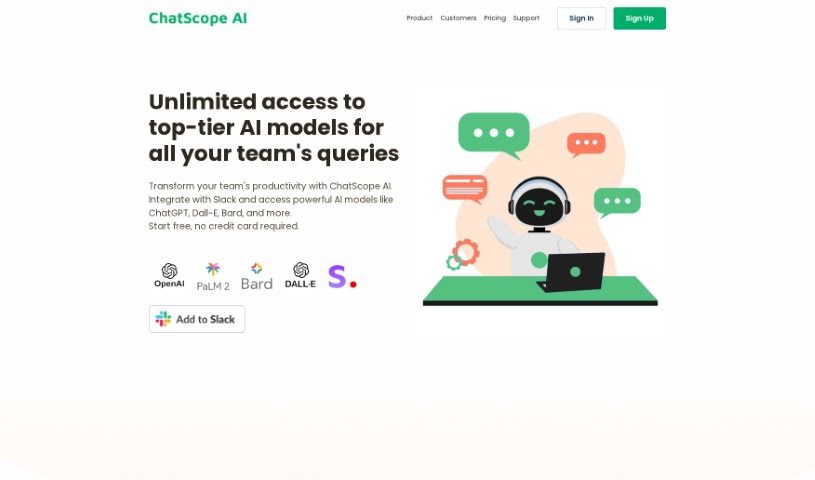
Screenshot of ChatScope AI

ChatScope AI

Discover what ChatScope AI is and how to use it effectively in 2025. We'll explore its features and see how it stacks up against other project management tools.

Screenshot

What is ChatScope AI?

ChatScope AI is a smart tool built to make teams work better together. It fits right into Slack, giving you access to powerful AI like ChatGPT, Dall-E, and Bard. This means you can speed up your work and come up with new ideas much faster. One really handy feature is its thread summarizer, which gives you a clear rundown of long conversations. This helps everyone stay on track and boosts productivity.

ChatScope AI is your team’s virtual assistant right in Slack. You can ask it questions, get help kicking off brainstorming sessions, or even get a hand crafting messages. It’s all about making your team’s collaboration smoother and more impactful. By using these high-performing AI models, it really helps simplify your tasks and leads to better results. Plus, that thread summarizer is a lifesaver for quickly getting the gist of lengthy discussions, really boosting efficiency.

Content creators will find ChatScope AI particularly useful. You can use its AI models to brainstorm ideas, write drafts, create visuals, and generally make the whole content creation process much smoother. Features like AI-assisted idea generation, efficient content drafting, and dynamic visual design open up new creative avenues, helping you produce more engaging content.

Who created ChatScope AI?

Chatscopeai first appeared on August 12, 2023. While the founder’s name isn’t specifically mentioned in the details we have, the company’s main goal is clear: to boost team productivity and collaboration. They do this by integrating smoothly with Slack and giving users access to powerful AI tools like ChatGPT, Dall-E, and Bard. The platform aims to make team collaboration more effective, ensuring interactions are more meaningful. They plan to roll out this intelligent bot across all Slack channels to offer smart support.

What is ChatScope AI used for?

  • Flexible pricing plans: Options to fit different budgets.
  • Enhances team productivity: Helps teams get more done.
  • Improves collaboration: Makes working together easier.
  • Optimizes team interactions: Streamlines communication.
  • Efficient thread summarizer: Quickly condenses long conversations.
  • Useful for data analysts: Aids in processing and insights.
  • Helpful for project managers: Supports task management and communication.
  • Beneficial for content creators: Assists with ideation and drafting.
  • Transparent usage tracking: Lets you see how much you’re using.
  • Cost-effective solution: Provides value without breaking the bank.

Who is ChatScope AI for?

  • Data Analysts
  • Project managers
  • Content creators

How to use ChatScope AI?

Here’s how you can make the most of ChatScope AI:

  1. Integrate with Slack:

    • ChatScope AI connects easily with Slack. This gives you direct access to powerful AI models like ChatGPT, Dall-E, and Bard, all within your familiar workspace.
  2. Boost Team Productivity:

    • Use the virtual assistant that lives in your Slack channels. You can ask it questions, get help sparking new ideas during brainstorming, and even get assistance writing messages.
  3. Tap into AI Models:

    • Access these AI models to really speed up your work, simplify tasks, and encourage new innovations.
  4. Spark Brainstorming:

    • ChatScope AI is great for brainstorming. It uses AI to help generate creative ideas for your projects.
  5. Get Content Creation Help:

    • Lean on AI tools like Dall-E and Bard for efficient content creation and designing visuals. It makes the process much smoother.
  6. Use the Thread Summarizer:

    • Need to catch up on a long discussion? This feature quickly summarizes lengthy conversations, giving you the key insights you need to stay productive.
  7. Support for Data Analysts:

    • Data analysts can use the AI models within ChatScope AI to pull out insights, speed up data processing, and make better predictions.
  8. Help for Project Managers:

    • Project managers can improve communication, boost collaboration, and automate tasks, leading to much greater efficiency.
  9. Stay Transparent and in Control:

    • Keep track of your usage with transparent tracking. This helps you manage resources wisely and ensures your AI spending is cost-effective.
  10. Consider the Free Trial and Cost:

    • Check if there’s a free trial available. It’s also worth looking into the pricing plans to see how cost-effective it is for your needs.

Remember, ChatScope AI offers smart AI solutions right inside Slack. Whether it’s improving how your team communicates or automating everyday tasks, it’s designed to enhance overall team productivity and collaboration.

Related AI Tools

Discover more tools in similar categories that might interest you

Stay Updated with AI Tools

Get weekly updates on the latest AI tools, trends, and insights delivered to your inbox

Join 25,000+ AI enthusiasts. No spam, unsubscribe anytime.