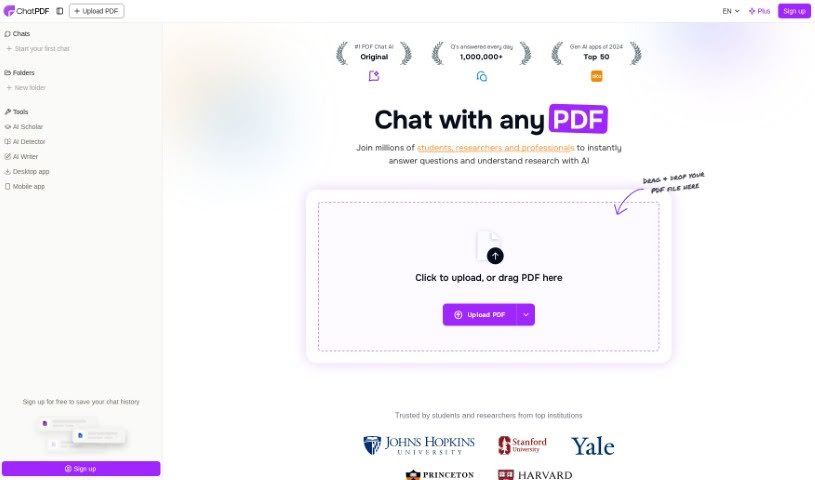
Screenshot of ChatPDF

ChatPDF

Discover what ChatPDF is and how to use it in 2025. We'll cover its features, compare it to other PDF chat tools, and show you exactly how to get the most out of it.

Screenshot

What is ChatPDF?

ChatPDF is a really neat AI tool that completely changes how you understand and dig into research papers. It even gives you unlimited access to the Jenni AI Writer, which is a big help when you’re writing. Basically, it lets you have a conversation with any PDF document you have. This means you can get instant answers to your questions, pull out specific information, or get a quick summary of the content. It’s perfect for students getting ready for exams, researchers looking for study info, or even professionals who need to go through legal contracts or financial reports. ChatPDF offers a solution that’s fast, easy to use, and secure. Plus, it handles PDFs in lots of different languages and even shows you where the information came from in the original document, which really adds to its credibility. With its super simple interface, ChatPDF is a must-have if you want to make your reading and research tasks way less of a hassle.

Who created ChatPDF?

Rishit Patel is the creator behind ChatPDF. It’s an AI-powered app designed to transform how we comprehend and analyze research papers. You can essentially chat with any PDF document using the Jenni AI Writer, which makes getting instant answers, extracting information, and summarizing content incredibly straightforward. The app is built to help students, researchers, and professionals alike, providing solutions that are fast, user-friendly, and secure for all your reading and research needs.

What is ChatPDF used for?

  • For Students: Ace your exams, get homework help, and breeze through multiple-choice questions without breaking a sweat.
  • For Researchers: Dive deep into scientific papers, academic articles, and books to quickly find all the information you need for your research.
  • For Professionals: Easily navigate legal contracts, financial reports, manuals, and training materials. Just ask any PDF a question and get fast insights.
  • Multi-File Chats: Organize your documents by creating folders and then chat with multiple PDFs all at once in a single conversation.

Who is ChatPDF for?

  • Students
  • Researchers
  • Professionals

How to use ChatPDF?

Using ChatPDF is pretty straightforward. Here’s how you can get started:

  1. Visit the ChatPDF website: Head over to the official ChatPDF site at https://www.chatpdf.com/.
  2. Upload your documents: You can create a folder and add your files directly into the ChatPDF system. What’s great is that the tool can actually understand the connections between all the documents you upload.
  3. Chat with your PDFs: Once your files are uploaded, you can start a conversation. Ask questions that might reference multiple sources, compare different pieces of content, or even find connections between various documents.
  4. Multilingual support: ChatPDF is designed to work with PDFs in any language, and you can chat back in your preferred language too. You can even upload a document written in one language and then ask your questions in another.
  5. Security and confidentiality: Your privacy is a big deal here. ChatPDF uses high-security standards, meaning your documents are protected with SSL encryption when they’re transferred and stay encrypted while stored. They’re also SOC2 Type II certified, which is a really strong indicator of enterprise-level security.
  6. File format support: You’re not limited to just PDFs! ChatPDF supports a variety of document formats, including Word (.doc, .docx), PowerPoint (.ppt, .pptx), Markdown (.md), and plain Text files (.txt). This means you can use one platform for all your document AI needs.
  7. Account creation: Good news – you don’t even need to create an account to start using ChatPDF! It’s free to try, and you can jump right in without signing up.

By following these simple steps, you’ll be able to efficiently use ChatPDF to analyze and understand your research papers and documents in no time.

Related AI Tools

Discover more tools in similar categories that might interest you

Academic Help Free Essay Generator

Education Academic Writing
Learn More

Stay Updated with AI Tools

Get weekly updates on the latest AI tools, trends, and insights delivered to your inbox

Join 25,000+ AI enthusiasts. No spam, unsubscribe anytime.