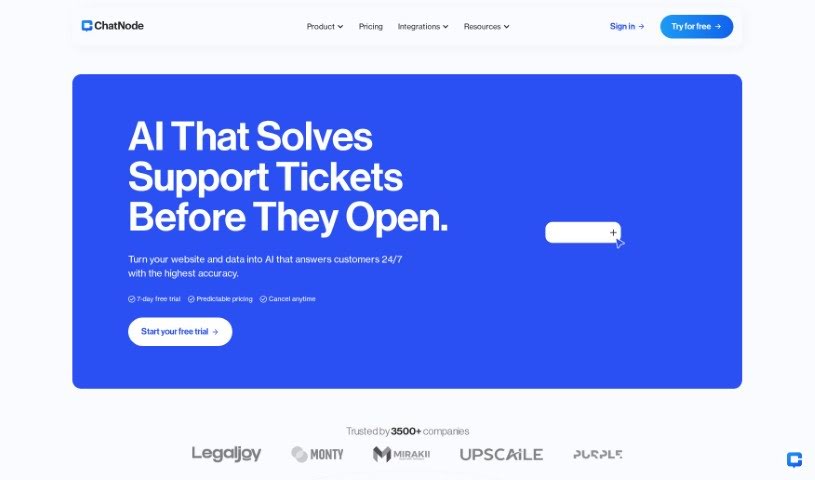
Screenshot of ChatNode AI

ChatNode AI

Discover what ChatNode AI is and learn how to use it effectively in 2025. We'll explore its features and see how it stacks up against other customer service tools.

Screenshot

What is ChatNode AI?

ChatNode is a tool that lets you build your own AI chatbots. It is a way to train ChatGPT using your own specific information. This helps you create smart assistants perfect for your website or even as a handy internal research tool. You can feed ChatNode pretty much any kind of data – whether it’s from websites, PDFs, documents, or just plain text. You just give it the URLs to pull from, or you can upload your files directly. What’s really neat is how fast it is; it usually takes about 10 seconds to get your data ready and train the AI. Plus, it handles about 95 different languages, offers support around the clock, and has a few different pricing options to choose from.

On top of that, ChatNode can really boost your customer support. It means you can be available 24/7, giving customers instant answers and taking some of the pressure off your human support team. It’s also great for private use, like for internal research. You can easily weave it into your company’s daily operations, giving everyone quick access to important data. This makes solving problems and making decisions a whole lot smoother. They offer a free plan with some message limits, and then there are paid plans that give you more power. With those, you can pull data from lots of different places and even run multiple chatbots. If you ever need help, their client support is available 24/7 via email or live chat. You can also tweak how your chatbots look to match your brand. And yes, you can put these chatbots out there for anyone to chat with on your website.

Who created ChatNode AI?

ChatNode was actually started by a team who had already built two e-commerce businesses and a software company. They noticed how challenging customer support could be and decided to create ChatNode to help out. They officially launched it on May 16, 2023. Their main goal with ChatNode is to simplify customer support and make businesses run more efficiently. They do this by using AI chatbots to handle those repetitive questions, freeing up human teams to tackle the trickier customer issues. The company offers various pricing plans, which are designed to suit both new startups and growing scale-ups. These plans include features like keeping a history of chatbot conversations, capturing leads, letting you customize the chatbot’s design, and even offering API access.

What is ChatNode AI used for?

  • It can be trained on virtually any kind of data.
  • You can use it both internally for your team and publicly on your website.
  • It supports around 95 different languages.
  • There are various pricing plans available to fit different needs.
  • You can upload data from multiple sources.
  • It allows for unlimited embedding on websites.
  • It helps centralize all your important knowledge.
  • It’s designed to improve customer support.
  • It makes getting information much more efficient.
  • It provides an interactive chatbot experience for users.

Who is ChatNode AI for?

  • Customer support teams
  • Researchers
  • Entrepreneurs
  • Startups
  • Scale-ups
  • Anyone in customer support roles
  • Research teams
  • Directors and managers

How to use ChatNode AI?

To get the most out of ChatNode, here’s a simple breakdown of how to use it:

  1. Train the AI: You can train the AI on any data you have. Just provide website URLs for it to pull information from, or upload your documents and text files directly into the platform.
  2. Fast Training: ChatNode is known for its speed. It typically takes about 10 seconds to extract your data and get the AI trained and ready.
  3. Boost Customer Support: ChatNode really helps customer support by being available 24/7 and giving instant answers. This means your support staff can focus on more complex issues.
  4. Internal Research: You can use it privately for your team’s research. It fits right into your company’s workflows, giving everyone quick access to data for better problem-solving and decision-making.
  5. Pricing Options: There’s a free plan with monthly limits on credits and tokens. Then, there are three paid plans – Basic, Pro, and Enterprise – which offer higher limits and more features.
  6. Multiple Data Sources: If you opt for a paid plan, you can combine data from various sources into a single chatbot, making your knowledge base much richer.
  7. Language Support: ChatNode supports about 95 languages, so your chatbots can communicate with people in many different languages.
  8. Client Support: Need help? You can reach their client support team 24/7 via email or live chat on their website.
  9. Integration: Easily integrate ChatNode into your existing workflows to access data and share knowledge more efficiently.
  10. Public Deployment: You can deploy your chatbots publicly by adding them to your website. You can use them as chat bubbles or embed them using iframes.

By following these steps, you’ll be able to use ChatNode effectively for your business needs.

Related AI Tools

Discover more tools in similar categories that might interest you

Stay Updated with AI Tools

Get weekly updates on the latest AI tools, trends, and insights delivered to your inbox

Join 25,000+ AI enthusiasts. No spam, unsubscribe anytime.