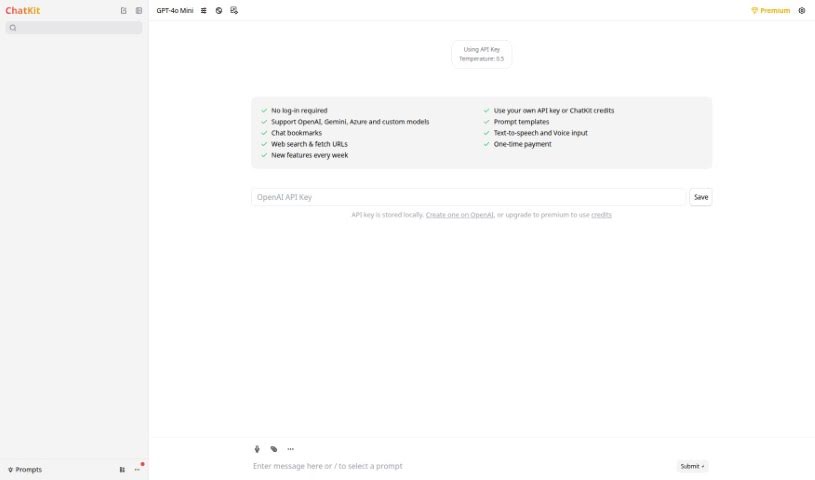
Screenshot of ChatKit

ChatKit

Discover ChatKit, a tool designed to enhance your ChatGPT experience. Learn what it is, how to use its features like password generation and translation, and how it stacks up against other chatbots in 2025.

Screenshot

What is ChatKit?

ChatKit is a helpful add-on for ChatGPT. It’s a tool that gives you a better interface and a bunch of extra features, making your time on ChatGPT smoother and more efficient. It’s designed to really improve how you interact with the platform. You’ll find things like a new chat function, a section for Frequently Asked Questions, a changelog so you know what’s new, and a place to give feedback. On top of that, ChatKit can generate passwords for you, translate text, work as a JavaScript console, and even act as a SQL terminal. Basically, it offers a more complete and polished experience all in one place.

Who created ChatKit?

ChatKit was actually developed by OpenAI, the well-known research lab focused on artificial intelligence. They launched it on March 9, 2023, with the goal of making the ChatGPT platform even better. They wanted to give users a more polished interface and add useful features like a new chat function, an FAQ section, a changelog, and a feedback area.

What is ChatKit used for?

Here’s a quick rundown of what you can do with ChatKit:

  • Make your experience on the ChatGPT interface much better.
  • Start new chats easily.
  • Find answers to common questions in the FAQ section.
  • Keep up with updates via the changelog.
  • Share your thoughts and suggestions in the feedback section.
  • Generate strong passwords.
  • Translate text from English into other languages.
  • Use it as a JavaScript console for running code.
  • Work with data using it as a SQL terminal.
  • Practice for job interviews by simulating them.

Who is ChatKit for?

ChatKit is particularly useful for:

  • Developers who need tools for coding and testing.
  • Translators looking for quick translation capabilities.
  • Interviewees preparing for their next big opportunity.

How to use ChatKit?

To get the most out of ChatKit, here’s how you can use its various features:

  1. Exploring the Features: ChatKit really boosts ChatGPT by adding things like a new chat function, an FAQ section, a changelog, and a feedback area. Plus, it gives you handy tools like a password generator, a text translator, a JavaScript console, and a SQL terminal.
  2. Premium Features: There’s also ChatKitPremium, which offers even more advanced capabilities, though the website doesn’t go into a lot of detail about them.
  3. Making Your Experience Better: ChatKit is all about improving how you use ChatGPT. It provides polished interfaces and useful tools like password generation and text translation to make things easier.
  4. Generating Passwords: Need a secure password? ChatKit can create one for you, adding a practical utility right within the platform.
  5. Translating Text: You can use ChatKit to translate text from English into different languages, which really opens up communication possibilities.
  6. JavaScript Console: ChatKit acts as a JavaScript console, letting you run JavaScript commands and scripts directly, which is super helpful for developers.
  7. SQL Terminal: It also functions as a SQL terminal, allowing you to run SQL queries right there on the ChatGPT interface.
  8. Storing API Keys: For better security and easier management, your API keys are stored locally when you use ChatKit.
  9. Building AI Conversations: ChatKit can help you build conversational AI applications by improving the ChatGPT interface, making your work more efficient and higher quality.
  10. Customer Experience Focus: ChatKit is designed to offer a flexible, efficient, and user-friendly experience, with clean interfaces and practical tools that genuinely help.

By following these steps and making the most of ChatKit’s wide range of functions, you can really improve your experience and expand what you can do with the ChatGPT platform.

Related AI Tools

Discover more tools in similar categories that might interest you

Stay Updated with AI Tools

Get weekly updates on the latest AI tools, trends, and insights delivered to your inbox

Join 25,000+ AI enthusiasts. No spam, unsubscribe anytime.