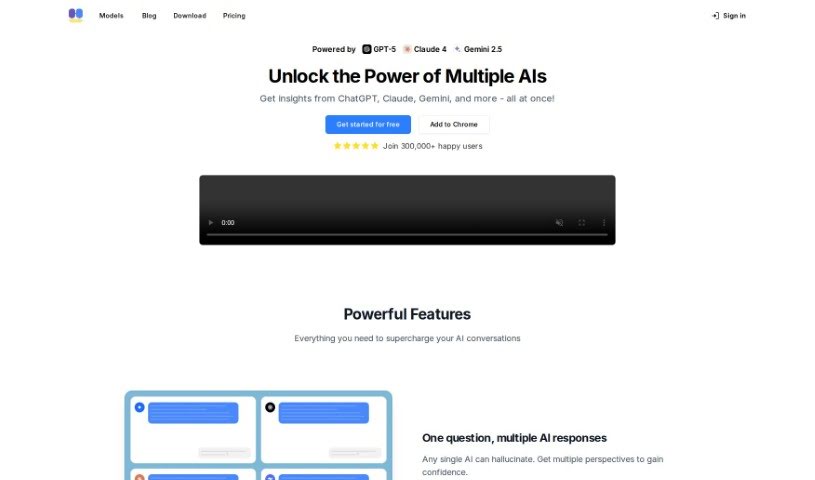
What is ChatHub?
ChatHub is a really handy browser extension that brings together a bunch of different chatbots, like ChatGPT, Bing, Bard, and Claude, all into one place. This means you can chat with several AI language models at the same time. It offers cool features such as ‘Chat and Compare’ for looking at responses side-by-side, integration with GPT-4, a handy Prompt Library, quick launch shortcuts, support for rich text, chat history, a dark mode option, and even web access to get the latest information. ChatHub is open-source and works on browsers built on Chromium, like Chrome, Edge, and Brave. There’s also a premium plan if you want even more features. It’s already a favorite for over 100,000 users who appreciate how efficient and effective it is for online conversations.
Who created ChatHub?
Alvaro de J. Carcaño is the creator behind ChatHub. His company developed this browser extension, which lets you talk to multiple chatbots all at once. Think ChatGPT, Bing, Google Gemini, Claude, and many others. With more than 100,000 users already on board, ChatHub really taps into advanced AI like GPT-4. They also offer a Premium plan that unlocks extra capabilities. The extension is compatible with most Chromium-based browsers and makes things convenient with features like saving your chat history, a dark mode, and a way to learn from others through its Prompt Library.
What is ChatHub used for?
- You can chat with several different AI language models all at the same time.
- It lets you compare what different AI models say, right next to each other.
- You get access to popular AI models like GPT-4, Claude, and Gemini, all in one spot.
- It helps you manage your own custom prompts and discover new ones from the community.
- You can quickly activate the app from anywhere in your browser using a keyboard shortcut.
- It displays markdown and code blocks nicely, with syntax highlighting to make them easy to read.
- Your conversations are automatically saved locally on your device, so you can easily search through them later.
- You can export and import your prompts and past conversations.
- You can switch between light and dark modes to suit your visual preference.
- It helps improve accuracy by letting you search for current information directly from the internet.
Who is ChatHub for?
- People working in customer support.
- Market research analysts.
- Content writers.
- Students.
- Teachers.
- Developers.
- Journalists.
- Translators.
- Researchers.
- Anyone who loves exploring language and AI.
How to use ChatHub?
To get the most out of ChatHub, here’s a simple guide:
- Installation: First, add the ChatHub browser extension to your favorite Chromium-based browser. This could be Chrome, Edge, or Brave.
- Activation: You can quickly turn on ChatHub using a simple keyboard shortcut. This makes accessing your chatbots super fast and efficient.
- Chat and Compare: Start chatting with multiple language models at once. This includes popular ones like ChatGPT, Bing, Google Gemini, Claude, and many more. The side-by-side comparison feature is great for really seeing how their responses stack up.
- Model Support: You’ll find it supports a wide range of models, like GPT-4, Claude 3.5, Gemini 1.5, and lots of other AI models, all conveniently in one place.
- Prompt Library: Take advantage of the Prompt Library. You can manage your own custom prompts here and also learn from prompts that the community has shared, which really helps improve your interactions and knowledge.
- Rich Text Features: You’ll enjoy a nice visual experience with markdown and code blocks that are rendered with syntax highlighting.
- Chat History: All your chats are automatically saved right on your computer. This means you can always go back and look through them, and searching is a breeze.
- Export/Import: You can easily export and import your prompts and conversations, so you can access them wherever you need them.
- Dark Mode: Feel free to switch between light and dark mode whenever you like. It’s great for your eyes, especially if you’re using it for a long time.
- Web Access: Want to make sure your answers are up-to-date? You can search for current information directly from the internet using the ChatHub extension.
- Premium Features: If you want to unlock everything ChatHub has to offer, consider upgrading to ChatHub Premium. It really enhances the whole user experience.
By following these steps, you can really tap into everything ChatHub has to offer. You’ll get a smooth and efficient chatbot experience right in your browser.