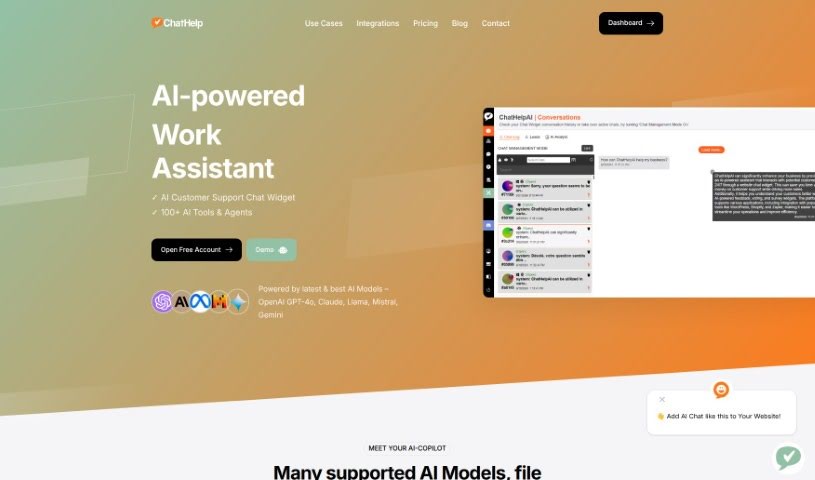
Screenshot of ChatHelp

ChatHelp

Discover what ChatHelp is and how to use it effectively in 2025. We'll explore its features and see how it stacks up against other customer service tools.

Screenshot

What is ChatHelp?

ChatHelp.ai is an AI-powered tool designed to make your business, work, and studies more efficient and engaging. Essentially, it uses OpenAI models to help you out through a chatbot. It can handle multiple languages, keeps your data secure and compliant, and offers some really neat features. Think of a custom AI knowledge base you can build, super-fast responses on your website with AI chat widgets, and even the option for a human to jump into live chats. Plus, it works with lots of document types, connects easily with other apps, and can even capture leads automatically. The main goal? To lighten the load for your customer support team, smooth out the sales process, and generally make your business run better. You can also customize those AI chat widgets to match your brand.

Who created ChatHelp?

A small team of developers who are really into AI created ChatHelp.ai. They launched it on July 18, 2024, with a clear mission: to build a single AI assistant for business, work, and studying. Their aim is to help people and businesses really tap into their creative side using advanced AI chatbot solutions.

What is ChatHelp used for?

  • It supports many different languages.
  • It makes your work more efficient.
  • It helps businesses engage better with customers.
  • It provides real-time responses to website visitors.
  • It captures leads automatically, which helps streamline sales.
  • It’s versatile for all sorts of business needs.
  • It helps boost your productivity.
  • It can assist with your studies.
  • It’s designed to work internationally.
  • It helps you understand data more easily.

Who is ChatHelp for?

  • People who create content
  • Business owners
  • Students

How to use ChatHelp?

Here’s how to get the most out of ChatHelp.ai:

  1. Get Started and Find Help:

    • First, sign up on the ChatHelp.ai website.
    • If you need help getting set up, their Discord Community chat is a great place to ask.
    • You can try it out for free for 14 days, and you can cancel anytime within that period if it’s not quite right for you.
  2. Key Features and What It Can Do:

    • You’ll appreciate that it supports various data formats and can connect with other apps you use.
    • It offers support for multiple languages and hosts your data securely in the cloud.
    • You can use it for live interactions on your website, providing personalized responses.
    • Take advantage of 24/7 customer support and the automatic lead capture feature.
  3. Understanding ChatHelp.ai:

    • Think of ChatHelp.ai as an AI tool focused on making things more efficient and improving how your business interacts with people.
    • It can connect with different platforms to help you build your own AI knowledge bases.
  4. Working with ChatHelp.ai:

    • The tool uses AI models like GPT Chat and GPT-4 to handle various tasks through conversations.
    • You can customize the AI chat widget to perfectly suit your business and easily integrate it with your existing platforms.
  5. Connecting and Boosting Efficiency:

    • You can connect it with apps like WordPress, YouTube, Gmail, and many others.
    • Boost your work efficiency by using AI to improve customer interactions and simplify your processes.
  6. Data Security and Support:

    • Your data is hosted securely, training is encrypted, and integrating the widget is straightforward.
    • You can use the platform to manage inquiries from different departments and reduce the workload on your human support agents.
  7. Global Capabilities:

    • Get real-time responses, improve productivity, and get study help, all on a global scale.
    • You’ll also have access to encrypted snippets, better data understanding, and quick replies.

By following these steps and exploring ChatHelp.ai’s many features, you can really improve how your business runs, make customer interactions smoother, and boost overall efficiency.

Related AI Tools

Discover more tools in similar categories that might interest you

Stay Updated with AI Tools

Get weekly updates on the latest AI tools, trends, and insights delivered to your inbox

Join 25,000+ AI enthusiasts. No spam, unsubscribe anytime.